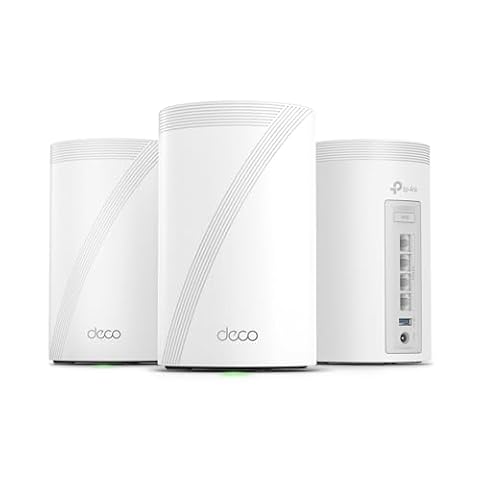
Best Mesh Wifi Systems Under $200: 15 Spec-Based Picks
We compared 15 mesh wifi systems under $200 using only published specifications. See how Wi-Fi 6 and 7 standards affect coverage and speed for your home.

As Amazon Associates, we earn from qualifying purchases. This means we may receive a small commission at no extra cost to you if you click through and make a purchase.
As an Amazon Associate we earn from qualifying purchases. Links on this page are affiliate links.
Finding the best mesh wifi systems under $200 requires looking at hard specs rather than marketing claims. Our top pick, the TP-Link Deco X55 3-Pack, leads because it includes Gigabit Ethernet ports for stable wired backhaul in large homes. We compared 15 options using only the specifications published on their listings. This guide helps you decide which system matches your home’s size and device count based on coverage area, wireless standards, and port speeds.
Choose Wi-Fi 6 or Wi-Fi 7
Select Wi-Fi 6 for broad coverage and wired stability, as seen in the TP-Link Deco X55. Choose Wi-Fi 7 for modern speed and multi-gig ports, like the TP-Link Deco BE23. If you need smart home integration, look for built-in Zigbee hubs in eero models. Match the wireless standard to your home size and device count for the best performance.
| # | Product | Best for | Price |
|---|---|---|---|
| 1 | TP-Link Deco X55 3-Pack Wi-Fi 6 Best overall | Large homes needing broad coverage | |
| 2 | TP-Link Deco Tri-Band WiFi 6E 2-Pack Best streaming | large homes needing high device capacity | |
| 3 | Amazon eero 6 2-Pack Mesh System Also great | Medium homes needing smart home hub integration | |
| 4 | NETGEAR Nighthawk Dual-Band WiFi 7 Router Also great | small homes needing WiFi 7 speeds | |
| 5 | eero 7 1-Pack with 2.5G Ports Best budget | single-unit Wi-Fi 7 coverage and smart home control | |
| 6 | TP-Link Deco Dual-Band WiFi 7 2-Pack Also great | Medium homes needing Wi-Fi 7 and 2.5G ports | |
| 7 | TP-Link Deco Dual-Band Wi-Fi 6 3-Pack Also great | Medium homes needing 5,800 sq ft coverage | |
| 8 | TP-Link Archer Tri-Band WiFi 7 Router Best premium | Users needing 10 Gbps WAN and tri-band Wi-Fi 7 | |
| 9 | Amazon eero Pro 6E Mesh Router Also great | expanding existing eero networks | |
| 10 | ASUS Dual-Band WiFi 7 Router Also great | Dual-band WiFi 7 needs with AiMesh expansion | |
| 11 | ASUS TUF Gaming Dual-Band WiFi 7 Router Also great | Gamers needing quad 2.5G ports and stability | |
| 12 | TP-Link Deco Tri-Band WiFi 6E 2-Pack Also great | homes needing 2.5 Gbps ports and wide coverage | |
| 13 | Amazon eero 6 Mesh System 3-Pack Best 4,500 sq. ft. | homes under 4,500 sq ft with 500 Mbps plans | |
| 14 | Amazon eero Pro 6 Tri-Band Mesh Router Best zigbee | integrating smart home devices | |
| 15 | Google Nest WiFi Pro 1-Pack Best google home | Google Home users needing reliable single-unit coverage |
The best fit for you
- You need broad coverage for a large home – TP-Link Deco X55 3-Pack Wi-Fi 6 – The TP-Link Deco X55 3-Pack uses Wi-Fi 6 and Ethernet backhaul for reliable whole-home stability.
- You want high device capacity for streaming – TP-Link Deco Tri-Band WiFi 6E 2-Pack – The TP-Link Deco XE75 2-Pack supports 200 devices with tri-band Wi-Fi 6E performance.
- You need smart home hub integration – Amazon eero 6 Mesh System 3-Pack – The eero 6 3-Pack includes Zigbee hub integration for connecting smart home devices directly.
- You want modern Wi-Fi 7 speeds – NETGEAR Nighthawk Dual-Band WiFi 7 Router – The NETGEAR RS140 offers Wi-Fi 7 standards with dual-band connectivity for small homes.

TP-Link Deco X55 3-Pack Wi-Fi 6
Best for: Large homes needing broad coverage
- Wireless Standard
- Wi-Fi 6
- Coverage Area
- up to 6500 Sq.Ft.
- Ethernet Port Speed
- Gigabit
- Device Capacity
- up to 150 devices
- Pack Size
- 3-Pack
- Connectivity
- Wireless
The TP-Link Deco X55 3-Pack covers up to 6500 square feet with Wi-Fi 6. It supports up to 150 devices and uses Gigabit Ethernet ports. This mesh system includes wired backhaul for stable speeds. It fits homes needing broad coverage for many connected gadgets. The three units provide seamless whole-home connectivity.
- Covers up to 6500 square feet
- Supports up to 150 devices
- Includes Gigabit Ethernet ports
- Features wired Ethernet backhaul
- Wi-Fi 6 standard is older than Wi-Fi 7 options
- AX3000 speed class is lower than AXE5400 or BE9700 systems
- Gigabit ports limit throughput compared to 2.5G or 10G ports
- You need coverage for large homes up to 6500 square feet
- You connect many devices, up to 150, to your network
- You prefer wired backhaul for stable mesh performance
- You require Wi-Fi 7 speeds for future-proofing
- You need ports faster than Gigabit for high-speed internet
- You have a small home under 2000 square feet
Verdict: TP-Link Deco X55 3-Pack delivers reliable whole-home coverage for large households with many connected devices. It suits buyers prioritizing broad square footage and wired stability over the highest theoretical speeds.

TP-Link Deco Tri-Band WiFi 6E 2-Pack
Best for: large homes needing high device capacity
- Wireless Standard
- WiFi 6E
- Coverage Area
- up to 5500 Sq.Ft
- Frequency Bands
- Tri-Band
- Maximum Speed
- up to 5,400 Mbps
- Device Capacity
- 200 devices
- Pack Size
- 2-Pack
The TP-Link Deco XE75 is a tri-band WiFi 6E mesh system designed for whole-home coverage. It supports up to 5,500 square feet and handles 200 connected devices at speeds reaching 5,400 Mbps. The dedicated 6 GHz band reduces interference, making it ideal for streaming and gaming. This 2-pack configuration provides robust performance for medium to large homes needing reliable, high-capacity connectivity.
- Tri-band WiFi 6E standard for reduced interference
- Covers up to 5,500 square feet of space
- Supports up to 200 connected devices simultaneously
- Total wireless speed reaches 5,400 Mbps
- Dedicated 6 GHz band acts as a stable backhaul
- Includes only two nodes in the 2-pack configuration
- Limited to Gigabit Ethernet port speeds
- Physical dimensions are 4.13 by 6.67 inches per unit
- You need coverage for areas up to 5,500 square feet
- You have many devices connected to your network
- You prioritize low-latency streaming and gaming
- You require WiFi 7 technology for future-proofing
- You need more than two access points in your setup
- You require 2.5 Gigabit Ethernet ports for faster wired connections
Verdict: TP-Link Deco XE75 2-Pack delivers high-speed tri-band performance for homes up to 5,500 square feet. It fits users who need to support 200 devices without sacrificing streaming quality.

Amazon eero 6 2-Pack Mesh System
Best for: Medium homes needing smart home hub integration
- Wireless Standard
- Wi-Fi 6
- Coverage Area
- Up to 3,000 sq ft
- Maximum Speed
- Up to 900 Mbps
- Device Capacity
- 75+ devices
- Pack Size
- 2-pack
- Color
- White
The Amazon eero 6 is a Wi-Fi 6 mesh system sold as a 2-pack. It covers up to 3,000 square feet and supports speeds up to 900 Mbps. The units handle 75 or more connected devices. It includes a Zigbee hub for smart home control. This setup suits medium-sized homes needing reliable whole-home coverage without high-end speed requirements.
- Covers up to 3,000 square feet
- Supports 75+ connected devices
- Built-in Zigbee smart home hub
- Wi-Fi 6 wireless standard
- Maximum speed of 900 Mbps is lower than the AX3000 and AXE5400 systems on this list
- Dual-band Wi-Fi 6 lacks the tri-band capacity of the AXE5400 and BE3600 models
- You need reliable coverage for a home up to 3,000 square feet
- You want a simple setup with a dedicated smart home hub
- You have 75 or fewer devices connecting to the network
- You require speeds exceeding 900 Mbps for heavy bandwidth tasks
- You need tri-band performance to reduce congestion on the 5 GHz band
- You want to support more than 75 simultaneous connections
Verdict: Amazon eero 6 Mesh System 2-Pack delivers solid Wi-Fi 6 coverage for average homes. It fits buyers who prioritize smart home integration and straightforward management over raw throughput or tri-band flexibility.

NETGEAR Nighthawk Dual-Band WiFi 7 Router
Best for: small homes needing WiFi 7 speeds
- Wireless Standard
- WiFi 7
- Coverage Area
- Up to 2,250 sq ft
- Frequency Bands
- Dual-Band
- Maximum Speed
- 5 Gbps
- Ethernet Port Speed
- 1× 2.5G + 3× Gigabit
- Device Capacity
- 80 devices
The NETGEAR RS140 is a dual-band WiFi 7 router covering up to 2,250 square feet. It supports 80 devices with a maximum speed of 5 Gbps. A 2.5 Gbps WAN port handles multi-gig internet plans. Three 1 Gbps LAN ports connect wired devices. The Nighthawk app manages the network. This setup suits smaller homes with moderate device loads.
- WiFi 7 standard for future-proof performance
- 2.5 Gbps WAN port for high-speed internet
- Supports up to 80 connected devices
- Covers up to 2,250 square feet
- Limited to dual-band frequency operation
- Single router design reduces whole-home coverage compared to mesh systems
- Maximum speed of 5 Gbps is lower than tri-band alternatives
- You need a simple single-router setup
- Your internet plan exceeds 1 Gbps
- You want WiFi 7 features on a budget
- You require tri-band WiFi for less congestion
- Your home exceeds 2,250 square feet
- You need a mesh system for multi-story coverage
Verdict: The NETGEAR RS140 WiFi 7 Router fits users who want modern WiFi 7 speeds in a compact, single-unit form factor. It is ideal for small apartments or homes where a mesh system is unnecessary.
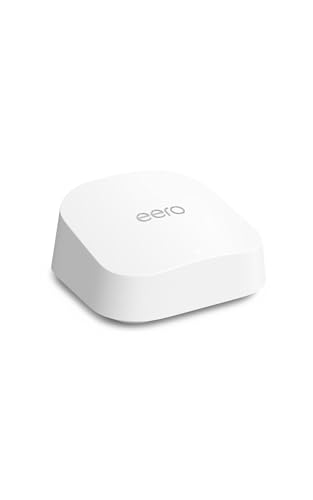
eero 7 1-Pack with 2.5G Ports
Best for: single-unit Wi-Fi 7 coverage and smart home control
- Wireless Standard
- Wi-Fi 7
- Coverage Area
- up to 2,000 sq. ft.
- Maximum Speed
- up to 1.8 Gbps
- Ethernet Port Speed
- 2.5 GbE
- Device Capacity
- 120+ devices
- Pack Size
- 1-pack
This single-pack eero 7 unit delivers Wi-Fi 7 performance with speeds up to 1.8 Gbps. It covers up to 2,000 sq. ft. and supports over 120 connected devices. The system includes two 2.5 GbE ports for wired connections. It functions as a smart home hub for Thread, Matter, and Zigbee devices. This setup suits users needing solid whole-home coverage with modern connectivity standards.
- Wi-Fi 7 standard with multi-link operation
- Supports internet plans up to 2.5 Gbps
- Two auto-sensing 2.5 GbE Ethernet ports
- Covers up to 2,000 sq. ft.
- Handles 120+ connected devices
- Single-pack configuration limits mesh expansion compared to multi-unit systems
- 2,000 sq. ft. coverage is smaller than larger mesh packs
- 1.8 Gbps wireless speed is lower than AXE5400 tri-band models
- You need Wi-Fi 7 features in a single device
- You want a smart home hub for Thread and Matter devices
- You require 2.5 GbE ports for high-speed wired connections
- You need coverage for large homes over 2,000 sq. ft.
- You want a multi-pack mesh system for whole-home consistency
- You require tri-band speeds exceeding 1.8 Gbps
Verdict: eero 7 1-Pack Wi-Fi 7 Router fits users who want Wi-Fi 7 performance and smart home hub capabilities in a single unit. It is ideal for smaller spaces or as a wired backhaul node in a larger mesh setup.

TP-Link Deco Dual-Band WiFi 7 2-Pack
Best for: Medium homes needing Wi-Fi 7 and 2.5G ports
- Wireless Standard
- Wi-Fi 7
- Coverage Area
- Up to 4,500 sq ft
- Frequency Bands
- Dual-Band
- Maximum Speed
- 3.6 Gbps
- Ethernet Port Speed
- 2.5 Gbps
- Device Capacity
- 150 devices
The TP-Link Deco 7 BE23 is a dual-band Wi-Fi 7 mesh system designed for homes up to 4,500 square feet. It supports 150 devices and delivers 3.6 Gbps of wireless speed. Each node includes two 2.5 Gbps Ethernet ports for wired connections. This setup uses Multi-Link Operation for stronger backhaul stability. It suits users who need modern Wi-Fi 7 features and multi-gig wired connectivity in a two-pack configuration.
- Wi-Fi 7 standard with 3.6 Gbps total speed
- Two 2.5 Gbps Ethernet ports per node
- Covers up to 4,500 square feet with two units
- Supports simultaneous wired and wireless backhaul
- Handles up to 150 connected devices
- Dual-band architecture limits bandwidth compared to tri-band competitors
- 2-pack configuration covers less area than 3-pack options
- Maximum wireless speed is lower than AXE5400 or BE9700 models
- You want Wi-Fi 7 features at a lower price point
- You have a multi-gig internet plan and wired devices
- You need a mesh system for a medium-sized home
- You require tri-band performance for heavy wireless backhaul
- You need to cover more than 4,500 square feet
- You want the highest possible wireless throughput available
Verdict: The TP-Link Deco 7 BE23 Wi-Fi 7 Mesh System offers essential Wi-Fi 7 capabilities and 2.5 Gbps ports for users who do not need tri-band speeds. It fits homes under 4,500 square feet that prioritize wired connectivity and modern standards.

TP-Link Deco Dual-Band Wi-Fi 6 3-Pack
Best for: Medium homes needing 5,800 sq ft coverage
- Wireless Standard
- Wi-Fi 6
- Coverage Area
- Up to 5,800 sq ft
- Frequency Bands
- Dual-Band
- Device Capacity
- Up to 150 devices
- Pack Size
- 3-pack
- Color
- White
This TP-Link Deco X20 3-pack is a dual-band Wi-Fi 6 mesh system designed for whole-home coverage. It supports up to 5,800 square feet and connects up to 150 devices. The units are compact at 4.33 by 4.49 inches. It includes Ethernet backhaul for wired connections. The system works with internet plans up to 1 Gbps. It is suitable for homes needing reliable coverage without tri-band speeds.
- Covers up to 5,800 square feet
- Connects up to 150 devices
- Uses Wi-Fi 6 AX1800 standard
- Includes Ethernet backhaul
- Dual-band speeds are lower than tri-band competitors
- 150 device capacity is lower than higher-end models
- 5,800 sq ft coverage is smaller than larger packs
- You need coverage for up to 5,800 square feet
- You have up to 150 connected devices
- You want a simple 3-pack setup
- You require Wi-Fi 6E or Wi-Fi 7 speeds
- You need tri-band performance for heavy traffic
- You have more than 150 connected devices
Verdict: TP-Link Deco X20 3-Pack Mesh System is a practical choice for medium-sized homes that prioritize device capacity and coverage area over high-speed tri-band performance. It fits users who want a straightforward mesh solution with wired backhaul options.

TP-Link Archer Tri-Band WiFi 7 Router
Best for: Users needing 10 Gbps WAN and tri-band Wi-Fi 7
- Wireless Standard
- Wi-Fi 7
- Coverage Area
- 2,000 sq ft
- Frequency Bands
- Tri-Band
- Ethernet Port Speed
- 10 Gbps, 2.5 Gbps
- Color
- Black
- Wired Connectivity
- USB
The TP-Link Archer BE550 Pro is a single BE9700 tri-band Wi-Fi 7 router. It covers 2,000 square feet with six internal antennas. You get one 10 Gbps WAN port and four 2.5 Gbps LAN ports for high-speed wired connections. The Tether app handles setup and management. It supports EasyMesh for expansion. This unit suits users who want future-proof speeds and robust wired backhaul options in a single device.
- BE9700 tri-band Wi-Fi 7 speeds with 320 MHz channels
- One 10 Gbps WAN port and four 2.5 Gbps LAN ports
- Covers 2,000 square feet with six internal antennas
- EasyMesh compatible for network expansion
- Single router covers only 2,000 square feet
- Physical dimensions are 11.2 x 9.76 x 5.67 inches
- You need a 10 Gbps WAN port for multi-gig internet plans
- You want tri-band Wi-Fi 7 performance in a single unit
- You plan to expand coverage using EasyMesh compatible devices
- You require a pre-packaged multi-node mesh system
- You need coverage for areas larger than 2,000 square feet
- You prefer a smaller footprint for tight spaces
Verdict: The TP-Link Archer BE550 Pro BE9700 fits users who prioritize high-speed wired connectivity and single-device Wi-Fi 7 performance. It is ideal for those who can manage coverage with one unit or plan to add compatible extenders later.

Amazon eero Pro 6E Mesh Router
Best for: expanding existing eero networks
- Wireless Standard
- Wi-Fi 6E
- Coverage Area
- up to 2,000 sq. ft.
- Maximum Speed
- up to 2.3 Gbps
- Ethernet Port Speed
- 2.5 Gb
- Device Capacity
- 100+ devices
- Pack Size
- 1-pack
The eero Pro 6E is a single Wi-Fi 6E mesh router covering up to 2,000 square feet. It supports internet plans up to 2.5 Gbps with wired speeds up to 1 Gbps and wireless speeds up to 1.6 Gbps. The unit connects 100+ devices and includes a 2.5 Gb Ethernet port. You should choose this if you already have other eero nodes or need a compact, high-speed gateway for a smaller home.
- Wi-Fi 6E standard with 6 GHz band access
- 2.5 Gb Ethernet port for gigabit+ plans
- Supports up to 100+ connected devices
- Covers up to 2,000 square feet
- Backward-compatible with previous eero devices
- Single-pack configuration limits whole-home coverage
- Lower device capacity than larger mesh systems
- Heavier build at 1.41 pounds
- You already own other eero mesh nodes
- You need a 2.5 Gb wired connection
- You want a compact single-unit gateway
- You need a complete multi-room mesh system
- You require coverage for large homes
- You want to avoid monthly subscription options
Verdict: eero Pro 6E Single Router is a high-speed Wi-Fi 6E gateway for users who already have eero nodes or need a single powerful unit. It fits small spaces where you do not need a full multi-pack mesh system.
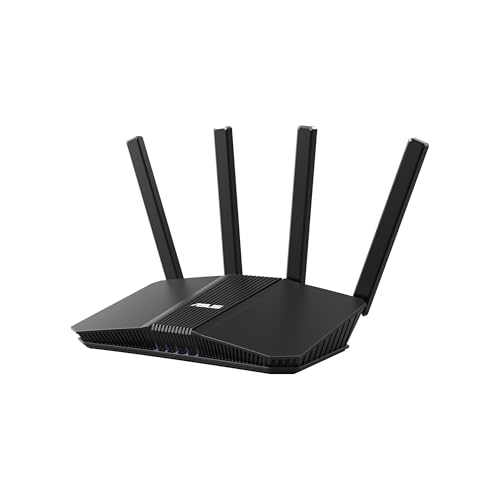
ASUS Dual-Band WiFi 7 Router
Best for: Dual-band WiFi 7 needs with AiMesh expansion
- Wireless Standard
- WiFi 7
- Coverage Area
- 2300 ft2
- Frequency Bands
- Dual-Band
- Maximum Speed
- 5 Gbps
- Ethernet Port Speed
- 2.5G, 1G
- Wireless Connectivity
- Wi-Fi
The ASUS RT-BE59 is a dual-band WiFi 7 router offering up to 5 Gbps of wireless speed. It covers approximately 2300 square feet with four external antennas. The device includes a 2.5G Ethernet port and supports AiMesh for whole-home extension. It is suitable for users seeking WiFi 7 performance in a standard dual-band configuration without tri-band requirements.
- Dual-band WiFi 7 standard with speeds up to 5 Gbps
- 2.5G Ethernet port for high-speed wired connections
- AiMesh compatible for extending coverage to 2300 sq ft
- Four external antennas for stable signal distribution
- Dual-band configuration offers less total bandwidth than tri-band models on this list
- Maximum wireless speed of 5 Gbps is lower than the 6.5 Gbps and 19 Gbps options available elsewhere
- Coverage area of 2300 sq ft is smaller than the 2250 sq ft Nighthawk and larger eero systems
- You need WiFi 7 features but prefer a dual-band setup
- You want to extend your network using compatible ASUS routers
- You require a 2.5G port for faster local network transfers
- You need tri-band connectivity for heavy simultaneous streaming
- You require speeds exceeding 5 Gbps
- You have a home larger than 2300 square feet
Verdict: ASUS RT-BE59 Dual-Band WiFi 7 Router fits users who want modern WiFi 7 standards and AiMesh flexibility without the cost or complexity of tri-band hardware. It serves small to medium homes needing a reliable 2.5G wired backbone.

ASUS TUF Gaming Dual-Band WiFi 7 Router
Best for: Gamers needing quad 2.5G ports and stability
- Wireless Standard
- WiFi 7
- Frequency Bands
- Dual-Band
- Maximum Speed
- Up to 6.5 Gbps
- Ethernet Port Speed
- 2.5 Gbps
- Wireless Connectivity
- Wi-Fi
- Color
- Black
This ASUS TUF Gaming BE6500 is a dual-band WiFi 7 router designed for stability and speed. It delivers up to 6.5 Gbps wireless throughput and features quad 2.5 Gbps Ethernet ports. The device supports Multi-Link Operation for consistent connections and includes a dedicated gaming port. Its dimensions are 8.4 by 6.9 by 11.9 inches, and it weighs 1.7 pounds. This setup suits gamers who need wired priority and reliable latency.
- WiFi 7 dual-band standard with up to 6.5 Gbps max speed
- Quad 2.5 Gbps Ethernet ports for high-priority wired traffic
- Multi-Link Operation ensures stable connections across bands
- Dedicated Gaming Port prioritizes device data packets
- Dual-band configuration limits spectrum options compared to tri-band peers
- 1.7 pound weight adds bulk to the setup
- 6.5 Gbps total speed is lower than 9.7 Gbps variants
- You need multiple 2.5 Gbps wired connections for gaming devices
- You prioritize low latency and stable connections via Multi-Link Operation
- You want a router built for durability and stable operation
- You require tri-band coverage for larger homes
- You need 10 Gbps Ethernet port speeds
- You prefer a compact router under 1.5 pounds
Verdict: ASUS TUF Gaming BE6500 WiFi 7 Router delivers high-speed dual-band performance with quad 2.5 Gbps ports. It fits gamers who need wired priority and stable connections without tri-band complexity.

TP-Link Deco Tri-Band WiFi 6E 2-Pack
Best for: homes needing 2.5 Gbps ports and wide coverage
- Wireless Standard
- WiFi 6E
- Coverage Area
- up to 5,500 Sq. Ft.
- Frequency Bands
- Tri-Band
- Maximum Speed
- 5,400 Mbps
- Ethernet Port Speed
- 2.5 Gbps, 1 Gbps
- Device Capacity
- 200 devices
The TP-Link Deco XE75 Pro is a tri-band WiFi 6E mesh system covering up to 5,500 square feet. It supports 200 devices with a total speed of 5,400 Mbps. You get one 2.5 Gbps WAN/LAN port and two 1 Gbps LAN ports. This setup handles multi-gig internet plans well. It suits homes needing strong wired backhaul and high device capacity.
- Tri-band WiFi 6E with 5,400 Mbps total speed
- One 2.5 Gbps WAN/LAN port for fast internet
- Covers up to 5,500 square feet
- Supports 200 connected devices
- AI-driven mesh for stable connections
- Limited to a 2-pack configuration for this listing
- Lower total bandwidth than AXE7400 or higher models
- Heavier at 2.76 pounds per unit
- You need a 2.5 Gbps port for multi-gig internet
- You have a large home up to 5,500 sq ft
- You connect many devices to your network
- You require more than two nodes
- You need WiFi 7 speeds
- You want a single router solution
Verdict: TP-Link Deco XE75 Pro 2-Pack is a solid choice for users needing a 2.5 Gbps port and wide coverage. It fits homes with high device counts and multi-gig internet plans.

Amazon eero 6 Mesh System 3-Pack
Best for: homes under 4,500 sq ft with 500 Mbps plans
- Wireless Standard
- Wi-Fi 6
- Coverage Area
- up to 4,500 sq ft
- Maximum Speed
- up to 500 Mbps
- Device Capacity
- 75+ devices
- Pack Size
- 3-pack
This certified refurbished eero 6 3-pack delivers Wi-Fi 6 coverage for spaces up to 4,500 square feet. It supports internet plans with speeds up to 500 Mbps and handles 75 or more connected devices. The system includes a built-in Zigbee hub for Alexa integration. You get whole-home optimization to reduce dead spots. It is a practical option for mid-sized homes needing reliable, expandable connectivity.
- Covers up to 4,500 square feet with a 3-pack
- Supports internet speeds up to 500 Mbps
- Handles 75 or more connected devices
- Includes built-in Zigbee hub for Alexa control
- Certified refurbished with limited warranty
- Maximum speed of 500 Mbps is lower than the 900 Mbps or 2 Gbps plans supported by other systems on this list
- Wi-Fi 6 standard is an older generation compared to the Wi-Fi 6E or Wi-Fi 7 options available from competitors
- Device capacity of 75+ is lower than the higher-end models that support more simultaneous connections
- You need coverage for a home up to 4,500 square feet
- Your internet plan is 500 Mbps or slower
- You want to connect Zigbee smart devices via Alexa
- You require Wi-Fi 6E or Wi-Fi 7 speeds
- Your internet plan exceeds 500 Mbps
- You need coverage larger than 4,500 square feet
Verdict: eero 6 3-Pack Mesh System provides solid Wi-Fi 6 coverage for homes up to 4,500 square feet. It is a sensible pick for users with internet plans under 500 Mbps who value Zigbee hub integration.
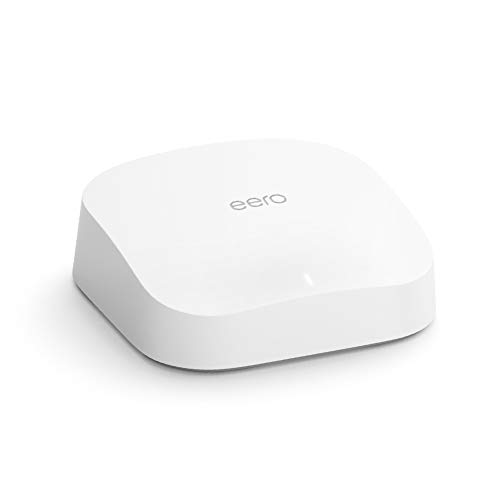
Amazon eero Pro 6 Tri-Band Mesh Router
Best for: integrating smart home devices
- Wireless Standard
- Wi-Fi 6
- Coverage Area
- Up to 2,000 sq ft
- Frequency Bands
- Tri-Band
- Maximum Speed
- Up to 1 Gbps
- Device Capacity
- 75+ devices
- Color
- White
This refurbished eero Pro 6 is a Wi-Fi 6 tri-band mesh router covering up to 2,000 square feet. It supports speeds up to 1 Gbps and connects 75+ devices. A key feature is its built-in Zigbee smart home hub, allowing you to control compatible devices via Alexa. It weighs 1.49 pounds and measures 5.47 inches wide. This system suits homes needing solid coverage and integrated smart home management.
- Built-in Zigbee smart home hub
- Tri-band Wi-Fi 6 architecture
- Supports 75+ connected devices
- Covers up to 2,000 sq ft
- Lower maximum speed of 1 Gbps compared to Wi-Fi 6E or 7 competitors
- Smaller coverage area of 2,000 sq ft versus larger mesh systems
- Refurbished condition may show cosmetic wear
- You want to control Zigbee smart devices directly through your router
- You need reliable Wi-Fi 6 coverage for a medium-sized home
- You prefer a simple setup managed via the eero app
- You require multi-gigabit speeds for high-bandwidth tasks
- You have a large home exceeding 2,000 square feet
- You want the latest Wi-Fi 7 technology for future-proofing
Verdict: Amazon eero Pro 6 Tri-Band Mesh stands out for its integrated Zigbee hub, making it ideal for users who want to simplify their smart home setup without buying a separate hub. It fits homes that prioritize easy management and solid mid-range coverage over raw speed.

Google Nest WiFi Pro 1-Pack
Best for: Google Home users needing reliable single-unit coverage
- Wireless Standard
- Wi-Fi 6E
- Coverage Area
- up to 2200 square feet
- Frequency Bands
- 2.4 GHz, 5 GHz, 6 GHz
- Pack Size
- 1 Pack
- Compatibility
- Google Home
- Dimensions
- 5.16 × 4.65 × 3.35 inches
The Google Nest WiFi Pro 1-Pack delivers Wi-Fi 6E coverage for spaces up to 2200 square feet. It operates on 2.4 GHz, 5 GHz, and 6 GHz bands to maintain strong signals at the edge of your network. This unit integrates directly with the Google Home ecosystem for automatic performance adjustments and self-diagnosis. It suits users who prioritize whole-home reliability and seamless smart home management over raw throughput.
- Wi-Fi 6E standard with 6 GHz band support
- Covers up to 2200 square feet per unit
- Automatic network optimization for video calls
- Self-diagnosing and self-fixing capabilities
- Single-pack configuration limits initial coverage area
- Not compatible with previous Google Wifi generations
- Heavier build at 1.98 pounds per unit
- You use Google Home devices for smart management
- You need reliable coverage for a single large room
- You want automatic network troubleshooting features
- You require multi-gigabit wired speeds
- You already own legacy Google Wifi nodes
- You need a multi-pack mesh system out of the box
Verdict: Google Nest WiFi Pro 1-Pack offers solid Wi-Fi 6E coverage for Google Home users who value automated network management. It fits those needing reliable single-unit performance rather than high-speed gaming throughput.
Specifications side by side
| Spec | TP-Link Deco X55 3-Pack Wi-Fi 6 | TP-Link Deco Tri-Band WiFi 6E 2-Pack | Amazon eero 6 2-Pack Mesh System | NETGEAR Nighthawk Dual-Band WiFi 7 Router | eero 7 1-Pack with 2.5G Ports | TP-Link Deco Dual-Band WiFi 7 2-Pack | TP-Link Deco Dual-Band Wi-Fi 6 3-Pack | TP-Link Archer Tri-Band WiFi 7 Router | Amazon eero Pro 6E Mesh Router | ASUS Dual-Band WiFi 7 Router | ASUS TUF Gaming Dual-Band WiFi 7 Router | TP-Link Deco Tri-Band WiFi 6E 2-Pack | Amazon eero 6 Mesh System 3-Pack | Amazon eero Pro 6 Tri-Band Mesh Router | Google Nest WiFi Pro 1-Pack |
|---|---|---|---|---|---|---|---|---|---|---|---|---|---|---|---|
| Wireless Standard | Wi-Fi 6 | WiFi 6E | Wi-Fi 6 | WiFi 7 | Wi-Fi 7 | Wi-Fi 7 | Wi-Fi 6 | Wi-Fi 7 | Wi-Fi 6E | WiFi 7 | WiFi 7 | WiFi 6E | Wi-Fi 6 | Wi-Fi 6 | Wi-Fi 6E |
| Coverage Area | up to 6500 Sq.Ft. | up to 5500 Sq.Ft | Up to 3,000 sq ft | Up to 2,250 sq ft | up to 2,000 sq. ft. | Up to 4,500 sq ft | Up to 5,800 sq ft | 2,000 sq ft | up to 2,000 sq. ft. | 2300 ft2 | – | up to 5,500 Sq. Ft. | up to 4,500 sq ft | Up to 2,000 sq ft | up to 2200 square feet |
| Frequency Bands | – | Tri-Band | – | Dual-Band | – | Dual-Band | Dual-Band | Tri-Band | – | Dual-Band | Dual-Band | Tri-Band | – | Tri-Band | 2.4 GHz, 5 GHz, 6 GHz |
| Maximum Speed | – | up to 5,400 Mbps | Up to 900 Mbps | 5 Gbps | up to 1.8 Gbps | 3.6 Gbps | – | – | up to 2.3 Gbps | 5 Gbps | Up to 6.5 Gbps | 5,400 Mbps | up to 500 Mbps | Up to 1 Gbps | – |
| Ethernet Port Speed | Gigabit | – | – | 1× 2.5G + 3× Gigabit | 2.5 GbE | 2.5 Gbps | – | 10 Gbps, 2.5 Gbps | 2.5 Gb | 2.5G, 1G | 2.5 Gbps | 2.5 Gbps, 1 Gbps | – | – | – |
| Device Capacity | up to 150 devices | 200 devices | 75+ devices | 80 devices | 120+ devices | 150 devices | Up to 150 devices | – | 100+ devices | – | – | 200 devices | 75+ devices | 75+ devices | – |
| Pack Size | 3-Pack | 2-Pack | 2-pack | – | 1-pack | 2-pack | 3-pack | – | 1-pack | – | – | 2-Pack | 3-pack | – | 1 Pack |
| Wireless Connectivity | Wi-Fi | Wi-Fi | Wi-Fi | Wi-Fi | – | Wi-Fi | Wi-Fi | Wi-Fi | Wi-Fi | Wi-Fi | Wi-Fi | Wi-Fi | Wi-Fi | Wi-Fi | Wi-Fi |
| Color | Black, White | Black and White | White | Black | White | White | White | Black | White | Black | Black | Black and White | – | White | Linen |
| Connectivity | Wireless | – | – | – | – | Wired | Wireless, Wired | – | – | – | Wireless | – | – | – | – |
| Wireless Protocol | – | – | – | – | – | – | – | – | – | – | – | – | – | Zigbee | – |
| Wired Connectivity | Ethernet | – | – | – | – | – | Ethernet | USB | – | – | – | – | – | – | – |
| Band | – | Tri-Band | – | Dual-Band | – | Dual-Band | Dual-Band | Tri-Band | – | Dual-Band | Dual-Band | Tri-Band | – | Tri-Band | – |
| Recommended Use | – | Gaming, Streaming | – | – | – | – | – | – | – | – | Gaming | – | – | – | – |
| Network Features | Ethernet Backhaul | – | – | – | – | Ethernet Backhaul | Ethernet Backhaul | – | – | VPN Support | VPN Support | – | – | – | – |
| Placement | Indoor | – | – | – | – | – | – | – | – | – | – | – | – | – | – |
| Compatibility | – | – | – | – | – | – | – | – | – | – | – | – | – | – | Google Home |
| Dimensions | 4.33 × 4.33 × 4.49 inches | 4.13 × 4.13 × 6.67 inches | 3.91 × 3.82 × 2.42 inches | 11 × 7.36 × 7.05 inches | – | 7.99 × 7.13 × 6.26 inches | 4.33 × 4.33 × 4.49 inches | 11.2 × 9.76 × 5.67 inches | 5.47 × 5.47 × 2.21 inches | 7.6 × 2.32 × 9.37 inches | 6.9 × 8.4 × 11.9 inches | 4.13 × 4.13 × 6.65 inches | – | 5.47 × 5.47 × 2.07 inches | 5.16 × 4.65 × 3.35 inches |
| Weight | 5.07 pounds | 2.69 pounds | 1.32 pounds | 3.28 pounds | – | – | – | 2.6 pounds | 1.41 pounds | 1.12 pounds | 1.7 pounds | 2.76 pounds | – | 1.49 pounds | 1.98 pounds |
| Size | 3 Pack | 2 Pack | 2 routers | 5.0 Gbps | – | 2 – Pack | 3 Pack | 2000 square_feet | – | Dual-Band | Dual-Band | 2 Pack | – | – | 1 Pack |
| Model | Deco X55 | Deco XE75(2-pack) | N010111 | RS140-100NAS | – | Deco BE23(2-Pack) | Deco X20(3-pack) | Archer BE550 Pro | B091G65HH6 | RT-BE59 | TUF-BE6500 | Deco XE75 Pro(2-pack) | – | K010001 | F3BC7DB1-E7EE-4FE8-BC23-21E7978D67B4 |
You can compare band specs and coverage ratings across the best mesh wifi systems under 200.
How to choose the right mesh system
Check wireless standards
You should match the Wi-Fi standard to your home’s age and needs. Wi-Fi 6, like the TP-Link Deco X55, offers reliable stability and broad coverage for most households. If you want future-proofing and higher speeds, look for Wi-Fi 7. The TP-Link Deco BE23 and eero 7 both feature this newer standard. Wi-Fi 6E, found in the TP-Link Deco XE75, adds a less crowded 6 GHz band. Choose Wi-Fi 6 for value or Wi-Fi 7 for maximum performance and modern port support.
Verify ethernet port speed
Your internet plan speed determines the necessary port rating. If you have gigabit service, standard Gigabit ports are sufficient. However, if your plan exceeds 1 Gbps, you need multi-gig ports. The TP-Link Deco BE23 and eero 7 both include 2.5G ports to handle faster connections. The NETGEAR RS140 offers both 2.5G and Gigabit ports. Ensure at least one port on your main node matches your internet speed to avoid bottlenecks. This spec is critical for wired backhaul stability and overall throughput.
Assess band configuration
Band configuration affects how devices communicate. Dual-band systems, such as the TP-Link Deco X20, use two frequency bands. They are cost-effective and suitable for medium homes. Tri-band systems, like the TP-Link Deco XE75, add a third band dedicated to backhaul or high-demand tasks. This setup supports more devices simultaneously without slowing down streaming. The TP-Link Archer BE550 Pro also uses tri-band architecture. Choose tri-band if you have many connected devices or need dedicated lanes for gaming and 4K video.
Look for smart home hubs
Built-in hubs simplify your setup by reducing extra hardware. The eero Pro 6 includes a Zigbee hub, allowing direct connection for compatible smart devices. This feature is ideal if you want to integrate sensors or lights without a separate hub. The eero 6 also offers smart home integration capabilities. If you do not need this, standard mesh routers like the ASUS RT-BE59 focus purely on network performance. Check the attributes for Zigbee or other protocols to ensure compatibility with your existing smart home ecosystem.
Consider physical dimensions
Mesh nodes must fit in your chosen locations. The Amazon eero 6 is compact, measuring 3.82 inches wide and 2.42 inches high. It blends into living spaces easily. Larger units, like the TP-Link Archer BE550 Pro, measure 11.2 inches in length and 9.76 inches in width. These require more space and ventilation. The TP-Link Deco X55 is 4.33 inches square, offering a balanced footprint. Measure your intended spots before buying to ensure the units fit comfortably and do not obstruct airflow or aesthetic design.
Frequently asked questions
Does Wi-Fi 7 provide better performance than Wi-Fi 6?
Wi-Fi 7 offers faster theoretical speeds and improved efficiency compared to Wi-Fi 6. Systems like the TP-Link Deco BE23 use Wi-Fi 7 to support modern standards and 2.5 Gbps ports. This is ideal for homes with multi-gig internet plans. Wi-Fi 6 remains a strong choice for broad coverage and stability in most households.
Which mesh system supports the most devices?
The TP-Link Deco XE75 2-Pack supports up to 200 devices simultaneously. It uses tri-band Wi-Fi 6E to maintain speed under heavy load. This makes it suitable for large homes with many connected gadgets. Other systems like the Deco X55 prioritize coverage area over maximum device count.
Do these systems include built-in smart home hubs?
Some models include integrated hubs to simplify your setup. The eero 6 and eero Pro 6 feature built-in Zigbee hubs. This allows you to connect smart devices directly without buying a separate hub. The eero 7 also offers smart home hub capabilities in a single unit.
Are there options with 2.5 Gigabit Ethernet ports?
Yes, several systems include 2.5 Gbps ports for faster wired connections. The eero 7 1-Pack and TP-Link Deco BE23 2-Pack both feature these ports. They help when your internet plan exceeds 1 Gbps. The ASUS RT-BE59 also provides 2.5 Gbps ports for a wired backbone.
Can I expand my network later with additional nodes?
Many mesh systems allow for easy expansion. The TP-Link Deco X20 and X55 support adding more units for broader coverage. The ASUS RT-BE59 works with AiMesh for flexible expansion. You can start with a smaller pack and add nodes as your home’s needs grow.
Which system is best for Google Home users?
The Google Nest WiFi Pro 1-Pack is designed for Google Home integration. It offers Wi-Fi 6E coverage and automated network management. It fits users who value seamless compatibility with Google devices. It provides reliable single-unit performance without the complexity of tri-band hardware.
Do any systems support wired backhaul for stability?
Several models support Ethernet backhaul for a more stable connection. The TP-Link Deco X55 and X20 include Gigabit Ethernet ports for wired backhaul. The Deco BE23 features 2.5 Gbps ports for faster wired links. This reduces wireless congestion and improves reliability in larger homes.
Is tri-band Wi-Fi necessary for my home?
Tri-band is useful for large homes with many devices. The TP-Link Deco XE75 and eero Pro 6 use tri-band Wi-Fi 6E to separate traffic. This helps maintain speed for streaming and gaming. For smaller homes, dual-band systems like the Deco BE23 may be sufficient and more cost-effective.