2 Best ULTRALOQ Smart Locks with Auto-Lock, Compared
Compare 2 ULTRALOQ smart locks with auto lock. We analyze published specs to help you choose the right model for your door and access preferences.
As Amazon Associates, we earn from qualifying purchases. This means we may receive a small commission at no extra cost to you if you click through and make a purchase.
As an Amazon Associate we earn from qualifying purchases. Links on this page are affiliate links.
Finding the best ULTRALOQ smart locks with auto lock requires looking at specific hardware details. We compared 2 models based strictly on the specifications published on their listings. The top pick is the ULTRALOQ U-Bolt Pro WiFi Deadbolt. It leads because it features an ANSI Grade 1 build for robust security. This lock also includes a door sensor for reliable auto-locking. You get remote access via built-in Wi-Fi without needing extra hubs. This guide helps you decide which lock fits your door type and entry needs.
Check Your Door Type First
Match the lock style to your door hardware. Standard doors with deadbolts need the U-Bolt Pro. It uses a separate door sensor for auto-lock. Lever doors require the Latch 5. It integrates directly into the lever mechanism. Both models include built-in Wi-Fi. This allows app control without an extra hub. Choose based on your existing door type.
| # | Product | Best for | Price |
|---|---|---|---|
| 1 | ULTRALOQ U-Bolt Pro WiFi Deadbolt Best overall | Standard doors needing robust auto-lock | |
| 2 | ULTRALOQ Latch 5 Touchscreen Smart Lever Lock Best keypad | Lever door owners needing built-in Wi-Fi |
The best fit for you
- You want the most robust standard door lock – ULTRALOQ U-Bolt Pro WiFi Deadbolt – It features an ANSI Grade 1 build for high security.
- You need built-in Wi-Fi for a lever door – ULTRALOQ Latch 5 Touchscreen Smart Lever Lock – It includes built-in Wi-Fi and a touchscreen keypad for entry.
- You prefer fingerprint access without an extra hub – ULTRALOQ U-Bolt Pro WiFi Deadbolt – It uses built-in Wi-Fi and fingerprint entry for remote access.
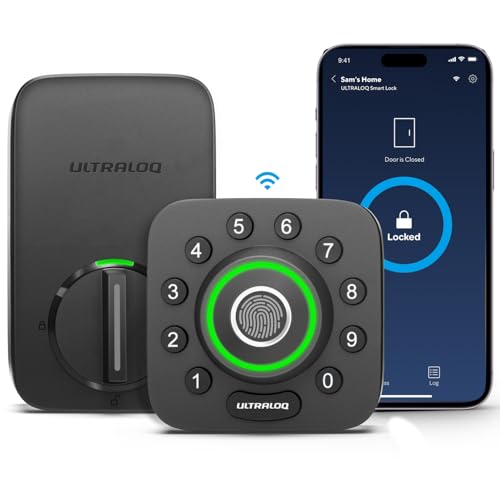
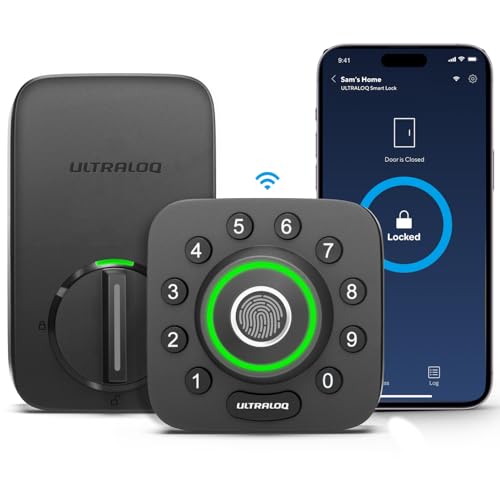
ULTRALOQ U-Bolt Pro WiFi Deadbolt
Best for: Standard doors needing robust auto-lock
- Special Features
- Auto-Lock
- Unlock Methods
- Fingerprint, passcode, app, key, voice
- Wireless Connectivity
- 2.4GHz Wi-Fi, Bluetooth
- Smart Home Compatibility
- Alexa, Google Home, SmartThings, IFTTT
- Installation Type
- Deadbolt replacement
- Security Certification
- ANSI Grade 1
This ULTRALOQ deadbolt replaces your existing hardware with built-in Wi-Fi and a door sensor. It supports auto-locking via sensor detection and offers eight entry methods, including fingerprints and passcodes. The lock meets ANSI Grade 1 standards for durability and works with major smart home platforms. You get remote control through the app without needing a separate hub. It fits standard US doors and includes physical keys as a backup.
- ANSI Grade 1 security certification
- Built-in Wi-Fi connectivity
- Door sensor for auto-lock
- Supports 100 fingerprints
- IP65 weatherproof rating
- 2.4GHz Wi-Fi only
- 2.8-pound weight
- 18-month electronic warranty
- You need ANSI Grade 1 security
- You want built-in Wi-Fi
- You prefer sensor-based auto-lock
- You need 5GHz Wi-Fi
- You want a lifetime electronic warranty
- You have metal doors
Verdict: ULTRALOQ U-Bolt Pro WiFi Smart Lock delivers strong security with its ANSI Grade 1 build and convenient auto-lock sensor. It suits homeowners who want reliable remote access without extra hubs.
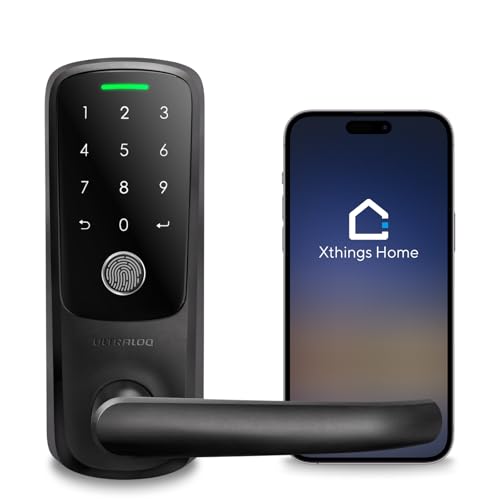
ULTRALOQ Latch 5 Touchscreen Smart Lever Lock
Best for: Lever door owners needing built-in Wi-Fi
- Special Features
- Auto-Lock
- Unlock Methods
- App, Fingerprint, Code, Mechanical Key
- Wireless Connectivity
- 2.4GHz Wi-Fi
- Installation Type
- Smart lever lock
- Auto-Lock Function
- Auto lock
- Application
- Front Door
The ULTRALOQ Latch 5 is a lever-style smart lock with built-in 2.4GHz Wi-Fi. It supports auto-lock and unlocks via app, fingerprint, code, or key. The touchscreen keypad and zinc alloy body suit busy households. You get remote access and logs without a gateway. This model fits standard interior and exterior doors. It is a practical option for renters and homeowners who need keyless entry.
- Built-in 2.4GHz Wi-Fi for remote app control
- Auto-lock function for security
- Unlocks via fingerprint, code, app, or mechanical key
- Zinc alloy construction for durability
- Lever lock design may not fit all door types
- Only supports 2.4GHz Wi-Fi networks
- Touchscreen keypad requires battery maintenance
- You want built-in Wi-Fi without a separate gateway
- You have a lever-style door handle
- You need auto-lock functionality
- You only have 5GHz Wi-Fi access
- You prefer a traditional knob or deadbolt style
- You need 5GHz network support
Verdict: The ULTRALOQ Latch 5 Lever Lock is a solid choice for users with lever doors who need remote access via built-in Wi-Fi. It suits those who value auto-lock and multiple unlock methods.
Specifications side by side
| Spec | ULTRALOQ U-Bolt Pro WiFi Deadbolt | ULTRALOQ Latch 5 Touchscreen Smart Lever Lock |
|---|---|---|
| Unlock Methods | Fingerprint, passcode, app, key, voice | App, Fingerprint, Code, Mechanical Key |
| Wireless Connectivity | 2.4GHz Wi-Fi, Bluetooth | 2.4GHz Wi-Fi |
| Smart Home Compatibility | Alexa, Google Home, SmartThings, IFTTT | – |
| Installation Type | Deadbolt replacement | Smart lever lock |
| Security Certification | ANSI Grade 1 | – |
| User Code Capacity | Up to 50 codes | – |
| Auto-Lock Function | Door sensor detection | Auto lock |
| Application | Front Door | Front Door |
| Entry Method | Fingerprint | Keypad, Fingerprint |
| Color | Black | Black |
| Lock Type | Deadbolt | – |
| Keypad Type | – | Touchscreen |
| Special Features | Auto-Lock | Auto-Lock |
| Control Method | App Control, Remote Control | App Control, Remote Control |
| Room | – | Home Office |
| Dimensions | 2.95 × 2.95 × 1.19 inches | 3.5 × 6.5 × 7 inches |
| Weight | 2.8 pounds | – |
| Size | Bluetooth + Built-in WiFi + Door Sensor | Fingerprint |
| Model | U-BOLT-PRO-WiFi | Latch 5 |
Choosing Your ULTRALOQ Auto-Lock Lock
Match Entry Methods
Decide how you prefer to unlock your door. The ULTRALOQ U-Bolt Pro WiFi Deadbolt uses fingerprint entry for quick access. It does not include a keypad. The ULTRALOQ Latch 5 Touchscreen Smart Lever Lock offers both keypad and fingerprint options. If you need to enter codes for guests, the Latch 5 is the better choice. If you only use biometrics, the U-Bolt Pro suffices. Check the entry method in the attributes list to ensure it fits your daily habits.
Check Wireless Connectivity
Ensure your lock connects directly to your network. Both models feature built-in Wi-Fi. This means you do not need a separate hub or bridge for remote control. You can manage the lock via the app from anywhere. This simplifies your smart home setup. Verify that your Wi-Fi signal is strong at the door location. Strong connectivity ensures reliable remote locking and unlocking. Built-in Wi-Fi is a key spec for modern convenience.
Confirm Door Type
Your door hardware determines which lock you can install. The ULTRALOQ U-Bolt Pro is a deadbolt. It fits standard doors that already have a deadbolt hole. The ULTRALOQ Latch 5 is a lever lock. It replaces the existing lever handle on the interior side. You cannot install the Latch 5 on a standard deadbolt door. Check your door type first. Matching the lock style to your hardware prevents installation issues and ensures proper function.
Review Auto-Lock Sensor
Auto-lock functionality relies on a sensor. The U-Bolt Pro uses a separate door sensor. You must install this sensor to detect when the door closes. The Latch 5 integrates directly into the lever mechanism. It detects the lever position to trigger auto-lock. Both provide automatic locking, but the installation differs. Check if you are comfortable installing an external sensor. Integrated sensors may be easier for some users.
Consider Physical Size
Measure your door space before buying. The U-Bolt Pro measures 2.95 inches in width and height. It weighs 2.8 pounds. The Latch 5 is larger, measuring 6.5 inches wide and 7 inches high. It weighs more due to the lever mechanism. Ensure your door frame can accommodate the size. Larger locks may not fit narrow frames. Check the width, height, and length specs. Proper sizing ensures the lock fits securely and operates smoothly without interference.
Frequently asked questions
Which ULTRALOQ smart lock is best for standard doors?
The ULTRALOQ U-Bolt Pro WiFi Deadbolt is the top choice for standard doors. It features an ANSI Grade 1 build for high security. The lock includes a separate door sensor to enable the auto-lock function. You can control it via app or remote control. Its black finish suits most exterior door styles.
Does the ULTRALOQ U-Bolt Pro require a separate hub?
No, it does not require a separate hub. This model includes built-in Wi-Fi connectivity. You can manage the lock remotely using the companion app. It also supports Bluetooth for local control. The fingerprint entry method provides quick access without needing a key or code.
What type of door does the Latch 5 fit?
The ULTRALOQ Latch 5 is designed specifically for lever doors. It replaces the existing lever mechanism rather than a deadbolt. This model includes a touchscreen keypad for entry. It also features built-in Wi-Fi for remote access. The auto-lock function works seamlessly with the lever hardware.
Can I use fingerprints on the Latch 5?
Yes, the ULTRALOQ Latch 5 supports fingerprint entry. You can unlock the door using your biometric data. It also includes a touchscreen keypad for alternative access. This dual entry method offers flexibility for different users. The lock operates via app control and remote control for added convenience.
How does the auto-lock feature work on these locks?
Both models include an auto-lock feature for added security. The U-Bolt Pro uses a separate door sensor to detect when the door is closed. The Latch 5 integrates directly into the lever mechanism. This sensor triggers the lock automatically. You do not need to manually engage the bolt every time.
What are the dimensions of the U-Bolt Pro?
The ULTRALOQ U-Bolt Pro measures 2.95 inches in width and length. Its height is 1.19 inches. The unit weighs 2.8 pounds. These dimensions fit standard door preparations. The compact design ensures it does not obstruct door handles or adjacent hardware.
Is the Latch 5 suitable for home offices?
Yes, the ULTRALOQ Latch 5 is suitable for home offices. It is designed for front door applications but fits lever-style office doors. The touchscreen keypad allows secure entry without visible keys. Built-in Wi-Fi lets you monitor access remotely. The black color blends with most office decor styles.


