Dell Monitors & Displays
The Dell UltraSharp Lineup: Choosing the Best Display for Creative Workflows
Dell UltraSharp monitors represent the industry benchmark for visual creators, vloggers, and technical professionals who require dependable factory color calibration, versatile docking capabilities, and comfortable ergonomics. Choosing the right display depends heavily on your timeline demands, desk dimensions, and single-cable laptop charging needs. Whether you assemble multi-track timelines, grade commercial video footage, or manage intensive…

As Amazon Associates, we earn from qualifying purchases. This means we may receive a small commission at no extra cost to you if you click through and make a purchase.
Dell UltraSharp monitors represent the industry benchmark for visual creators, vloggers, and technical professionals who require dependable factory color calibration, versatile docking capabilities, and comfortable ergonomics. Choosing the right display depends heavily on your timeline demands, desk dimensions, and single-cable laptop charging needs. Whether you assemble multi-track timelines, grade commercial video footage, or manage intensive development sprints, Dell configures its premier panels to eliminate desk clutter and minimize visual fatigue across long production sessions.
This comprehensive dell ultrasharp comparison examines six distinct models currently serving visual artists and power users, ranging from space-conscious 24-inch displays to an expansive 40-inch curved ultrawide workstation. Across these six options, you will discover distinct differences in native resolution, panel contrast, Thunderbolt connectivity, and sustained power delivery. Understanding how each display handles workspace scaling and color fidelity ensures you invest in the exact panel that matches your creative workflow.
Which Dell Monitors Should You Buy
All 6 models on this page, side by side


Prices are read from the Amazon product listing and change there, not here. Scores are out of 10, based on listed specifications and buyer feedback.
Why each one is on the list
- Choose the Dell UltraSharp U2725QE 27-Inch 4K UHD if you need professional 4K precision, up to 140W power delivery, and 99% DCI-P3 factory calibration.
- Choose the Dell UltraSharp 27 Monitor if you want a smooth 120Hz QHD workspace with 2000:1 contrast and dynamic ICC profile management.
- Choose the Dell U2424H UltraSharp 24 Inch FHD if desk space is limited but you still require 98% DCI-P3 gamut coverage and quick-access USB ports.
- Choose the Dell UltraSharp U4025QW 40″ Class 5K2K if your primary focus is expansive timeline editing across a panoramic 5K2K curved canvas with 600 nits of brightness.
- Choose the Dell UltraSharp 24 Monitor if you prioritize certified eye comfort, a glossy aesthetic, and straightforward Full HD resolution for daily duties.
- Choose the Dell UltraSharp 27 Thunderbolt Hub Monitor if you use macOS hardware, switch between two systems using an integrated KVM, and need 90W laptop charging.
01 Dell UltraSharp U2725QE 27-Inch 4K UHD

Best for Colorists and precision 4K video editors
Pros
- 4K UHD IPS Black display
- 140W Thunderbolt 4 delivery
- Factory calibrated Delta E under 1.5
Cons
- Requires heavy workstation desk clearance
The Dell UltraSharp U2725QE 27-Inch 4K UHD is an authoritative visual canvas built for demanding visual creators who require uncompromising image clarity. Centered around a 27-inch IPS Black panel with 3840 x 2160 resolution, it provides 99% DCI-P3 color coverage calibrated at the factory to a Delta E of less than 1.5. This precision makes the dell ultrasharp u2725qe a reliable choice for colorists and video editors who must trust what they see without manual calibration out of the box. Its 120Hz refresh rate and 5ms response time eliminate interface stutter, keeping timeline scrubbing and motion tracking exceptionally smooth.
Connectivity on this dell thunderbolt monitor is engineered around high-wattage desktop docking. The single-cable Thunderbolt 4 connection carries video, high-speed data, and up to 140W of laptop charging simultaneously, handling the power demands of heavy mobile workstations with ease. The panel also supports daisy chaining for up to two additional 4K displays, alongside a complete hub array featuring HDMI 2.1, USB-C, USB-A, and a hardwired Ethernet jack. Creators evaluating 27-inch screen dimensions can reference our dell ultra sharp 27 inch monitor overview for additional workspace context.
Long working sessions are supported by an integrated Ambient Light Sensor that automatically balances brightness and ComfortView Plus blue light reduction. The display achieves 450 cd/m² brightness, offers VESA DisplayHDR 600 support, and includes a stand with height, tilt, swivel, and pivot adjustments. The listing notes a contrast ratio of 1000:1 in the specifications table and 3000:1 in the overview description, backed by Dell’s 3-year Advanced Exchange warranty.
- 4K UHD IPS Black display with 99% DCI-P3 and factory calibration under Delta E 1.5
- Thunderbolt 4 single-cable hub delivering up to 140W power and daisy-chaining
- Smooth 120Hz refresh rate paired with responsive 5ms response time
- Full ergonomic adjustability with height, tilt, swivel, and pivot rotation
02 Dell UltraSharp 27 Monitor
Best for Mac professionals and dual-machine hybrid creators
Pros
- Built-in KVM switch
- Thunderbolt 4 with 90W charging
- 98% Display P3 color coverage
Cons
- QHD resolution rather than full 4K

Best for Creative multitaskers needing smooth QHD workspaces
Pros
- Deep 2000 to 1 contrast ratio
- Fluid 120Hz refresh rate
- Integrated ambient light sensor
Cons
- Lower brightness than 4K counterparts
The Dell UltraSharp 27 Monitor, based on the U2724D model chassis, provides a versatile QHD workspace that emphasizes contrast and visual comfort. Its 27-inch matte LED display operates at a native 120Hz refresh rate, delivering a flicker-free visual experience that feels far more responsive than standard 60Hz screens. With a 2000:1 contrast ratio, this monitor renders deep shadows and accurate dark tones, making it an excellent platform for digital illustrators and visual designers. The listing indicates AMD FreeSync image enhancement technology alongside a 350-nit brightness rating.
Color management is streamlined through the dedicated software dashboard, which allows users to create, store, and manage custom ICC profiles directly from their host computer. The integrated Ambient Light Sensor actively samples room lighting to adjust both screen brightness and color temperature automatically throughout the working day. For multi-display setups, our guide to the dell 27 inch monitor category explores how this panel fits into ergonomic workstation layouts.
Its virtually borderless InfinityEdge design simplifies side-by-side monitor alignment, while the fully articulating stand accommodates tilt, swivel, pivot, and height adjustments. Incorporating Thunderbolt 4 connectivity, it supplies modern data bandwidth while maintaining an uncluttered desktop footprint.
- High 2000:1 contrast ratio for deep black levels on a matte screen
- Integrated Ambient Light Sensor for automated brightness and color temperature adjustment
- InfinityEdge borderless frame with custom ICC profile management software
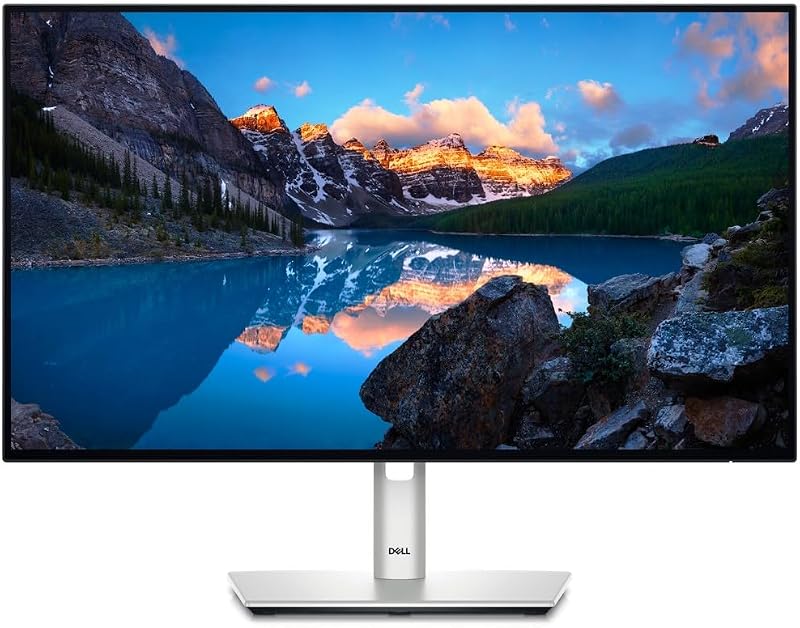
03 Dell U2424H UltraSharp 24 Inch FHD
Best for Compact desk setups and secondary editing panels
Pros
- Wide 98% DCI-P3 color gamut
- Quick-access 15W USB-C port
- Smooth 120Hz refresh rate
Cons
- Standard 1080p resolution limits workspace
The Dell U2424H UltraSharp 24 Inch FHD delivers professional color fidelity in a compact form factor tailored for smaller desks and dual-screen workstations. Featuring a 23.8-inch IPS LCD panel with 1920×1080 resolution, it reproduces 98% of the DCI-P3 color space, allowing creators to assess web video and social content with genuine color accuracy. Its 120Hz refresh rate and 5ms response time ensure smooth UI scrolling, cursor movement, and video monitoring.
Peripheral access is exceptionally convenient thanks to quick-access front ports, including a standard USB-A port and a USB-C port that provides up to 15W of power for accessories and smartphones. The rear I/O provides extensive connection options, housing two USB-C ports, two DisplayPort interfaces, an HDMI port, and three standard USB ports. This makes the dell ultrasharp u2424h an adaptable companion display alongside a primary editing canvas.
Even with its smaller desktop footprint, this monitor maintains full ergonomic adjustability. The included silver stand allows for smooth height adjustment, tilting, swiveling, and pivoting into portrait orientation for coding or vertical video review. Equipped with an Ambient Light Sensor and an InfinityEdge borderless bezel, it provides reliable visual comfort and clean aesthetic integration, supported by Dell’s 3-year warranty.
- 23.8-inch FHD IPS panel with wide 98% DCI-P3 color gamut coverage
- Smooth 120Hz refresh rate with rapid 5ms response time
- Quick-access USB-C port delivering 15W charging alongside USB-A connectivity
- Versatile ergonomic stand supporting height, tilt, swivel, and full vertical pivot
04 Dell UltraSharp U4025QW 40″ Class 5K2K

Best for Panoramic timeline video editors and multi-window workflows
Pros
- Expansive 39.7 inch 5K2K curved screen
- High 600 nit panel brightness
- Fast 5ms response time
Cons
- Large footprint requires substantial desk depth
The Dell UltraSharp U4025QW 40″ Class 5K2K is an ultrawide powerhouse engineered for timeline-intensive workflows. Boasting a massive 39.7-inch viewable curved LED panel with an expansive 21:9 aspect ratio, it replaces multi-screen setups with a single unbroken canvas. The 5K2K WUHD resolution provides abundant horizontal space for timeline scrubbing, bin management, and audio arrangement without the distraction of center bezels. Creators seeking wide aspect displays can see our dell ultrawide monitor analysis to explore ultrawide timeline benefits.
Panel brightness is a key advantage on this curved monitor, delivering an impressive 600 nits of peak output that ensures clear visibility in brightly lit creative spaces. The matte screen finish effectively suppresses glare from windows and studio lighting, while the quick 5ms response time keeps high-action footage and animation scrubbing sharp and articulate. For a closer look at 40-inch curved productivity, review our dell 40 inch curved monitor roundup.
The dell ultrasharp u4025qw relies on high-speed USB Type-C connectivity to transfer data efficiently while keeping workstation cabling tidy. While the listing does not specify its refresh rate, its curved panoramic geometry maintains a consistent focal distance across the entire panel width, significantly reducing neck movement during marathon video editing and production sessions.
- Generous 39.7-inch curved screen with ultra-wide 5K2K WUHD resolution and 21:9 ratio
- High 600-nit panel brightness for vivid playback in illuminated rooms
- Responsive 5ms response time for sharp video previewing
- High-efficiency USB Type-C data transfer reducing desktop wire clutter
05 Dell UltraSharp 24 Monitor
Best for Everyday home office workers needing eye comfort
Pros
- Fluid 120Hz refresh rate
- Compact 24 inch profile
Cons
- Glossy screen finish prone to glare
The Dell UltraSharp 24 Monitor brings certified visual ergonomics and reliable Full HD utility to production suites and creator home offices. The 120Hz refresh rate ensures smooth cursor navigation and clean window movements, with configurable response times of 8ms in normal mode and 5ms in fast mode.
This particular listing specifies a glossy screen finish, providing deep color pop and striking image contrast for users working in controlled lighting environments. With 250 nits of brightness, a 1000:1 contrast ratio, and wide 178-degree viewing angles, the panel maintains steady color reproduction across the entire display surface. Weighing 5.38 kg with a shallow depth of 1.93 inches, it mounts cleanly on compact editing desks.
For creators who need an auxiliary preview monitor, a dedicated audio mixer display, or an interface for communications, this unit handles daily operational demands with ease. While it lacks the wide DCI-P3 color gamut and high-wattage Thunderbolt docking of Dell’s premium 27-inch displays, its certified eye protection and fluid refresh rate make it a dependable workhorse.
- 1920 x 1080 Full HD resolution operating at a fluid 120Hz
- Configurable response time reaching 5ms in fast mode
- Vibrant glossy screen finish with wide 178-degree viewing angles
06 Dell UltraSharp 27 Thunderbolt Hub Monitor
The Dell UltraSharp 27 Thunderbolt Hub Monitor, known under model code U2726DER, is designed for modern creators, developers, and dual-system workstations. Featuring a 27-inch IPS panel with crisp QHD resolution, it offers 98% Display P3 coverage and factory-calibrated color accuracy straight out of the box. A 2000:1 contrast ratio delivers deep blacks and sharp text rendering, while the 120Hz refresh rate keeps video playback and graphic manipulation seamless.
A standout feature of this monitor is its integrated KVM switch, enabling users to connect two separate computers—such as a personal workstation and a work laptop—and control both using a single keyboard and mouse. The single-cable Thunderbolt 4 connection delivers video, data, and up to 90W of charging power to your laptop. It serves as an ideal Mac companion, rigorously tested with macOS devices and fully compatible with the Dell Display and Peripheral Manager app for straightforward software control.
The dell ultrasharp u2726der is finished in an elegant light ash casing with a virtually borderless frame, lending a clean aesthetic to modern studio spaces. With 350 nits of brightness, a matte anti-glare finish, and comprehensive hub connectivity, it eliminates the need for standalone desktop docks while keeping your workspace organized.
- 27-inch QHD IPS display with 98% Display P3 color and 2000:1 contrast ratio
- Integrated KVM switch for controlling two computers with one peripheral set
- Thunderbolt 4 single-cable docking delivering up to 90W laptop power
- macOS tested with Dell Display and Peripheral Manager integration
What Sets These Models Apart
A detailed dell ultrasharp comparison highlights how Dell differentiates its premier panels across resolution, contrast, refresh rates, and hub capabilities. Review the table below to see how these six displays compare on core hardware specifications.
| Model | Screen Size and Resolution | Refresh Rate and Contrast | Key Connectivity / Docking Feature |
|---|---|---|---|
| Dell UltraSharp U2725QE 27-Inch 4K UHD | 27 inches, 3840 x 2160 (4K UHD) | 120Hz, 1000:1 (3000:1 in description) | Thunderbolt 4 with up to 140W power delivery |
| Dell UltraSharp 27 Monitor | 27 inches, QHD (2560 x 1440) | 120Hz, 2000:1 | Thunderbolt 4 connectivity with ICC profile software |
| Dell U2424H UltraSharp 24 Inch FHD | 23.8 inches, 1920 x 1080 (FHD) | 120Hz, 1000:1 | Quick-access USB-C port with 15W power delivery |
| Dell UltraSharp U4025QW 40″ Class 5K2K | 39.7 inches, 5120 x 2160 (5K2K WUHD) | the listing does not specify, 600 nits | High-efficiency USB Type-C data transfer |
| Dell UltraSharp 24 Monitor | 24 inches, 1920 x 1080 (FHD) | 120Hz, 1000:1 | Not listed |
| Dell UltraSharp 27 Thunderbolt Hub Monitor | 27 inches, QHD (2560 x 1440) | 120Hz, 2000:1 | Thunderbolt 4 with 90W delivery and integrated KVM |
Buying Tips for Dell Monitors
Determining which dell ultrasharp to buy requires balancing native resolution against the graphic processing power of your computer and your physical desk space. If your daily work involves color grading 4K master files or editing fine photo details, a 4K panel like the U2725QE or a 5K2K curved ultrawide like the U4025QW provides the pixel density needed to inspect assets without zooming. For general design, programming, and dual-display arrangements, QHD and FHD panels offer comfortable UI scaling without burdening your graphics card.
Power delivery and docking capabilities are equally crucial when choosing a workstation hub. High-performance laptops require significant wattage under heavy rendering loads. Choosing a monitor that outputs 90W or 140W over Thunderbolt 4 allows you to power your computer directly through the display cable, eliminating bulky external chargers. If you work across both a corporate laptop and a personal rig, prioritizing a model with an integrated KVM switch saves substantial desk clutter by consolidating your mouse and keyboard.
Lastly, consider ambient lighting conditions and screen finish. Matte displays excel in brightly lit offices by diffusing specular reflections from overhead lights and windows. While glossy panels can provide striking visual clarity in controlled environments, matte surfaces paired with built-in Ambient Light Sensors offer superior long-term eye comfort by continuously adapting brightness to match changing daylight conditions.
FAQ
Which Dell UltraSharp monitor is best for video editing?
The Dell UltraSharp U2725QE is ideal as a dell ultrasharp for video editing thanks to its 4K UHD resolution, 99% DCI-P3 color gamut, and factory calibration below Delta E 1.5. If your timeline editing involves complex multi-track audio and video layers, the Dell UltraSharp U4025QW provides an expansive 5K2K curved surface that allows you to see long timelines without horizontal scrolling.
What advantages does a Thunderbolt 4 hub monitor provide?
A Thunderbolt 4 monitor hub transmits high-resolution video signals, peripheral data, and high-wattage charging over a single cable. It simplifies workstation management, eliminates the need for dedicated docking stations, and provides sufficient bandwidth to daisy chain external 4K monitors or attach fast storage devices directly to the screen.
Why is a 120Hz refresh rate beneficial for creative work?
A 120Hz refresh rate delivers twice the frame updates of a traditional 60Hz screen. For creative workflows, this results in smoother cursor tracking, fluid timeline scrubbing, reduced window jitter, and less eye strain during extended work hours.
Can I connect Dell UltraSharp monitors to Apple Mac computers?
Yes, Dell UltraSharp displays connect seamlessly to macOS hardware via Thunderbolt or USB-C. Models like the Dell UltraSharp 27 Thunderbolt Hub Monitor are tested specifically for macOS compatibility, offering Display P3 color calibration and full support for the Dell Display and Peripheral Manager utility.
What is the difference between standard IPS and IPS Black panels?
Standard IPS panels generally feature contrast ratios around 1000:1, which can cause dark scenes to look slightly grey in dim viewing environments. IPS Black displays enhance contrast up to 2000:1 or higher, providing deeper black tones and cleaner shadow separation while preserving wide 178-degree viewing angles.


