Top HP Laptops with Backlit Keyboards for Creators and Power Users
A responsive backlit keyboard is no longer an optional luxury for digital creators, vloggers, and remote editors who routinely work through late-night render queues or dimly lit production setups. Key illumination eliminates visual fatigue, prevents costly mistypes when entering shortcut macros, and maintains smooth typing cadence when ambient lighting fades. Choosing an effective hp laptop…

As Amazon Associates, we earn from qualifying purchases. This means we may receive a small commission at no extra cost to you if you click through and make a purchase.
A responsive backlit keyboard is no longer an optional luxury for digital creators, vloggers, and remote editors who routinely work through late-night render queues or dimly lit production setups. Key illumination eliminates visual fatigue, prevents costly mistypes when entering shortcut macros, and maintains smooth typing cadence when ambient lighting fades. Choosing an effective hp laptop backlit keyboard requires balancing tactile key illumination with reliable processing performance, panel resolution, and thermal endurance to handle demanding digital workflows without interruption.
This guide analyzes six distinct portable computers from the brand to determine the best hp laptop with illuminated keyboard for your creative workspace. Our review spans ultra-efficient Qualcomm ARM architectures engineered for multi-day battery endurance, large 17.3-inch desktop replacements powered by AMD and Intel processors, and a high-end mobile workstation equipped with dedicated NVIDIA Ada graphics. By evaluating display specifications, memory bandwidth, physical ports, and chassis ergonomics, you can select the exact machine tailored to your editing requirements.
Which HP Backlit Keyboard Laptops Should You Buy
All 6 models on this page, side by side



Prices are read from the Amazon product listing and change there, not here. Scores are out of 10, based on listed specifications and buyer feedback.
Why each one is on the list
- HP ZBook 8 G1i 16″ WUXGA: Best for high-end studio video rendering, 3D modeling, and demanding multi-track editing.
- HP OmniBook 3 16″ 2K: Best for mobile vloggers, digital nomads, and travel creators requiring marathon battery runtime.
- HP 17.3″ FHD Copilot AI Laptop: Best for programming, timeline scrubbing, and sharp 1080p multitasking without glare.
- HP 17.3″ Touchscreen Laptop: Best for hands-on media scrubbing, intuitive touch control, and spill-resistant keyboard durability.
- HP 17.3″ Touchscreen Laptop for Work: Best for home studio management, touch navigation, and everyday productivity.
- HP 17.3 Inch Business Laptop: Best for administrative workflows, secure corporate production, and document editing.
01 HP 17.3″ Touchscreen Laptop for Work

Best for Interactive editors who prefer Intel processing
Pros
- Spacious 17.3-inch responsive touchscreen
- Spill-resistant backlit keyboard design
- 10-core Intel Core i5 processing power
Cons
- HD+ 1600×900 resolution limits fine detail
- 60% NTSC color coverage

Best for Budget home creators needing touchscreen space
Pros
- Expansive 17.3-inch anti-glare touch display
- Responsive backlit keys with numeric keypad
- Fast Wi-Fi 6 wireless connectivity
Cons
- Modest 8GB base memory capacity
- HD+ resolution rather than full 1080p
The HP 17.3″ Touchscreen Laptop for Work provides a spacious desktop-replacement format designed for creators who value physical screen real estate and direct touch navigation. Driven by an AMD Ryzen 5 7430U processor with 6 cores, 12 threads, and a boost frequency reaching up to 4.3 GHz, this laptop capably handles photo organization, web research, and audio editing. Its 17.3-inch HD+ anti-glare display runs at a 1600 x 900 resolution with 250 nits of brightness and 60% NTSC color coverage, providing plenty of physical area to tap timeline markers and manage media files directly on screen.
Typing comfort remains reliable in dim ambient environments thanks to the illuminated keyboard, which includes a dedicated numeric keypad for efficient numerical entries and timecode logging. A built-in fingerprint reader offers secure biometric sign-in through Windows Hello. While creators comparing this machine with an hp pavilion laptop will note the baseline 8GB RAM configuration, the included 512GB PCIe NVMe solid-state drive ensures quick boot times and responsive local file access for everyday projects.
The blue chassis incorporates practical external connectivity, including a USB Type-C port, two USB Type-A ports, an HDMI 1.4b display output, a headphone and microphone combo jack, and Wi-Fi 6 wireless networking. This setup serves as an accessible hp 17.3 touchscreen laptop backlit keyboard option for creators who prioritize screen size and direct touch control over heavy rendering power. However, users planning to edit multi-layered 4K footage will find more performance headroom in the higher-tier 16GB and 64GB models detailed below.
- AMD Ryzen 5 7430U processor with 6 cores, 12 threads, and up to 4.3 GHz boost speed
- Spacious 17.3-inch HD+ 1600 x 900 anti-glare touchscreen with 250 nits brightness
- Backlit keyboard complete with dedicated numeric keypad and biometric fingerprint reader
- Comprehensive connectivity featuring Wi-Fi 6, USB-C, dual USB-A, and HDMI 1.4b
02 HP OmniBook 3 16″ 2K

Best for Mobile vloggers requiring marathon battery life
Pros
- Up to 34 hours of battery longevity
- Crisp 16-inch 16:10 2K IPS display
- Dedicated Fn+F10 backlit keyboard switch
Cons
- ARM architecture may limit legacy x86 plugins
- Display lacks touch input support
For creators and vloggers who prioritize mobile editing independence, the HP OmniBook 3 16″ 2K offers revolutionary efficiency. Powered by the 8-core Qualcomm Snapdragon X X1-26-100 processor and integrated Qualcomm Adreno X1-45 graphics, this next-generation Copilot+ PC is optimized for on-device AI tasks and low power consumption. The listing highlights up to 34 hours of battery life, allowing travel filmmakers, remote scriptwriters, and mobile editors to work continuously on long flights and remote shoots without hunting for an electrical outlet.
The hp omnibook 3 backlit keyboard incorporates a clean, non-RGB white illumination that can be toggled using the Fn+F10 key combination, ensuring clear visibility in dark production environments. Despite maintaining a slim 0.58-inch profile and a light weight of 3.65 pounds, the deck integrates a full numeric keypad. The laptop fits effortlessly into creator travel packs such as a lovevook laptop backpack for women with pouch pocket for large capacity cup,15.6 inch laptop compute along with its bundled external laptop cooler.
Visual workspace is a distinct strength of this model, featuring a 16-inch 2K IPS display with a 1920 x 1200 resolution and a 16:10 aspect ratio. This format provides taller vertical screen real estate, making it easier to monitor audio waveforms and video timelines without excessive scrolling. Equipped with 16GB of onboard RAM, a 512GB PCIe SSD, two USB-C ports, two USB 2.0 Type-A ports, and an HDMI 2.1 port, this machine delivers outstanding on-the-go productivity, though creators dependent on legacy x86 rendering plugins should verify software compatibility with ARM Windows.
- Qualcomm Snapdragon X X1-26-100 8-core processor designed for Copilot+ AI performance
- Exceptional battery runtime rated for up to 34 hours of continuous mobile operation
- 16-inch 2K 1920 x 1200 IPS non-touch display with productivity-oriented 16:10 aspect ratio
- Non-RGB illuminated keyboard with numeric keypad and dedicated Fn+F10 toggle switch
03 HP 17.3″ FHD Copilot AI Laptop
Best for Multitasking developers and media editors
Pros
- Sharp 17.3-inch 1080p full HD screen
- Capable 8-core AMD Ryzen 7 processor
- 16GB RAM for seamless app switching
Cons
- Integrated graphics limits heavy 3D rendering
- Display does not support touch interaction
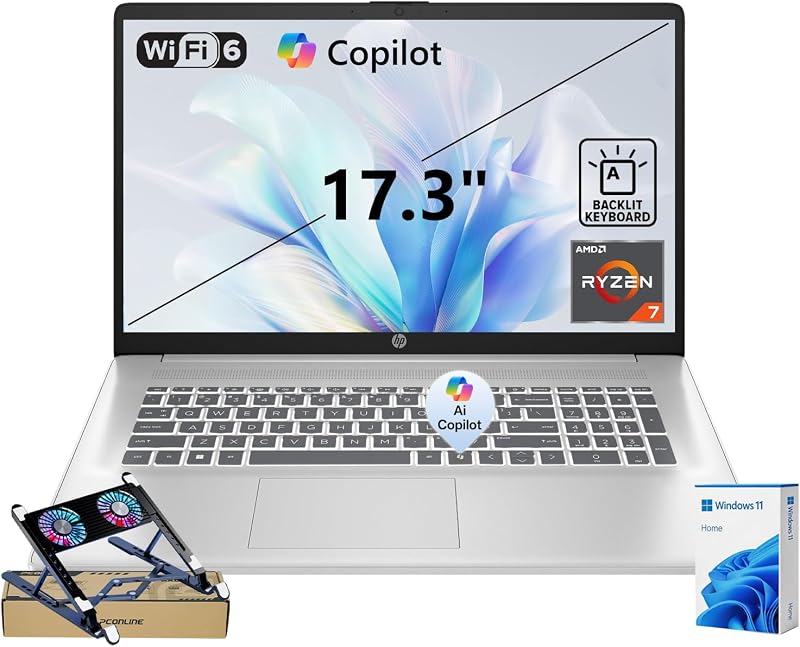
The HP 17.3″ FHD Copilot AI Laptop delivers expansive desktop space alongside true 1080p clarity for demanding creative tasks. Driven by an 8-core AMD Ryzen 7 7730U processor reaching boost clocks up to 4.5 GHz, this machine provides strong multi-threaded compute capability for audio mastering, batch image exports, and video rendering. Supported by 16GB of system memory and a 512GB solid-state drive, it maintains smooth operation across heavy multitasking sessions without stuttering.
Unlike standard HD+ displays, this configuration provides a 17.3-inch Full HD 1920 x 1080 non-touch panel operating at 60Hz. The higher pixel density delivers crisp visual playback for fine video editing, while the non-touch anti-glare surface minimizes studio reflections. Underneath the display, a full-size illuminated keyboard with an integrated numeric keypad allows creators to input precise project timecodes, scrub media files, and execute keyboard commands comfortably in low-light editing suites.
In any rigorous hp backlit keyboard laptop comparison, this machine stands out for users seeking high processing capacity and Full HD clarity without paying for enterprise workstation features. The silver clamshell chassis integrates built-in stereo speakers, an integrated microphone, USB-C, and HDMI connectivity for attaching secondary studio monitors. While its integrated AMD Radeon graphics are not intended for complex 3D simulations, its multi-core Ryzen processor and 1080p canvas make it an exceptional tool for YouTube video production, coding, and remote work.
- AMD Ryzen 7 7730U processor with 8 cores, 16 threads, and speeds up to 4.5 GHz
- Crisp 17.3-inch Full HD 1920 x 1080 non-touch display with anti-glare finish
- 16GB high-bandwidth RAM paired with a fast 512GB solid-state drive
- Full-size illuminated keyboard featuring an integrated numeric keypad for data entry
04 HP 17.3″ Touchscreen Laptop
Combining interactive touch capability with 10-core Intel computing, the HP 17.3″ Touchscreen Laptop is built for versatile media handling. It features a 13th Generation Intel Core i5-1335U processor with 10 cores and 12 threads capable of reaching 4.6 GHz with Turbo Boost. Integrated Intel Iris Xe Graphics assist with hardware video decoding and quick export pipelines, while 16GB of RAM and a 512GB PCIe SSD ensure fluid multitasking across office applications and creative suites.
The 17.3-inch HD+ touchscreen runs at 1600 x 900 resolution with BrightView anti-glare coating and 250 nits of brightness. The touch interface lets vloggers and audio editors scrub playheads, arrange clips, and adjust software sliders directly on the display surface. Typing in dim workspaces is supported by an illuminated keyboard featuring a numeric keypad and spill-resistant engineering, providing practical protection against liquid mishaps during intense creative sessions.
Security and peripheral connectivity are well managed on this blue notebook. An integrated fingerprint reader provides swift Windows Hello sign-in, while the HP True Vision 720p HD webcam utilizes integrated dual-array digital microphones for clean voice capture during video conferences. This machine represents an excellent hp laptop with numeric keypad and backlit keyboard for creators seeking touch interactivity and Intel processing, giving way only when high-end 3D tasks call for a workstation with dedicated graphics.
- 13th Gen Intel Core i5-1335U processor with 10 cores, 12 threads, and up to 4.6 GHz
- Expansive 17.3-inch HD+ 1600 x 900 touchscreen with BrightView and anti-glare coating
- Full-size backlit keyboard with numeric keypad and spill-resistant durability
- Built-in fingerprint reader, HP True Vision 720p HD webcam, and USB-C connectivity
05 HP ZBook 8 G1i 16″ WUXGA
Best for Professional video editors and 3D animators
Pros
- Dedicated NVIDIA RTX 500 Ada graphics
- Massive 64GB DDR5 RAM and 2TB SSD
- Cutting-edge Wi-Fi 7 and Thunderbolt connectivity
Cons
- Heavier mobile workstation chassis
- Color reproduction capped at 62.5% sRGB
When creative workflows involve multi-layer 4K video rendering, heavy color grading, or complex 3D modeling, the HP ZBook 8 G1i 16″ WUXGA delivers elite performance. Built as an hp zbook 8 g1i workstation, it incorporates an Intel Core Ultra 7 255H processor with 16 cores, 24MB cache, and speeds up to 5.1 GHz. Crucially, it features a dedicated NVIDIA RTX 500 Ada Generation laptop GPU with 4GB of dedicated GDDR6 video memory, supplying the hardware ray tracing and GPU acceleration required by professional creative software.
System memory and storage capacity are configured at workstation levels, offering 64GB of high-speed DDR5 RAM and a massive 2TB PCIe solid-state drive. The 16-inch WUXGA IPS LED screen provides a 1920 x 1200 resolution with 300 nits of brightness, an anti-glare coating, and 62.5% sRGB color gamut. The illuminated keyboard features full backlighting and an integrated numeric keypad, ensuring seamless typing during late-night studio sessions. Users stepping up from ultra-compact machines like a dell 14 inch laptop will immediately notice the superior thermal headroom and workstation stability of this platform.
As a premier hp core ultra backlit keyboard laptop, the ZBook includes an advanced port array featuring a dedicated Thunderbolt port, two USB-C 3.2 ports, USB-A 3.2, an Ethernet jack, and HDMI 2.1. Wireless support is cutting-edge with Wi-Fi 7 and Bluetooth 5.4. Additional enterprise features include a camera privacy shutter, fingerprint reader, HP Fast Charge, and audio tuned by Poly Studio. It represents the ultimate hp laptop backlit keyboard for video editing, providing unmatched horsepower for demanding creative projects.
- Intel Core Ultra 7 255H 16-core processor paired with NVIDIA RTX 500 Ada 4GB GPU
- Massive 64GB DDR5 system RAM and expansive 2TB PCIe solid-state storage
- 16-inch WUXGA 1920 x 1200 IPS anti-glare display with 300 nits brightness
- Comprehensive studio connectivity including Thunderbolt, Wi-Fi 7, Ethernet, and HDMI 2.1
06 HP 17.3 Inch Business Laptop
Best for Business professionals managing documents and travel
Pros
- Windows 11 Pro operating system included
- Integrated webcam privacy shutter and fingerprint reader
- Fast charging with Wi-Fi 6 connectivity
Cons
- Compact 256GB solid state drive
- 45% NTSC color reproduction gamut
The HP 17.3 Inch Business Laptop delivers an expansive visual workspace tailored for administrative production, business management, and professional document editing. Powered by an Intel 13th Gen Core i5-1334U 10-core processor reaching up to 4.6 GHz with Turbo Boost, this system efficiently divides computing tasks across performance and efficiency cores. Paired with 16GB of DDR4 RAM running at 3200 MHz, it supports intensive spreadsheet modeling, database navigation, and heavy multi-tab web research without lag.
Typing in conference rooms and evening work environments is effortless thanks to the full-size backlit keyboard, which includes an integrated numeric keypad. The 17.3-inch HD+ display provides 1600 x 900 resolution at 250 nits with a 45% NTSC color gamut, providing plenty of screen real estate to view multiple business documents side by side. Security and privacy are central to this model, featuring an integrated fingerprint reader alongside an HD webcam equipped with a physical privacy shutter.
Preloaded with Windows 11 Pro and lifetime Microsoft 365 Web access, this natural silver notebook is ready for professional deployment. Wi-Fi 6 and Bluetooth 5.3 provide dependable wireless connections, while fast charging replenishes battery levels rapidly between meetings. Weighing 4.6 pounds with an 0.81-inch profile, it balances large-screen viewing with practical office mobility. When evaluating which hp laptop with backlit keyboard to buy for business, this model offers outstanding administrative utility, though its 256GB SSD storage space means power users storing massive video archives will prefer external drives or a larger-capacity model.
- Intel 13th Gen Core i5-1334U 10-core processor reaching boost speeds up to 4.6 GHz
- Large 17.3-inch HD+ 1600 x 900 anti-glare display with 250 nits brightness
- Full-size backlit keyboard with numeric keypad, fingerprint reader, and camera privacy shutter
- Includes Windows 11 Pro, Wi-Fi 6, Bluetooth 5.3, and fast-charging capability
What Sets These Models Apart
| Model | Processor & Graphics | Display Size & Resolution | Memory & Storage | Keyboard & Security |
|---|---|---|---|---|
| HP 17.3″ Touchscreen Laptop for Work | AMD Ryzen 5 7430U, AMD Radeon Graphics | 17.3″ HD+ (1600 x 900) Touchscreen | 8GB RAM, 512GB PCIe SSD | Backlit keyboard, numeric keypad, fingerprint reader |
| HP OmniBook 3 16″ 2K | Qualcomm Snapdragon X X1-26-100, Adreno X1-45 | 16″ 2K (1920 x 1200) IPS Non-Touch | 16GB Onboard RAM, 512GB PCIe SSD | Fn+F10 non-RGB backlit keyboard, numeric keypad |
| HP 17.3″ FHD Copilot AI Laptop | AMD Ryzen 7 7730U, AMD Radeon Graphics | 17.3″ FHD (1920 x 1080) Non-Touch | 16GB RAM, 512GB PCIe SSD | Backlit keyboard, numeric keypad |
| HP 17.3″ Touchscreen Laptop | Intel Core i5-1335U, Intel Iris Xe Graphics | 17.3″ HD+ (1600 x 900) Touchscreen | 16GB RAM, 512GB PCIe SSD | Spill-resistant backlit keyboard, numeric keypad, fingerprint reader |
| HP ZBook 8 G1i 16″ WUXGA | Intel Core Ultra 7 255H, NVIDIA RTX 500 Ada 4GB | 16″ WUXGA (1920 x 1200) IPS Non-Touch | 64GB DDR5 RAM, 2TB PCIe SSD | Backlit keyboard, numeric keypad, fingerprint reader, privacy shutter |
| HP 17.3 Inch Business Laptop | Intel Core i5-1334U, Intel Iris Xe Graphics | 17.3″ HD+ (1600 x 900) Non-Touch | 16GB DDR4 RAM, 256GB PCIe SSD | Backlit keyboard, numeric keypad, fingerprint reader, privacy shutter |
Buying Tips for HP Backlit Keyboard Laptops
When selecting a portable computer with an illuminated keyboard, keyboard ergonomics and lighting control schemes are critical considerations. Different models implement backlighting controls differently; while some use dedicated function keys such as F5, others require key combinations like Fn+F10 to toggle brightness levels or disable the LEDs to preserve battery charge. Furthermore, creators who frequently input numerical coordinates, color codes, or spreadsheet figures should ensure their chosen model features an integrated numeric keypad alongside the main keyboard layout for maximum data entry speed.
Display dimensions and panel resolutions directly influence video editing and content creation comfort. A 17.3-inch panel provides an expansive physical workspace that makes viewing timelines comfortable, but resolution details matter. An HD+ panel at 1600 x 900 presents large text and icons that reduce eye strain for general administration, whereas a Full HD 1920 x 1080 or 16-inch 2K 1920 x 1200 display offers noticeably sharper preview windows and finer detail. Additionally, screens featuring a 16:10 aspect ratio provide valuable vertical height that benefits timeline scrubbing and multi-track audio arrangements.
Processor architecture and memory capacity should closely reflect your creative workload. Qualcomm Snapdragon ARM processors deliver exceptional battery life of up to 34 hours, making them ideal for travel vloggers, mobile writers, and remote workers who operate away from power outlets. In contrast, complex 4K video editing, 3D animation, and intensive graphic simulations require the heavy multi-core throughput of x86 processors like Intel Core Ultra or AMD Ryzen paired with dedicated graphics and generous memory capacity.
FAQ
How do you turn on the backlit keyboard on an HP laptop?
On most portable computers from the brand, keyboard backlighting is controlled via a designated top-row function key, commonly F5, F9, or the Fn+F10 key combination. Pressing the designated key toggles the illumination on, cycles through brightness settings if supported, or turns the backlight off completely.
Can you adjust the brightness levels of an HP laptop backlit keyboard?
Many models provide multiple lighting levels, enabling users to alternate between low brightness, high brightness, and off states by repeatedly pressing the assigned illumination key. The availability of multiple brightness steps depends on the specific hardware controller and model firmware.
Is a backlit keyboard useful for video editing and content creation?
An illuminated keyboard is extremely valuable for video editors and creators who frequently work in darkened studio suites, dim control booths, or evening home offices. Backlit keycaps ensure that shortcut keys, timecode inputs, and editing macros remain clearly legible without requiring bright overhead lighting that could interfere with display color evaluation.
Does keeping the keyboard backlight on drain the laptop battery quickly?
Keyboard illumination uses energy-efficient light-emitting diodes that draw minimal power compared to the main display screen and central processor. While keeping the backlight active at maximum intensity slightly increases power consumption, its overall impact on battery runtime is very modest.
Are all HP numeric keypads backlit along with the main keyboard?
On full-size laptops equipped with an integrated numeric keypad and an illuminated deck, the backlight LEDs generally illuminate both the standard typing keys and the numeric section. This provides consistent key visibility across the entire keyboard deck when entering numbers or data in low-light environments.


