LG Smart Monitor Lineup: Which Screen Fits Your Creative Workflow?
Finding the right lg smart view monitor comes down to matching your visual workload with the right display technology, aspect ratio, and connectivity. Content creators, video editors, and remote professionals often face a tough decision when balancing workstation productivity with standalone streaming capabilities. LG bridges this gap by embedding its television software directly into computer…

As Amazon Associates, we earn from qualifying purchases. This means we may receive a small commission at no extra cost to you if you click through and make a purchase.
Finding the right lg smart view monitor comes down to matching your visual workload with the right display technology, aspect ratio, and connectivity. Content creators, video editors, and remote professionals often face a tough decision when balancing workstation productivity with standalone streaming capabilities. LG bridges this gap by embedding its television software directly into computer screens, allowing you to edit footage across sprawling timelines during the day and stream entertainment or access cloud documents at night without booting a computer.
This guide covers six distinct models from the current LG display catalog, demonstrating how panel choices and chassis designs cater to specific studio demands. Across this lineup, you will find high-contrast ultrawide panels built for audio and video sequencing, precise 4K IPS panels tailored for color-critical grading, and an adaptable mobile touchscreen designed for collaborative client presentations.
Which LG Smart Monitors Should You Buy
All 6 models on this page, side by side

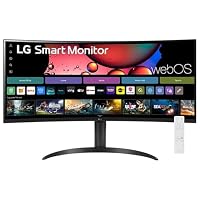


Prices are read from the Amazon product listing and change there, not here. Scores are out of 10, based on listed specifications and buyer feedback.
Why each one is on the list
Best for Mobile creative studios and interactive presentations
Pros
- 4K IPS touchscreen interface
- Wheeled base with torsion spring
- Three USB-C ports with charging
Cons
- Not suited for standard desks
- Limited to 60Hz refresh
- For wide timeline video editing with high contrast: LG 34SR60QC-W 34-inch QHD
- For curved ultrawide streaming with voice navigation: LG 34″ Curved UltraWide WQHD(3440×1440) Smart
- For color-critical 4K editing on compact desks: LG 27U730SA-W 27-Inch Smart 4K UHD
- For large-scale 4K visual monitoring and productivity: LG 37U730SA-W 37-inch Smart 4K UHD
- For single-cable laptop workflows on an ultrawide canvas: LG 34SR63QA-W 34 inch Smart Curved
- For mobile client reviews and interactive studio presenting: LG Smart Monitor Swing 32U889SA-W 32-Inch
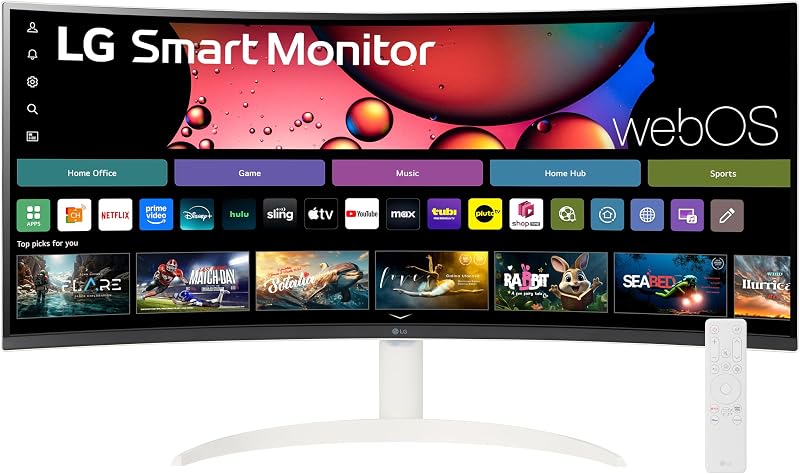
01 LG 34SR60QC-W 34-inch QHD
Best for Budget ultrawide timeline video editors
Pros
- Deep 3000:1 contrast ratio
- Fluid 100Hz refresh rate
- AirPlay 2 and HomeKit support
Cons
- No USB-C laptop charging
- Tilt-only adjustment stand
The LG 34SR60QC-W 34-inch QHD delivers an expansive 21:9 ultrawide canvas that suits creators managing extensive timelines in DaVinci Resolve or Premiere Pro. Its 3440×1440 WQHD resolution gives you 34 percent more horizontal screen real estate than standard 16:9 displays, reducing the need to scroll through video tracks or clip bins. The sweeping 1800R curve brings the outer edges of the display into your natural field of view, minimizing neck movement during long editing sessions.
Built around a VA panel, this model offers a deep 3000:1 contrast ratio that ensures rich blacks and clear shadow detail when reviewing dark video scenes. With 99% sRGB color gamut coverage and HDR10 support, it reproduces dependable color for web-bound content. When you finish work, the integrated webOS23 platform allows you to access streaming apps and cloud office tools directly, while Apple AirPlay 2 and HomeKit integration let you cast mobile mockups straight from an iPhone or Mac without extra hardware.
- 34-inch curved VA panel with 3440×1440 resolution and 1800R curvature
- 3000:1 contrast ratio with 99% sRGB coverage and HDR10
- Smooth 100Hz refresh rate for fluid timeline scrubbing and playback
- Two HDMI ports, three USB ports, and built-in speakers
While this model provides outstanding visual immersion and generous connectivity, it relies on standard USB ports without laptop charging capabilities. If your production rig requires a single-cable setup that powers your computer while carrying display data, you should look toward the USB-C equipped models further down the lineup.
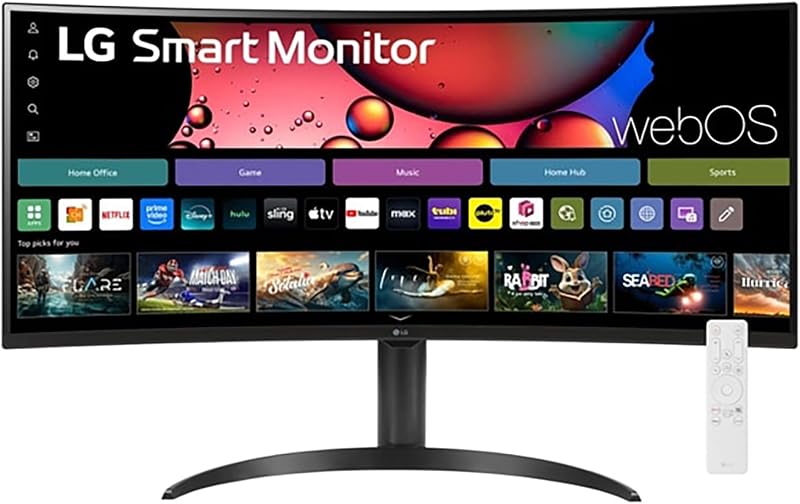
02 LG 34″ Curved UltraWide WQHD(3440×1440) Smart
Best for Ultrawide multitaskers wanting remote voice control
Pros
- Includes LG Magic Remote
- Immersive 1800R curved screen
- 100Hz refresh rate
Cons
- Lacks USB-C connectivity
- Lower off-axis viewing consistency
The LG 34″ Curved UltraWide WQHD(3440×1440) Smart focuses on ease of control and multitasking comfort. It shares the immersive 34-inch 1800R curved form factor and 3440×1440 resolution of its sibling, making it a natural choice for vloggers who balance script writing on one half of the screen while scrubbing through raw takes on the other. An anti-glare screen surface keeps reflections manageable under studio key lights or bright ambient daylight.
What sets this package apart is the inclusion of the LG Magic Remote, which enables voice commands and intuitive pointer navigation across the webOS interface. This addition makes channel surfing, jumping into streaming apps, or adjusting monitor settings far simpler from across the room. The unit also features an adjustable stand, helping you dial in proper viewing ergonomics without having to install third-party monitor arms.
- 34-inch 21:9 WQHD curved panel with anti-glare treatment
- Included LG Magic Remote for voice commands and smooth pointer navigation
- HDR10 support with 99% sRGB color gamut expression
- 100Hz refresh rate and AirPlay 2 wireless casting support
This monitor is well-suited for general content management, media consumption, and casual editing. However, if your projects demand exacting color accuracy from wider viewing angles, you will find that an IPS-based panel provides better off-axis fidelity than this curved VA display.
03 LG 27U730SA-W 27-Inch Smart 4K UHD

Best for Color-critical 4K creators on compact desks
Pros
- Sharp 4K UHD IPS panel
- USB-C with 65W charging
- Full pivot and height stand
Cons
- Standard 60Hz refresh rate
- Lower contrast than VA
Creators searching for tight pixel density and broad viewing stability will appreciate the LG 27U730SA-W 27-Inch Smart 4K UHD. Packing a 3840×2160 resolution into a 27-inch frame results in a fine 0.16 mm pixel pitch, rendering 4K video footage and high-resolution photography with razor-sharp clarity. The IPS panel ensures consistent color rendition and luminance across wide 178-degree angles, making it a reliable tool for color correction and asset creation on a compact desk.
This model serves as a modern studio centerpiece thanks to its USB Type-C port, which supports 65W Power Delivery, video transfer, and data connectivity over a single cable. It also includes an intelligent Brightness Control sensor that measures room lighting to automatically adjust the display, alongside Dynamic Tone Mapping tools within webOS that optimize contrast in real time. If you want to explore more compact form factors, check out our guide to the lg smart monitor 27 inch category for deeper desktop setup recommendations.
- 27-inch 4K UHD IPS display with 350 cd/m² brightness
- USB Type-C port delivering video, data, and 65W power delivery
- Full ergonomic stand with tilt, height, swivel, and pivot adjustments
- Built-in ambient light sensor for automatic brightness adjustment
The stand provides full tilt, height, swivel, and pivot adjustments, allowing you to orient the screen vertically for editing shorts or reading code. The 60Hz refresh rate is tailored for video editing and standard production rather than high-frame-rate gaming, so fast-action workflows may prefer the 100Hz ultrawide options.
04 LG 37U730SA-W 37-inch Smart 4K UHD

Best for Creators needing a huge 4K canvas
Pros
- Expansive 36.5-inch viewable area
- 90% DCI-P3 color gamut
- 65W USB-C power delivery
Cons
- Requires significant desk depth
- Lacks pivot adjustment
When a standard desktop screen feels too cramped for multi-window post-production, the LG 37U730SA-W 37-inch Smart 4K UHD steps in with an expansive 36.5-inch viewable diagonal. This substantial 16:9 canvas provides ample space to arrange editing timelines, audio mixers, and preview monitors simultaneously without scaling down UI elements. With 90% DCI-P3 color coverage and HDR10 playback, it presents footage with cinematic depth and broad color richness.
Connectivity is geared for professional hardware ecosystems, offering a 65W USB Type-C port alongside two HDMI 2.0 ports and two USB ports. Like its 27-inch counterpart, this monitor features webOS productivity tools that allow you to log into cloud PC environments, check production schedules, and host video calls directly through smart applications without powering on an external computer.
- Generous 37-inch 4K UHD IPS panel with 178-degree viewing angles
- 90% DCI-P3 color coverage for cinematic color grading
- USB Type-C connectivity with 65W power delivery
- Adjustable stand supporting tilt, height, and swivel positioning
The large footprint requires a deep, sturdy desk to achieve a comfortable viewing distance. While it includes height, tilt, and swivel adjustments, it lacks the 90-degree pivot function found on the 27-inch variant due to its sheer physical size.
05 LG 34SR63QA-W 34 inch Smart Curved
Best for Ultrawide laptop editors needing single-cable docking
Pros
- 65W USB-C laptop charging
- Deep 3000:1 contrast ratio
- Responsive 100Hz refresh rate
Cons
- Tilt-only stand adjustment
- VA panel color shift
The LG 34SR63QA-W 34 inch Smart Curved unites the high-contrast immersion of a 21:9 ultrawide with the streamlined connectivity of modern creative workstations. It features a 3440×1440 resolution across an 1800R curved VA panel, pairing a 3000:1 contrast ratio with 99% sRGB color gamut coverage. A fluid 100Hz refresh rate keeps cursor movements responsive and timeline navigation smooth during intensive editing runs.
Unlike basic ultrawides, this display integrates a full-featured USB Type-C interface that provides 65W power delivery. This allows you to dock a modern editing laptop with one cord to push video to the monitor while simultaneously charging your battery and routing peripherals through two USB 3.0 ports. For an overview of how LG structures its connected displays across different screen sizes, browse our breakdown of the lg my view smart monitor family.
- 34-inch 21:9 curved VA panel with 3000:1 contrast ratio and 100Hz refresh rate
- USB Type-C port with up to 65W power delivery and data transfer
- Dual HDMI ports, dual USB 3.0 ports, and a dedicated headphone jack
- Apple AirPlay 2, HomeKit, and Screen Share wireless compatibility
This display uses a tilt-only stand, meaning you cannot adjust its vertical height without mounting it on an aftermarket arm. If vertical ergonomics are critical out of the box, the flat 4K IPS models offer superior native stand mechanics.
06 LG Smart Monitor Swing 32U889SA-W 32-Inch
The LG Smart Monitor Swing 32U889SA-W 32-Inch is an unconventional display engineered for fluid, multi-purpose studio spaces. Built around a 32-inch 4K UHD IPS touchscreen, it delivers 350 nits of brightness and covers 95% of the DCI-P3 color spectrum. The responsive touch interface makes scrubbing through media, marking clips, or presenting design mockups to clients remarkably intuitive.
Mobility is the core strength of the Swing. It is mounted to a wheeled base paired with a flexible torsion spring hinge, allowing you to roll the display between workstations, swivel it around for collaborative viewing, adjust height effortlessly, or rotate it into portrait mode. A hidden adapter compartment keeps the power cord neatly concealed inside the rolling base to prevent snagging during transit.
- 32-inch 4K UHD IPS touchscreen with 95% DCI-P3 color coverage
- Heavy-duty wheeled base with full torsion spring tilt, swivel, height, and pivot adjustment
- Three USB-C ports with 65W power delivery and two HDMI inputs
- Switch app for splitting screen layouts into up to six customized sections
The display also includes Quick Control for fast navigation using keyboards and mice, letting you switch between connected PC inputs and webOS via shortcuts. Its rolling base design makes it ideal for dynamic creator studios, though it is not designed to sit on a conventional desktop surface.
What Sets These Models Apart
| Model | Panel Type & Resolution | Aspect Ratio & Refresh Rate | USB-C Power Delivery | Stand Mechanics |
|---|---|---|---|---|
| LG 34SR60QC-W 34-inch QHD | VA (3440 x 1440) | 21:9 / 100Hz | None (HDMI & USB-A only) | Fixed (Tilt not specified) |
| LG 34″ Curved UltraWide WQHD(3440×1440) Smart | VA (3440 x 1440) | 21:9 / 100Hz | The listing does not specify | Adjustable Stand |
| LG 27U730SA-W 27-Inch Smart 4K UHD | IPS (3840 x 2160) | 16:9 / 60Hz | Yes (65W PD) | Tilt, Height, Swivel, Pivot |
| LG 37U730SA-W 37-inch Smart 4K UHD | IPS (3840 x 2160) | 16:9 / 60Hz | Yes (65W PD) | Tilt, Height, Swivel |
| LG 34SR63QA-W 34 inch Smart Curved | VA (3440 x 1440) | 21:9 / 100Hz | Yes (65W PD) | Tilt only |
| LG Smart Monitor Swing 32U889SA-W 32-Inch | IPS Touchscreen (3840 x 2160) | 16:9 / 60Hz | Yes (65W PD, 3x USB-C) | Wheeled Base: Tilt, Height, Swivel, Pivot |
Buying Tips for LG Smart Monitors
Choosing between an ultrawide and a standard 16:9 aspect ratio depends entirely on how your creative applications are organized. A 21:9 ultrawide provides horizontal space that benefits video editors, music producers, and multi-document researchers who need several windows open side by side without bezel interruptions. Conversely, 16:9 4K monitors provide superior vertical pixel count and higher pixel density, which is critical when previewing full-resolution 4K footage or conducting high-magnification retouching work.
Panel technology is another crucial factor. The VA panels used in the 34-inch ultrawides provide 3000:1 contrast ratios, yielding deep black levels that make high-contrast media and dimly lit movies pop. However, IPS panels deliver wider color gamut coverage (up to 95% DCI-P3) and superior off-axis color consistency, making them the standard choice for color grading and graphic design. If you are weighing other smart display ecosystems before buying, our samsung smart monitor guide outlines how alternative platforms handle hybrid work tasks.
Finally, evaluate single-cable connectivity if you work from a modern creative laptop. Displays offering USB Type-C with 65W Power Delivery can power your computer, carry high-bandwidth video signals, and connect external hard drives plugged into the monitor hub via one cable. Opting for a model without USB-C power delivery means managing multiple cords and occupying your laptop power brick permanently on your desk.
FAQ
Can I use these LG smart monitors without connecting a computer?
Yes. All of these LG displays feature the webOS platform built in. This enables you to run native streaming applications, access cloud productivity services like Microsoft 365 and Google applications, and browse files without an attached desktop or laptop.
Can I wirelessly mirror my MacBook or iPad to an LG smart monitor?
Yes. The models in this lineup include Apple AirPlay 2 support, allowing you to wirelessly cast video, mirror screens, or stream audio directly from macOS and iOS devices without requiring an Apple TV box.
Does a curved ultrawide monitor distort straight lines when editing?
The 1800R curve on LG 34-inch ultrawides is gentle and matches the natural curvature of the human eye. While it can introduce a slight visual bend to long horizontal gridlines, most video editors find the immersion and reduced edge glare far outweigh any minor geometric adjustment period.
Do these LG smart monitors support laptop charging over USB-C?
The LG 27U730SA-W, LG 37U730SA-W, LG 34SR63QA-W, and LG Smart Monitor Swing 32U889SA-W all feature USB Type-C connections capable of delivering up to 65W of power to charge compatible laptops over a single cable.
What is the difference between webOS and standard monitor menus?
Standard monitor menus only allow you to adjust hardware settings such as brightness, contrast, and input sources. The webOS interface is a full operating system that runs apps, supports wireless peripherals, connects to Wi-Fi networks, and provides automated picture optimization tools like Dynamic Tone Mapping.


