Samsung Monitors & Displays
Samsung 57-Inch Monitor Comparison: The Ultimate Ultrawide Desk Setup
Choosing a samsung 57 inch monitor comes down to whether your editing workflow requires the massive screen real estate of two seamless 4K displays or if a slightly smaller footprint meets your timeline needs. For video editors, content creators, and dedicated multitaskers, the expansive horizontal width eliminates the center bezels typical of dual-screen setups, allowing…

As Amazon Associates, we earn from qualifying purchases. This means we may receive a small commission at no extra cost to you if you click through and make a purchase.
Choosing a samsung 57 inch monitor comes down to whether your editing workflow requires the massive screen real estate of two seamless 4K displays or if a slightly smaller footprint meets your timeline needs. For video editors, content creators, and dedicated multitaskers, the expansive horizontal width eliminates the center bezels typical of dual-screen setups, allowing uninterrupted timeline scrubbing and comfortable multi-window project management. Evaluating whether such a massive curved canvas belongs on your desk requires weighing panel resolution, curvature, input standards, and overall desk depth against your production habits.
This guide examines six distinct ultrawide displays in Samsung’s lineup, covering the flagship 57-inch Dual UHD models, the widely adopted 49-inch Dual QHD displays across OLED and VA panel types, and a streamlined 40-inch ultrawide option. While every model provides curved panoramic viewing, they differ markedly in pixel density, backlight technology, refresh capabilities, and port configurations. Whether you need single-cable laptop docking, pixel-accurate local dimming zones, or near-instant OLED response times, understanding these engineering variations will clarify which display integrates best into your studio.
Which Samsung Ultrawide Monitors Should You Buy
All 6 models on this page, side by side



Prices are read from the Amazon product listing and change there, not here. Scores are out of 10, based on listed specifications and buyer feedback.
Why each one is on the list
- For creators requiring dual 4K resolution and maximum timeline workspace: Samsung 57″ Odyssey Neo G9
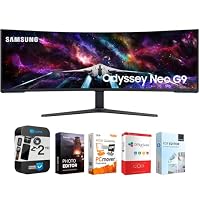
- For editors looking for a complete bundled setup with editing software and extra protection: Samsung 57″ Odyssey Neo G9 Dual
- For colorists and editors who prioritize infinite contrast and deep black levels: Samsung 49″ Odyssey OLED G9
- For laptop-based video editing setups needing USB-C docking and built-in audio: Samsung 49” Business Curved Ultrawide Dual
- For hybrid gaming and editing workflows needing intense HDR peak brightness: Samsung 49” Odyssey G9 Series DQHD
- For creators on standard desks wanting 21:9 ultrawide 4K clarity: Samsung 40” Odyssey G7
01 Samsung 57″ Odyssey Neo G9

Best for Creators wanting editing software and extended warranty
Pros
- Dual 4K Mini-LED panel
- Included editing software bundle
- 2-year CPS protection pack
- DisplayPort 2.1 input
Cons
- Enormous desktop footprint
- Heavy panel assembly
Best for Demanding video editors needing dual 4K canvas
Pros
- Dual UHD resolution
- 2,392 local dimming zones
- 240Hz refresh rate
- DisplayPort 2.1 support
Cons
- Demands substantial desk depth
- Requires powerful graphics hardware
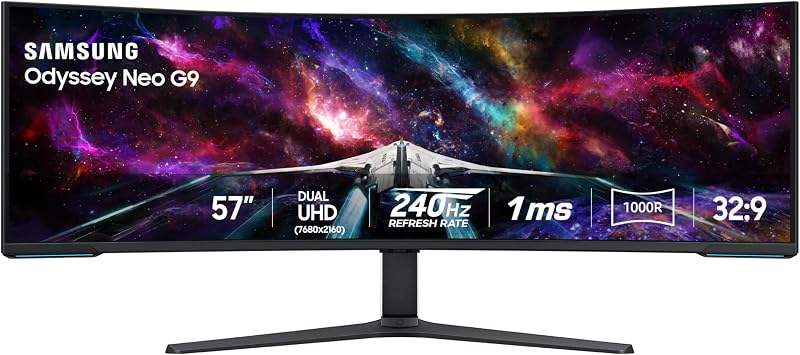
The Samsung 57″ Odyssey Neo G9 stands as an engineering milestone by introducing the world’s first Dual UHD screen. With an aspect ratio of 32:9 and an expansive 57-inch viewing area, this display is effectively two full 3840×2160 monitors placed side-by-side without a center border. For creators cutting multi-camera video tracks or reviewing ultra-high-resolution assets, the 0.18 pixel pitch delivers crisp text and razor-sharp timeline markers. Driving such a massive resolution requires robust display interfaces, which Samsung addresses by including DisplayPort 2.1 support alongside HDMI 2.1 and an integrated USB hub.
Image quality is anchored by Quantum Matrix Technology utilizing Quantum Mini LEDs. The backlight system features 2,392 local dimming zones matched with 12-bit black level processing, earning the panel VESA DisplayHDR 1000 certification. In practice, this gives video creators 1,000 nit peak brightness and a 1,000,000:1 contrast ratio, ensuring highlights shine while dark background elements retain critical shadow detail. Although originally built with high-end gaming in mind—delivering a 240Hz refresh rate, 1ms gray-to-gray response time, and AMD FreeSync Premium Pro—these rapid refresh figures make timeline panning and UI navigation remarkably smooth. Those stepping up from a smaller single display like a samsung odyssey 32 inch curved monitor will find the expansive 1000R curvature essential for keeping the extreme outer edges within comfortable peripheral view.
This monitor is tailored for professionals who refuse to compromise on vertical resolution and workspace area. However, the screen’s massive width and depth require a deep, sturdy desk to achieve optimal viewing distances. Creators who do not have the graphics hardware to output Dual UHD at high framerates, or who prefer a more compact desktop footprint, may find smaller 49-inch alternatives easier to accommodate in modest studio environments.
- Dual UHD 7680×2160 resolution spanning a massive 32:9 aspect ratio
- Quantum Mini LED backlight with 2,392 local dimming zones
- DisplayPort 2.1 and HDMI 2.1 inputs supporting up to 240Hz refresh rates
- CoreSync and Core Lighting plus integrated ambient lighting system
02 Samsung 57″ Odyssey Neo G9 Dual
The Samsung 57″ Odyssey Neo G9 Dual provides the same groundbreaking 57-inch Dual UHD panel experience, packaged in a specialized productivity bundle. This package incorporates the Tech Smart USA Elite Suite 18 Standard Editing Software Bundle—which provides software such as Office Suite Pro and Movavi Photo Editor—along with a 2-year CPS enhanced protection pack. For independent creators assembling a new workspace from scratch, having image editing tools and extended warranty protection included directly with the hardware simplifies initial studio setup.
Beneath the bundled additions, the panel features the identical cutting-edge display technology found on the standalone model. Quantum Mini LEDs combined with Quantum Matrix Technology generate pinpoint local brightness control with a 1,000,000:1 contrast ratio and a 420 cd standard brightness rating. The listing notes a matte finish across the expansive 1000R curved display surface, which keeps reflections from studio lights or open windows from interfering with color-critical timeline editing. High-speed connectivity remains standard with DisplayPort 2.1 and HDMI cables included in the box, driving the 240Hz refresh rate and 1ms gray-to-gray response times.
This bundle suits creators and creative freelancers who want added peace of mind through enhanced protection coverage alongside their hardware investment. Measuring 52.3 inches wide and 19.7 inches deep with the stand attached, it requires substantial desk space. If you already maintain an active subscription to your preferred creative suite and do not require third-party extended service packs, the standalone edition offers the exact same physical monitor hardware.
- Bundled with Tech Smart USA Elite Suite 18 editing software and CPS warranty coverage
- Quantum Matrix Mini-LED backlighting delivering 1,000,000:1 contrast
- Fluid 240Hz refresh rate backed by AMD FreeSync Premium Pro
- 1000R curved matte panel engineered to minimize workspace glare
03 Samsung 49″ Odyssey OLED G9

Best for Colorists and creators prioritizing true blacks
Pros
- Infinite contrast QD-OLED
- 03ms response time
- Integrated burn-in safeguards
- Dual QHD 32:9 canvas
Cons
- 250 cd standard brightness
- Lower vertical resolution than 57-inch
For editors who value pixel-level contrast above total screen width, the Samsung 49″ Odyssey OLED G9 represents an intriguing alternative in any samsung ultrawide monitor comparison. By utilizing a QD-OLED panel with Dual QHD resolution (5120 x 1440), every individual pixel illuminates independently, completely eliminating the backlight blooming or haloing that can occur around bright elements on Mini-LED displays. This panel produces true deep blacks, a 1,000,000:1 contrast ratio, and wide color expression supported by VESA DisplayHDR True Black 400 certification.
When looking at the samsung 57 vs 49 monitor dilemma, this 49-inch unit offers a tighter 110 pixels per inch density across a 32:9 aspect ratio. It features near-instant 0.03ms response times and a 144Hz refresh rate, paired with both AMD FreeSync Premium Pro and G-Sync compatibility. To protect the organic panel during long editing sessions with static user interfaces, Samsung incorporates several proactive reliability features. These include a thermal modulation system using algorithms to control surface heat, automated logo and taskbar brightness detection, and an automatic screen saver that dims the panel after ten minutes of user inactivity. Creators accustomed to working on compact displays like a samsung oled 27 inch screen will appreciate how this ultrawide scales OLED contrast across a wide desktop workspace.
This display is ideal for video colorists, digital artists, and creators whose projects depend on precise contrast separation and vibrant color palettes. However, with a standard brightness of 250 cd, it cannot match the intense 1,000-nit highlight brightness of Mini-LED options in brightly lit rooms. If your daily workflow consists exclusively of high-contrast static spreadsheets and daytime work in flooded daylight, a traditional VA or Mini-LED display may prove more practical.
- 49-inch QD-OLED display delivering pure blacks and infinite contrast
- Near-instant 0.03ms response time with 144Hz refresh rate
- Integrated burn-in safeguards including thermal modulation and taskbar dimming
- Dual QHD resolution across an expansive 32:9 panoramic aspect ratio
04 Samsung 49” Business Curved Ultrawide Dual

Best for Laptop creators needing docking and built-in audio
Pros
- USB-C with 90W charging
- Integrated stereo speakers
- Built-in KVM switch
- 1000R productivity curve
Cons
- 120Hz maximum refresh rate
- 3000:1 contrast ratio
Designed intentionally for operational efficiency and multi-device workflows, the Samsung 49” Business Curved Ultrawide Dual shifts focus toward streamlined desktop connectivity. Its 49-inch Dual QHD canvas matches the 32:9 aspect ratio and 1000R curvature of its gaming siblings, but integrates an onboard docking station. The rear connectivity panel includes DisplayPort, two HDMI inputs, a USB hub, and a USB Type-C port capable of delivering 90W power delivery. This allows editors working from high-performance laptops to transmit video, access peripherals, and charge their machine through a single cable.
Audio-visual editing is supported by VESA DisplayHDR 400 capability, a 3000:1 contrast ratio, and a bright 400 cd/m² panel. A smooth 120Hz refresh rate reduces interface latency when scrolling lengthy project timelines or scrubbing footage. Workspace clutter is further minimized by integrated stereo speakers, eliminating the immediate requirement for external desktop audio monitors during routine content reviews. The listing also highlights an integrated KVM switch, enabling creators to connect two separate computers—such as a personal workstation and a studio machine—and control both with one keyboard and mouse. Those currently managing cables across multiple smaller displays, such as a traditional samsung 24 inch monitor pair, will find this unified setup substantially cleaner.
This model is the premier choice for productivity-focused editors, remote video creators, and office multitaskers who want an all-in-one docking solution without extra external peripherals. Creators who require high-speed 240Hz refresh rates or local dimming zones for master-grade HDR grading will find those features prioritized on the Odyssey series instead.
- USB-C connectivity supporting 90W charging and high-speed data transmission
- Integrated KVM switch allowing dual-system control with one peripheral set
- Built-in stereo speakers to free up physical desktop space
- 1000R curvature with Dual QHD resolution and smooth 120Hz refresh rate
05 Samsung 49” Odyssey G9 Series DQHD
Best for Hybrid gamers and timeline editors wanting brightness
Pros
- DisplayHDR 1000 peak brightness
- 240Hz refresh rate
- Hardware PBP and PIP
- Aggressive 1000R curve
Cons
- Dual QHD instead of 4K
- Large stand footprint
The Samsung 49” Odyssey G9 Series DQHD offers an ideal middle ground for creators who want the speed and intense brightness of the Odyssey lineup without the massive desk depth requirements of the 57-inch model. Featuring a 49-inch VA panel with a sharp 1000R curvature, this display provides Dual QHD resolution in a 32:9 aspect ratio. The panel is VESA DisplayHDR 1000 certified, achieving a striking 1,000 nit peak brightness and a 1,000,000:1 contrast ratio to deliver bold HDR highlight details without panel degradation concerns.
Performance remains top-tier with a 240Hz refresh rate, 1ms gray-to-gray response time, and AMD FreeSync Premium Pro integration. For creators who ingest footage while monitoring production chat or reference scripts, the monitor incorporates robust Picture-by-Picture (PBP) and Picture-in-Picture (PIP) functions. PBP allows users to split the screen into two native resolution inputs simultaneously, while PIP allows resizing a secondary video feed up to 25 percent of the screen area. Auto Source Switch plus detects active signal inputs automatically to avoid manual menu toggling, while the CoreSync lighting array casts ambient colors behind the frame.
This monitor is perfectly suited for video creators, streamers, and hybrid gamers seeking high refresh rates, high brightness, and zero burn-in risk for heavy daytime production. It gives way to the 57-inch Neo G9 if your projects strictly require Dual 4K vertical canvas space, or to the QD-OLED G9 if your priority is pixel-level black accuracy.
- Dual QHD resolution paired with an aggressive, immersive 1000R curvature
- VESA DisplayHDR 1000 certification with 1,000 nit peak brightness
- Hardware Picture-by-Picture and Picture-in-Picture multi-input support
- Blazing 240Hz refresh rate with 1ms response time and FreeSync Premium Pro
06 Samsung 40” Odyssey G7
Best for Video creators with compact desk setups
Pros
- WUHD 21:9 aspect ratio
- 180Hz refresh rate
- VESA DisplayHDR 600
- Compact 40-inch width
Cons
- Narrower horizontal width than 32:9
- 3000:1 contrast ratio
For studios where a 49-inch or 57-inch ultrawide exceeds available desk space, the Samsung 40” Odyssey G7 delivers a compact, high-resolution solution. Utilizing a 21:9 aspect ratio rather than the wider 32:9 format, this 40-inch display features brilliant Ultrawide 4K (WUHD) resolution. The 21:9 layout provides extra horizontal canvas compared to a standard 16:9 screen, allowing comfortable timeline expansion in Premiere Pro or DaVinci Resolve without completely dominating your physical desk space.
The monitor is built around a VA panel featuring a 1000R curvature, a 3000:1 contrast ratio, and a 350 cd/m² brightness rating. It supports VESA DisplayHDR 600, giving creators enhanced dynamic range with deeper blacks and brighter highlights during video preview playback. Fluid performance is ensured by a 180Hz refresh rate and a 1ms gray-to-gray response time, backed by AMD FreeSync Premium Pro to keep UI elements, scrub bars, and motion playback free of tearing. Picture-by-Picture capability is also integrated to maximize display flexibility across connected inputs. Editors evaluating a standard samsung odyssey 32 inch monitor will appreciate the additional horizontal field of view that this 40-inch ultrawide format introduces.
This display suits creators with standard office desks who want high pixel density and ultrawide timeline workflows without excessive width. However, if your multitasking style relies on viewing three or four full-width application windows simultaneously, the wider 32:9 aspect ratio found on the 49-inch and 57-inch displays offers noticeably more horizontal canvas.
- 40-inch display with 21:9 aspect ratio and Ultrawide 4K (WUHD) resolution
- 1000R curvature matching natural human field of vision
- 180Hz refresh rate with rapid 1ms gray-to-gray response time
- VESA DisplayHDR 600 support with AMD FreeSync Premium Pro
What Sets These Models Apart
| Model | Screen Size & Aspect Ratio | Panel Technology & Resolution | Refresh Rate & Response | Key Connectivity & Features |
|---|---|---|---|---|
| Samsung 57″ Odyssey Neo G9 | 57 inches, 32:9 | VA Quantum Mini-LED, Dual UHD (7680×2160) | 240Hz, 1ms (GTG) | DisplayPort 2.1, HDMI 2.1, 2,392 dimming zones |
| Samsung 57″ Odyssey Neo G9 Dual | 57 inches, 21:9 listing spec | VA Quantum Mini-LED, Dual UHD (7680×2160) | 240Hz, 1ms (GTG) | DP 2.1, HDMI, Elite Suite 18 & 2-Yr CPS Warranty |
| Samsung 49″ Odyssey OLED G9 | 49 inches, 32:9 | QD-OLED, Dual QHD (5120×1440) | 144Hz, 0.03ms | True Black 400, G-Sync, Taskbar Burn-in Safeguards |
| Samsung 49” Business Curved Ultrawide Dual | 49 inches, 32:9 | LCD VA, Dual QHD (5120×1440) | 120Hz, listing not specified | USB-C with 90W charging, KVM Switch, Speakers |
| Samsung 49” Odyssey G9 Series DQHD | 49 inches, 32:9 | VA LCD, Dual QHD (5120×1440) | 240Hz, 1ms (GTG) | DisplayHDR 1000, 1000 nit peak, PBP/PIP, CoreSync |
| Samsung 40” Odyssey G7 | 40 inches, 21:9 | VA LED, Ultrawide 4K (WUHD) | 180Hz, 1ms (GTG) | DisplayHDR 600, 1000R curve, FreeSync Premium Pro |
Buying Tips for Samsung Ultrawide Monitors
When determining which samsung ultrawide to buy, desk ergonomics must be your first consideration. Ultrawide monitors featuring aggressive 1000R curves wrap deeply into your field of view, pulling the outer screen edges closer to your eyes to minimize neck fatigue. However, models like the 57-inch Neo G9 measure over four feet across and require nearly 20 inches of depth just for the factory stand. Ensure your desk is deep enough so that you can sit at least three feet back; otherwise, you will find yourself physically turning your head to view peripheral timeline panels. If your workspace has shallow depth, a 40-inch 21:9 display or a heavy-duty VESA mount can save critical desk territory.
GPU connectivity and output capability are equally vital when choosing between these resolutions. Driving a 57-inch Dual UHD panel at high refresh rates pushes the absolute limits of current display outputs. To achieve full resolution and high refresh rates, your graphics card must feature modern DisplayPort 2.1 or HDMI 2.1 outputs with adequate display stream compression support. In contrast, 49-inch Dual QHD and 40-inch WUHD models place a lighter load on graphics hardware, allowing broader compatibility across creative workstations and modern editing laptops.
Finally, consider how your project workflow treats static user interfaces. A samsung curved monitor for video editing with QD-OLED technology offers unmatched black levels and color fidelity for grading, but requires mindful management of static timeline panels. For creators who keep Premiere Pro, Final Cut, or streaming OBS dashboards open eight to ten hours a day, Mini-LED and standard VA panels provide continuous high brightness without any risk of permanent image retention.
FAQ
How much desk space does a Samsung 57 inch monitor require?
The 57-inch monitor measures over 52 inches in physical width and nearly 20 inches in depth with the stand attached. To maintain an ergonomic viewing distance where the 1000R curvature naturally encompasses your vision, you should install it on a desk with at least 30 to 36 inches of surface depth.
What graphics card is required to run the Samsung 57 Odyssey Neo G9 at 240Hz?
Running the 57-inch display at its native Dual UHD resolution (7680×2160) at 240Hz requires a modern graphics card equipped with DisplayPort 2.1 support and Display Stream Compression. While older GPUs with DisplayPort 1.4 or HDMI 2.1 can drive the screen, they will operate at lower refresh rates such as 60Hz or 120Hz depending on port bandwidth.
How does a 32:9 ultrawide compare to a dual monitor setup for video editing?
A 32:9 ultrawide monitor matches the exact screen real estate of two 16:9 displays placed side by side, but eliminates the physical center bezel. This setup allows you to extend video timelines continuously across the screen, align media bins freely, and avoid color or brightness discrepancies common between separate panels.
Can you connect two computers simultaneously to these Samsung ultrawide displays?
Yes, models equipped with Picture-by-Picture (PBP) functionality—such as the Samsung 49” Business Curved Ultrawide Dual, the 49” Odyssey G9 DQHD, and the 40” Odyssey G7—allow you to display two different input sources side by side. The Business model also includes an integrated KVM switch, enabling you to control both computers with a single keyboard and mouse.
Does the Samsung 49 Odyssey OLED G9 include protection against burn-in?
Yes, Samsung equips the 49-inch QD-OLED display with automated safeguards. These include a thermal modulation system that predicts panel temperature, automatic brightness reduction for static logos and taskbars, and an automatic screen saver that dims the display after ten minutes of inactivity.


