Smart Home Hubs Buying Guide (2026): What Matters and 8 Picks
Choose the right central controller by comparing published specs. We evaluate 8 hubs based on local processing, supported protocols, and ecosystem compatibility.
As Amazon Associates, we earn from qualifying purchases. This means we may receive a small commission at no extra cost to you if you click through and make a purchase.
As an Amazon Associate we earn from qualifying purchases. Links on this page are affiliate links.
This smart home hub buying guide helps you choose the right central controller for your devices. You will compare published specifications to decide between local processing, cloud reliance, or specific ecosystem compatibility. We evaluated each product strictly by its technical data, such as supported protocols, connectivity options, and physical dimensions. This approach ensures you select a hub that matches your infrastructure needs without subjective bias.
You will also learn which hubs support Matter, Zigbee, or Z-Wave, and which offer wired Ethernet or PoE connections. The list includes compact controllers for small spaces and larger units with HDMI output or high device capacity. By focusing on these measurable attributes, you can determine the best fit for your automation setup. The following recommendations represent the top picks based on their documented capabilities and intended use cases.
Key Specs to Check Before Buying
Smart home compatibility
Your hub must speak the language of your existing devices. Look for explicit support for platforms like Apple Home, Google Home, or Amazon Alexa. Some hubs, like the Philips Hue Bridge Pro, list broad compatibility to ensure your lights and sensors work seamlessly. Others, such as the Google Nest Hub, focus strictly on the Google ecosystem. If you use multiple assistants, verify the hub supports the specific protocols your devices rely on. This prevents fragmented control and ensures your automations trigger correctly across all your gear without requiring separate apps for each brand.
Look for
- Listed platform support
- Protocol compatibility
- Ecosystem alignment
Wireless connectivity protocols
The wireless technologies a hub supports determine which devices you can add. Zigbee and Z-Wave are common for sensors and lights, while Wi-Fi and Bluetooth handle different categories of gear. The Hubitat C-8 Pro supports both Zigbee and Z-Wave, offering broad device inclusion. The Aqara Hub M3 adds Thread and Infrared for newer Matter devices and legacy IR controls. Check if the hub supports the specific radio frequencies your devices use. Missing a key protocol means you cannot integrate certain products, forcing you to buy redundant controllers or incompatible replacements.
Look for
- Zigbee and Z-Wave support
- Thread and Bluetooth
- Wi-Fi capability
Local processing capability
Local processing runs automations on the hub itself, not in the cloud. This ensures your lights turn on even if the internet goes down. The Nabu Casa Home Assistant Green Hub and Hubitat C-8 Pro prioritize local execution for speed and privacy. The Aqara Hub M3 also emphasizes local control with encrypted storage. If you value reliability and data privacy, choose a hub that processes logic on-device. Cloud-dependent hubs may lag or fail during outages. Verify the product data mentions local automation or on-device processing to ensure your critical routines remain functional.
Look for
- Local automation support
- On-device processing
- Offline functionality
Wired connectivity options
Reliable hubs often use Ethernet or Power over Ethernet (PoE) to avoid Wi-Fi interference. The Aqara Hub M3 features PoE, providing stable power and data over a single cable. The Nabu Casa Home Assistant Green Hub includes Ethernet access for consistent network performance. Wired connections reduce latency and dropouts common with wireless-only hubs. If your hub sits in a basement or utility room, a wired connection is often superior. Check the specs for Ethernet ports or PoE support to ensure your central controller stays connected without relying on unstable wireless signals.
Look for
- Ethernet port presence
- PoE support
- Wired stability
Device capacity limits
Hubs have maximum limits for connected devices. The Tapo H500 is designed for high-capacity local camera and sensor management, handling more devices than standard hubs. The Philips Hue Bridge Pro supports large-scale Zigbee lighting setups. If you plan to add dozens of sensors or cameras, check the stated device limits. Exceeding these limits can cause lag or connection failures. Review the product data for mentions of capacity or scale to ensure the hub can grow with your smart home without needing an upgrade soon.
Look for
- Maximum device count
- High-capacity support
- Scalability limits
Entry method and display
Some hubs include displays or cameras for direct interaction. The Tapo H500 features an entry method with a built-in camera and HDMI output for larger screens. The Google Nest Hub 7-inch includes a visual display for status feedback and control. If you want to see camera feeds or control devices via a touchscreen, look for hubs with integrated screens or video output. Hubs without displays rely entirely on smartphone apps. Decide if you need physical interaction at the hub location or if app control is sufficient for your setup.
Look for
- Built-in display
- Camera inclusion
- HDMI output
Physical dimensions and weight
Hub size affects placement options. The Nabu Casa Home Assistant Green Hub is compact at 1.26 inches wide. The SwitchBot Curtain Opener 2025 is larger at 10 inches wide. The Tapo H500 weighs 1.64 pounds, while the Hubitat C-8 Pro weighs only 2.56 ounces. Measure your available space before purchasing. A bulky hub may not fit in tight cabinets or behind TVs. Check the width, height, and length to ensure the device fits your intended location without obstructing other equipment or requiring additional mounting hardware.
Look for
- Width and height specs
- Weight for mounting
- Footprint size
Smart Home Hub Types
Local Processing Hubs
These hubs prioritize data privacy and reliability by running automations on the device itself. The Hubitat C-8 Pro supports Zigbee and Z-Wave protocols for offline control. The Nabu Casa Home Assistant Green Hub offers compact, silent operation for local data control. These devices suit users who want to avoid cloud outages. You gain speed and privacy, but you may need to manage more complex configurations manually.
Ecosystem-Specific Controllers
Some hubs are designed to work best within a single platform. The Google Nest Hub 7-inch provides visual feedback for Google Assistant users. The Philips Hue Bridge Pro handles large-scale Zigbee lighting networks with high capacity. These devices fit buyers who stick to one major ecosystem like Apple Home or Google Home. You get seamless integration and ease of use, but you may face limitations if you want to mix devices from different brands.
Protocol Bridge Hubs
These hubs connect different wireless standards to unify your devices. The Aqara Hub M3 supports Bluetooth, Thread, Zigbee, and Infrared, plus Matter compatibility. It uses PoE for reliable wired connectivity. This type suits users with mixed device types who need a central translator. You benefit from broader device support in one box. The trade-off is often a smaller physical footprint that may limit the number of connected devices compared to larger controllers.
Common Mistakes In Hub Selection
Ignoring local processing capabilities
Relying solely on cloud automation risks failure during internet outages. Choose a hub that processes commands locally for faster response times and greater reliability. This ensures your lights and locks work even when your connection drops.
Assuming all protocols are equal
Zigbee, Z-Wave, and Wi-Fi have different range and power profiles. Verify your hub supports the specific radio frequencies used by your devices. Mismatched protocols will prevent your sensors or switches from pairing correctly with the central controller.
Overlooking ecosystem compatibility needs
A hub must bridge your devices to the voice assistants you use daily. Check if the hardware explicitly supports Apple Home, Google Home, or Alexa. Without this integration, you cannot control your automation through your preferred smart speaker interface.
Neglecting device connection limits
Every hub has a maximum number of supported endpoints. If you plan to expand your system, ensure the hub can handle your total device count. Exceeding this limit causes dropped connections and unstable automation performance over time.
Forgetting about future expansion
Your hub should support new standards as they emerge. Check for firmware update policies and support for newer protocols like Thread or Matter. This ensures your investment remains useful as your smart home network grows and evolves.
| # | Product | Best for | Price |
|---|---|---|---|
| 1 | Nabu Casa Home Assistant Green Hub | local automation with Ethernet access | |
| 2 | Philips Hue Bridge Pro Lighting Hub | large-scale Zigbee lighting setups | |
| 3 | Tapo H500 White Smart Home Hub | High-capacity local camera and sensor management | |
| 4 | Aqara Hub M3 Matter Controller | Aqara ecosystem users needing local control | |
| 5 | SwitchBot 2025 Automatic Curtain Opener | quiet automation of existing heavy curtains | |
| 6 | Google Nest Hub 7" Smart Display | Google ecosystem users wanting visual control | |
| 7 | Hubitat Elevation Local Smart Hub | local automation and multi-protocol support | |
| 8 | SwitchBot Curtain Opener 2025 with Hub3 | Automating heavy curtains with silent operation |

Nabu Casa Home Assistant Green Hub
Best for: local automation with Ethernet access
- Ecosystem Compatibility
- Home Assistant
- Network Connectivity
- Ethernet
- System Memory
- 4GB
- Internal Storage
- 32GB
- Dimensions
- 4.41 × 1.26 × 4.41 inches
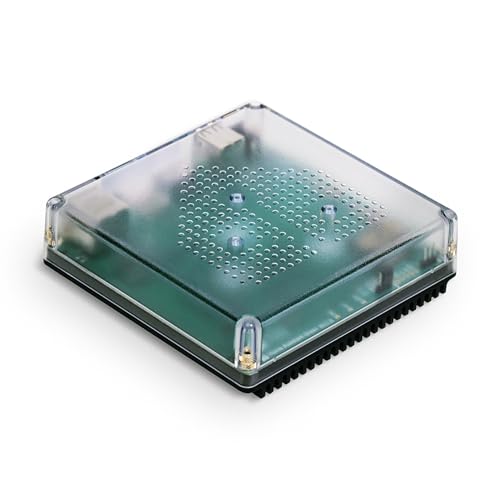
This official Home Assistant hub runs on a quad-core processor with 4GB of RAM and 32GB of internal storage. It requires only an Ethernet connection and power to start. The fanless design keeps noise out of your home while processing local data. You get a single point to control your devices without cloud dependency. It suits users who want a dedicated, silent, and efficient base for their automation setup.
- Quad-core processor with 4GB RAM and 32GB storage
- Fanless design for silent operation
- Local data storage keeps information in your home
- USB expandability for Z-Wave, Zigbee, and Thread
- Ethernet-only network connectivity limits placement options
- Proprietary Home Assistant ecosystem restricts third-party app use
- 32GB internal storage is smaller than typical cloud alternatives
- You want a dedicated, fanless hub for local automation
- You have an Ethernet port available near your router
- You prefer keeping your home data on-premise
- You need Wi-Fi connectivity without an Ethernet cable
- You want to use a different smart home ecosystem
- You require built-in wireless radio protocols like Zigbee
Verdict: Home Assistant Green Smart Hub is a compact, silent choice for users who prioritize local data control and have Ethernet access. It fits those ready to commit to the Home Assistant platform for their automation needs.

Philips Hue Bridge Pro Lighting Hub
Best for: large-scale Zigbee lighting setups
- Wireless Protocols
- Zigbee
- Ecosystem Compatibility
- Apple Home, Alexa, Google
- Device Capacity
- 150+ lights, 50+ accessories
- System Memory
- 4 GB DDR4 SDRAM
- Smart Home Compatibility
- Amazon Alexa, Apple HomeKit
- Color
- White
The Philips Hue Bridge Pro is a dedicated lighting hub designed for large installations. It supports 150+ lights and 50+ accessories, managed by a quad-core 1.7 GHz processor. The device includes 4 GB of DDR4 SDRAM to store 500 scenes. It connects via Zigbee and works with Apple Home, Alexa, and Google. You get motion sensing from just three devices. This hub suits users who need speed and high capacity.
- Supports 150+ lights and 50+ accessories
- Quad-core 1.7 GHz processor for fast response
- 4 GB DDR4 SDRAM stores 500 scenes
- Motion sensing with only 3 devices
- Supports only Zigbee wireless protocol
- Single unit capacity per purchase
- You have a large lighting setup with 150+ bulbs
- You want motion detection without extra sensors
- You use Apple Home, Alexa, or Google
- You need Z-Wave or Bluetooth support
- You want a multi-protocol hub for all devices
- You prefer a smart display with a screen
Verdict: Philips Hue Bridge Pro Smart Hub is a powerful, high-capacity controller for extensive lighting networks. It fits buyers who prioritize processing speed and scene storage for a large number of Zigbee devices.

Tapo H500 White Smart Home Hub
Best for: High-capacity local camera and sensor management
- Network Connectivity
- WiFi, wired connection
- Device Capacity
- 16 Tapo cameras, 64 Sub-G sensors
- Internal Storage
- 16GB
- Entry Method
- Built-In Camera
- Color
- White
- Dimensions
- 6.81 × 4.13 × 3.58 inches
The Tapo H500 centralizes your smart home by connecting up to 16 cameras and 64 Sub-G sensors. It offers 16GB of internal storage and supports large SATA drives for local footage saving. You can view live feeds on a screen via its HDMI port or on mobile devices. This hub keeps data private with offline storage and WPA3 encryption, making it a solid choice for security-focused setups.
- Connects up to 16 Tapo cameras and 64 Sub-G sensors
- Includes 16GB internal storage plus support for up to 16TB SATA drives
- Features a built-in HDMI port for direct screen viewing
- Provides local offline storage to keep footage private during outages
- Supports only 4 cameras for continuous recording
- Facial recognition feature is unavailable in Illinois and Texas
- Heavier build at 1.64 pounds compared to lighter hubs
- You want to connect many cameras and sensors to one device
- You prefer local storage over cloud subscriptions
- You need a dedicated HDMI output for live monitoring
- You require facial recognition in Illinois or Texas
- You need continuous recording for more than four cameras
- You prefer a hub that is lighter than 1.64 pounds
Verdict: Tapo H500 Smart Home Hub suits users who need high device capacity and local storage. It is ideal for those who want to view live feeds on a larger screen via HDMI.

Aqara Hub M3 Matter Controller
Best for: Aqara ecosystem users needing local control
- Wireless Protocols
- Zigbee, Thread, Matter, Bluetooth
- Ecosystem Compatibility
- Apple HomeKit, Alexa, SmartThings
- Network Connectivity
- Wi-Fi 2.4/5 GHz, PoE
- Power Supply
- PoE, USB-C
- Device Capacity
- Up to 127 Aqara Zigbee devices
- Internal Storage
- 8GB
The Aqara M3 is a compact smart home hub designed for advanced automation. It supports up to 127 Aqara Zigbee devices and 127 Thread devices. The unit includes 8GB of encrypted local storage and features a 360° IR blaster. It connects via dual-band Wi-Fi or Power over Ethernet. This hub suits users who want local control and Matter integration within the Aqara ecosystem.
- Supports up to 127 Aqara Zigbee devices
- Includes 8GB end-to-end encrypted local storage
- Features a 360° IR blaster with feedback
- Offers Power over Ethernet and USB-C power options
- Capacity limited to 127 Aqara Zigbee devices, excluding third-party Zigbee devices
- Requires 127 Thread device repeaters for full support
- You want local automation with encrypted storage
- You use Aqara Zigbee and Thread devices
- You need Matter bridge functionality for Home Assistant
- You rely on third-party Zigbee devices
- You need support for more than 127 Aqara Zigbee devices
- You prefer a hub with built-in camera or microphone
Verdict: The Aqara M3 Smart Home Hub fits users who prioritize local control and Matter integration for their Aqara devices. It is a solid choice for those who need reliable wired connectivity and encrypted storage.

SwitchBot 2025 Automatic Curtain Opener
Best for: quiet automation of existing heavy curtains
- Smart Home Compatibility
- Amazon Alexa, Google Assistant, Apple HomeKit, Matter
- Wireless Connectivity
- Wi-Fi
- Color
- White
- Control Method
- App Control, Remote Control, Alexa
- Dimensions
- 7 × 10 × 4 inches
This device automates existing curtain rods without drilling. It features a 2x stronger motor handling up to 15kg loads and operates in silent mode under 25dB. The unit connects via Bluetooth and requires a separate SwitchBot hub for Wi-Fi, Matter, and voice assistant integration. Its compact design fits standard rods, making it a practical upgrade for bedrooms or nurseries where quiet operation matters.
- Handles heavy curtains up to 15kg
- Operates quietly under 25dB in silent mode
- Supports Matter and HomeKit via hub
- No-tool installation on existing rods
- Requires separate hub for full smart home integration
- Incompatible with rods under 16mm diameter
- Limited to single rod style in base configuration
- You want to automate existing curtains without drilling
- You need quiet operation under 25dB for sleep
- You already own a SwitchBot hub for Matter
- You use curtain rods thinner than 16mm
- You want direct Wi-Fi without extra hardware
- You prefer a built-in display for control
Verdict: SwitchBot Curtain Opener 3 Rod suits users who want quiet, heavy-duty automation for existing rods and already have a SwitchBot hub. It is not ideal for thin rods or those seeking direct Wi-Fi control.

Google Nest Hub 7" Smart Display
Best for: Google ecosystem users wanting visual control
- Ecosystem Compatibility
- Google Home, Google Assistant
- Dimensions
- 7 × 2.65 × 4.65 inches
The Google Nest Hub 7-inch Smart Display is a compact smart home hub with a 7-inch touchscreen and Google Assistant built in. It supports Google Home and Google Assistant for hands-free control of compatible lights, cameras, and thermostats. The Chalk model measures 7 inches wide, 4.65 inches high, and 2.65 inches deep. It is ideal for kitchens, bedrooms, or desks where you want visual feedback and voice control for daily tasks and entertainment.
- 7-inch touchscreen display for visual smart home control
- Google Assistant built in for hands-free voice commands
- Compatible with Google Home ecosystem devices
- Compact dimensions: 7 x 4.65 x 2.65 inches
- 7-inch display is smaller than many competitors
- Limited to Google Home and Google Assistant ecosystem
- No physical remote control included
- You want a compact display for kitchen or bedroom use
- You use Google Assistant and Google Home devices
- You prefer voice control with visual feedback
- You need Z-Wave or Zigbee support
- You prefer a larger display for media consumption
- You use Amazon Alexa or Apple HomeKit primarily
Verdict: Google Nest Hub 7-inch Smart Display is a compact, display-focused hub for Google ecosystem users who want visual feedback and voice control in a small footprint. It fits kitchens, bedrooms, or desks where space is limited and Google Assistant is your primary smart home platform.

Hubitat Elevation Local Smart Hub
Best for: local automation and multi-protocol support
- Wireless Protocols
- Matter, Z-Wave, Zigbee, Bluetooth
- Ecosystem Compatibility
- Alexa, Google Home, Apple HomeKit
- Device Capacity
- 1,000+ devices
- Smart Home Compatibility
- Amazon Alexa, Apple HomeKit, Matter
- Control Method
- Voice Control, Alexa
- Dimensions
- 2.95 × 3.23 × 0.67 inches
The Hubitat Elevation C-8 Pro is a local-first smart home hub that processes automations on-device rather than relying on cloud servers. It supports over 1,000 devices across Matter, Z-Wave 800 Series, Zigbee 3.0, and Bluetooth. With dual external antennas and compatibility with Alexa, Google Home, and Apple HomeKit, it offers robust connectivity. This hub suits users who prioritize privacy, instant response times, and reliable offline operation for their connected ecosystem.
- Processes automations locally for instant response and offline reliability
- Supports 1,000+ devices across Matter, Z-Wave, Zigbee, and Bluetooth
- Includes dual external antennas for extended wireless range
- Compatible with Alexa, Google Home, and Apple HomeKit
- Smaller physical footprint compared to display-based hubs on this list
- Weighs 2.56 ounces, which is lighter but less substantial than bulkier competitors
- Does not include a built-in screen for visual status monitoring
- You want automations to run even when the internet is down
- You need a hub that supports both Z-Wave and Zigbee devices
- You prefer keeping device data local for enhanced privacy
- You require a built-in touchscreen display for control
- You only use Wi-Fi devices and need no radio protocols
- You want a hub with a built-in camera or speaker
Verdict: The Hubitat C-8 Pro Local Hub fits users who value local processing and extensive protocol support over visual interfaces. It is ideal for those building a robust, private, and offline-capable smart home ecosystem.

SwitchBot Curtain Opener 2025 with Hub3
Best for: Automating heavy curtains with silent operation
- Wireless Protocols
- Bluetooth, Matter
- Ecosystem Compatibility
- Alexa, Google Home, HomeKit
- Smart Home Compatibility
- Amazon Alexa, Google Assistant, Apple HomeKit
- Color
- White
- Control Method
- App Control, Remote Control, Alexa
- Dimensions
- 8 × 7 × 11 inches
This 2025 upgrade automates curtains via Bluetooth and Matter. The motor lifts 15 kg loads and handles 4 mm rod bumps. Silent mode keeps noise under 25 dB. You get two units with Hub 3 for Apple HomeKit and Alexa control. The compact design fits most standard tracks without drilling. It suits users who want quiet, tool-free automation for heavy drapes.
- Lifts up to 15 kg curtain weight
- Silent mode operates under 25 dB
- Handles 4 mm rod bumps easily
- Works with Matter and HomeKit
- No tools needed for installation
- Requires Hub 3 for Matter connectivity
- Incompatible with rods under 16 mm diameter
- Only controls curtains, not blinds or shades
- You need to automate heavy curtains up to 15 kg
- You want silent operation under 25 dB for bedrooms
- You already use Apple HomeKit or Matter ecosystems
- You have curtain rods thinner than 16 mm
- You need to control blinds or shades instead
- You want direct Wi-Fi without a separate hub
Verdict: SwitchBot Curtain Opener 2025 2-Pack offers strong lifting power and quiet operation for standard rods. It fits users who prioritize silent, tool-free automation for heavy drapes within Matter or HomeKit setups.
Specifications side by side
| Spec | Nabu Casa Home Assistant Green Hub | Philips Hue Bridge Pro Lighting Hub | Tapo H500 White Smart Home Hub | Aqara Hub M3 Matter Controller | SwitchBot 2025 Automatic Curtain Opener | Google Nest Hub 7" Smart Display | Hubitat Elevation Local Smart Hub | SwitchBot Curtain Opener 2025 with Hub3 |
|---|---|---|---|---|---|---|---|---|
| Wireless Protocols | – | Zigbee | – | Zigbee, Thread, Matter, Bluetooth | – | – | Matter, Z-Wave, Zigbee, Bluetooth | Bluetooth, Matter |
| Ecosystem Compatibility | Home Assistant | Apple Home, Alexa, Google | – | Apple HomeKit, Alexa, SmartThings | – | Google Home, Google Assistant | Alexa, Google Home, Apple HomeKit | Alexa, Google Home, HomeKit |
| Network Connectivity | Ethernet | – | WiFi, wired connection | Wi-Fi 2.4/5 GHz, PoE | – | – | – | – |
| Power Supply | – | – | – | PoE, USB-C | – | – | – | – |
| Device Capacity | – | 150+ lights, 50+ accessories | 16 Tapo cameras, 64 Sub-G sensors | Up to 127 Aqara Zigbee devices | – | – | 1,000+ devices | – |
| System Memory | 4GB | 4 GB DDR4 SDRAM | – | – | – | – | – | – |
| Internal Storage | 32GB | – | 16GB | 8GB | – | – | – | – |
| Smart Home Compatibility | – | Amazon Alexa, Apple HomeKit | – | Amazon Alexa, Apple HomeKit, Matter | Amazon Alexa, Google Assistant, Apple HomeKit, Matter | Google Assistant | Amazon Alexa, Apple HomeKit, Matter | Amazon Alexa, Google Assistant, Apple HomeKit |
| Wireless Connectivity | – | – | – | Wi-Fi | Wi-Fi | – | – | – |
| Entry Method | – | – | Built-In Camera | – | – | – | – | – |
| Color | – | White | White | Black | White | Chalk | – | White |
| Connectivity | – | Wireless | – | Bluetooth, Thread | Bluetooth | – | Bluetooth | Bluetooth |
| Wireless Protocol | – | – | – | Zigbee, Infrared | – | – | Zigbee, Z-Wave | – |
| Compatible Platform | Home Assistant | – | – | Home Assistant, SmartThings | – | – | – | – |
| Control Method | – | Alexa | – | Alexa | App Control, Remote Control, Alexa | – | Voice Control, Alexa | App Control, Remote Control, Alexa |
| Wired Connectivity | – | – | – | PoE | – | – | – | – |
| Compatibility | – | Google Home, Apple Home | – | Apple Home | Google Home, Apple Home | Google Home | Google Home, Apple Home | Google Home, Apple Home |
| Dimensions | 4.41 × 1.26 × 4.41 inches | 3.68 × 3.68 × 1.06 inches | 6.81 × 4.13 × 3.58 inches | 4.13 × 1.42 × 4.13 inches | 7 × 10 × 4 inches | 7 × 2.65 × 4.65 inches | 2.95 × 3.23 × 0.67 inches | 8 × 7 × 11 inches |
| Weight | – | 11.7 ounces | 1.64 pounds | 6 ounces | – | – | 2.56 ounces | – |
| Size | – | 1 Count (Pack of 1) | 6.81 x 4.13 x 3.58 inches | Small | – | – | C-8 Pro | – |
| Model | – | 582114 | Tapo H500 | HM-G01E | Curtain2025 | H1A | C8 Pro | curtain |
If your setup requires dedicated wall panels, the smart home controller buying guide details those hardware specifications.
Frequently asked questions
What is the best smart home hub for local automation?
The Nabu Casa Home Assistant Green Hub is ideal for users prioritizing local data control. It offers a compact design with dimensions of 1.26 by 4.41 by 4.41 inches. This hub fits those ready to commit to the Home Assistant platform. It operates silently and connects via Ethernet for reliable local processing.
Which hub supports the most Zigbee devices?
The Philips Hue Bridge Pro is built for large-scale Zigbee lighting setups. It features a high-capacity controller designed for extensive networks. The unit measures 3.68 by 1.06 by 3.68 inches and weighs 11.7 ounces. It prioritizes processing speed and scene storage for many connected devices.
Can I use a smart hub without Wi-Fi?
Yes, the Aqara Hub M3 Matter Controller uses Power over Ethernet for wired connectivity. It also supports Thread, Bluetooth, Zigbee, and Infrared protocols. This setup ensures reliable local control for Aqara devices. You do not need to rely on wireless connections for its core operation.
Do smart hubs work with Apple HomeKit?
Several hubs support Apple HomeKit for integration. The Philips Hue Bridge Pro and Aqara Hub M3 both list Apple Home compatibility. The Hubitat C-8 Pro also supports Apple HomeKit alongside Amazon Alexa and Matter. These options allow you to include the hub in your existing Apple ecosystem.
What is the smallest smart home hub available?
The Hubitat C-8 Pro Local Smart Hub is a compact choice for local automation. It measures 3.23 by 0.67 by 2.95 inches and weighs only 2.56 ounces. It supports Zigbee and Z-Wave protocols for offline control. Its small footprint makes it easy to place anywhere.
Which hub is best for Google Home users?
The Google Nest Hub 7-inch Smart Display is tailored for Google ecosystem users. It provides visual feedback and voice control through Google Assistant. The device measures 7 by 4.65 by 2.65 inches in Chalk color. It fits well in kitchens or bedrooms where space is limited.
Does the Tapo H500 hub have local storage?
The Tapo H500 White Smart Home Hub is designed for high-capacity local camera and sensor management. It suits users who need local storage for their data. The unit also allows you to view live feeds on a larger screen via HDMI. It measures 6.81 by 4.13 by 3.58 inches.
How do I automate curtains with a smart hub?
You can use the SwitchBot 2025 Automatic Curtain Opener for quiet automation of existing heavy curtains. It requires a SwitchBot hub for operation. The device connects via Bluetooth and Wi-Fi. It supports Matter, Apple HomeKit, and Alexa for control. It is not ideal for thin rods.


