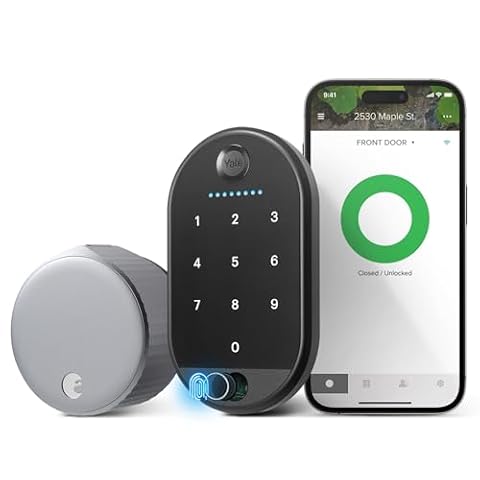
Smart Locks Buying Guide (2026): What Matters and 8 Picks
Choose the right smart lock by comparing 8 models. We rank each by published specifications, covering compatibility, power, and connectivity to help you decide.

As Amazon Associates, we earn from qualifying purchases. This means we may receive a small commission at no extra cost to you if you click through and make a purchase.
As an Amazon Associate we earn from qualifying purchases. Links on this page are affiliate links.
This smart lock buying guide helps you choose the right hardware for your home. You will decide between fingerprint readers, keypads, and video integrations based on your daily needs. We compare eight models ranked by their published specifications, so you can see exactly what each device offers. You can check entry methods, connectivity options, and physical dimensions to match your door frame and security preferences.
The list includes options for users who want built-in Wi-Fi, Apple Home Key support, or simple keyless entry. You can evaluate features like BHMA security ratings and code capacity to ensure the lock meets your durability standards. Each product is selected for its specific strengths, whether that is fast fingerprint access or unlimited code generation. You will find clear details on control methods and smart home compatibility to make an informed choice without guessing.
Key specs to check before buying
Smart home compatibility
You need a lock that talks to your existing ecosystem. Most models support Amazon Alexa or Google Assistant, but Apple HomeKit users have fewer choices. If you rely on Apple Home, you must verify native support. The Schlage Encode Plus Deadbolt includes Apple HomeKit integration, making it a direct fit for that setup. Other models like the eufy C220 Fingerprint Deadbolt work well with Alexa or Google Home. You should check the product attributes for specific compatibility lists. Choosing a lock that does not match your hub will limit remote control and automation features. This matters most if you want voice commands or routine triggers.
Look for
- Native Apple HomeKit support
- Amazon Alexa or Google Assistant
- Specific hub requirements
Wireless connectivity
Direct Wi-Fi connectivity removes the need for a separate hub. This simplifies installation and reduces clutter. The Schlage Encode Smart WiFi Deadbolt and Yale Wi-Fi Smart Deadbolt both feature built-in Wi-Fi for direct app control. You get remote locking and code management without extra hardware. However, Wi-Fi can consume more battery power than Bluetooth or Zigbee models. You should check the wireless connectivity attributes to confirm the protocol. If your Wi-Fi signal is weak at the door, a hub-based model might be more reliable. Direct Wi-Fi is best for users who want a straightforward setup with strong remote access.
Look for
- Built-in Wi-Fi module
- Wi-Fi signal strength at door
- No separate hub needed
Entry method
You will choose between fingerprints, keypads, or physical keys. Fingerprint entry offers speed and convenience, as seen in the eufy C220 Fingerprint Deadbolt and Philips 4200 Series Wi-Fi Deadbolt. Keypads are standard and reliable for sharing codes with guests or service providers. The Chamberlain myQ 3-in-1 Video Doorbell Smart Lock adds facial recognition and camera features for visual verification. You should decide if you prefer biometric speed or code flexibility. Some locks offer multiple methods, providing backup options if one fails. Consider how often you will use each method and who else needs access.
Look for
- Fingerprint sensor capacity
- Keypad touchscreen type
- Backup key option
Security certification
Look for BHMA grade ratings to understand mechanical durability and security. Grade 1 is commercial grade, while Grade 2 is standard for residential use. The Schlage Encode Plus Smart WiFi Deadbolt and Kwikset SmartCode 270 Satin Nickel both carry BHMA Grade 2 certification. This rating ensures the lock can withstand forced entry attempts better than uncertified models. You should check the product description or attributes for explicit grade mentions. Higher grades often come with heavier, more robust hardware. This is critical for front doors that face high traffic or security risks.
Look for
- BHMA Grade 1 or 2
- ANSI certification details
- Mechanical durability rating
Control method
You need to know how you will operate the lock remotely. Most smart locks offer app control for locking, unlocking, and viewing status. The Yale Wi-Fi Smart Deadbolt and Philips 4200 Series Wi-Fi Deadbolt with Handle both support app control. Some models also include remote control via voice assistants. You should verify if the app allows temporary code generation for guests. This is useful for Airbnb hosts or cleaners. Check the control method attributes to see if voice control is native or requires a hub. Reliable app response time is essential for convenience.
Look for
- Dedicated mobile app control
- Voice assistant integration
- Temporary code features
Physical dimensions
You must ensure the lock fits your existing door preparation. Measure the backset, door thickness, and cross-bore hole size. The Schlage Encode Smart WiFi Deadbolt has a width of 3 inches and height of 5 inches. The Kwikset SmartCode 270 Satin Nickel is slightly narrower at 2.75 inches wide. You should compare these specs to your door’s current hardware. Some locks, like the Philips 4200 Series, include a handle, which changes the installation requirements. You should check the width, height, and length specs to avoid compatibility issues. Incorrect sizing will require additional drilling or door modification.
Look for
- Door thickness compatibility
- Backset measurement match
- Handle vs. deadbolt only
Special features
You may want auto-locking or video integration for added security. The Philips 4200 Series Wi-Fi Deadbolt with Handle includes auto-lock to ensure the door is secured automatically. The Chamberlain myQ 3-in-1 Video Doorbell Smart Lock adds two-way audio and a security camera. These features provide visual verification and remote communication. You should check the special features attributes for auto-lock or camera capabilities. Video integration requires more power and storage. Auto-lock prevents accidental door propping. Choose features that match your daily habits and security concerns.
Look for
- Auto-lock activation
- Built-in camera or video
- Two-way audio support
Types of Smart Locks
Fingerprint Deadbolts
These locks use biometric scanners for instant entry. The eufy C220 includes built-in Wi-Fi, allowing remote management without a separate hub. You gain convenience and speed, but the unit may be wider than standard models. This type suits users who want to ditch keys entirely while maintaining smart home connectivity. The trade-off is reliance on battery power for the scanner and potential issues with wet or dirty fingers affecting read accuracy.
WiFi Keypad Deadbolts
These models connect directly to your network and use touchscreens for code entry. The Schlage Encode and Yale Wi-Fi Deadbolt offer this setup, often supporting unlimited guest codes for rentals. You get robust security certifications like BHMA Grade 2 and direct app control. The main limitation is the lack of physical key backup on some versions, though many still include a mechanical override. This fits users managing multiple access points who need reliable remote status updates.
Integrated Video Locks
These units combine a smart lock with a doorbell camera. The Chamberlain myQ 3-in-1 features facial recognition and two-way audio. You can verify visitors visually before granting entry via fingerprint or app. This all-in-one design saves installation space but adds complexity. The trade-off is higher power consumption and a larger physical footprint. It suits users who want visual verification and integrated security monitoring without installing separate devices on their front door.
Avoid These Smart Lock Errors
Ignoring door compatibility requirements
Check your door thickness and backset before purchasing. Standard models fit most doors, but some require specific dimensions. An incompatible lock will not install correctly. Measure your current hardware first. Ensure the new unit matches your door’s physical specifications to avoid installation failures or gaps.
Assuming all locks work with Apple HomeKit
Apple HomeKit support is not universal. Many locks only support Alexa or Google Assistant. If you use an iPhone, verify native HomeKit compatibility in the specs. Using a non-compatible lock means you lose direct integration. Check the supported platforms list to ensure your ecosystem is covered.
Overlooking battery type and lifespan
Battery life varies significantly between models. Some use standard AA batteries, while others have built-in rechargeable cells. Check the estimated duration and replacement frequency. Low batteries can lock you out if not monitored. Choose a model with a clear low-battery warning feature to stay prepared.
Skipping Wi-Fi hub requirements
Some locks require a separate hub for remote access, while others have built-in Wi-Fi. If you want to check status from away, verify connectivity options. A hub adds cost and complexity. Built-in Wi-Fi offers direct connection. Ensure the lock’s communication method matches your desired setup and network.
Neglecting auto-lock functionality
Manual locking leaves doors vulnerable if you forget. Look for models with automatic locking after entry. This feature engages the bolt after you close the door. It adds security without extra effort. Check if the delay time is adjustable. Auto-lock ensures your home remains secured consistently.
| # | Product | Best for | Price |
|---|---|---|---|
| 1 | eufy C220 Fingerprint Deadbolt | Users wanting fingerprint entry and built-in Wi-Fi | |
| 2 | Schlage Encode Smart WiFi Deadbolt | Users needing built-in WiFi and high security certification | |
| 3 | Philips 4200 Series Wi-Fi Deadbolt with Handle | complete front door lock upgrades | |
| 4 | Schlage Electronic Keypad Deadbolt | Keyless residential entry without smart features | |
| 5 | Schlage Encode Plus Smart WiFi Deadbolt | Apple Home Key users seeking BHMA certified security | |
| 6 | Yale Wi-Fi Smart Deadbolt with Keypad | Users needing unlimited codes and direct Wi-Fi | |
| 7 | Kwikset SmartCode 270 Satin Nickel | local keyless entry with strong security certification | |
| 8 | Chamberlain myQ 3-in-1 Video Doorbell Smart Lock | users wanting integrated lock and video doorbell |

eufy C220 Fingerprint Deadbolt
Best for: Users wanting fingerprint entry and built-in Wi-Fi
- Unlock Methods
- Fingerprint, app, keypad, physical key
- Wireless Connectivity
- Built-in Wi-Fi
- Smart Home Compatibility
- Alexa, Google Voice Assistant
- Security Certification
- BHMA Grade 3
- Application
- Front Door
- Color
- Black
The eufy Security C220 is a deadbolt with built-in Wi-Fi and fingerprint entry. It supports six unlock methods, including app, keypad, and voice control via Alexa or Google. The lock features a BHMA Grade 3 certification and self-learning AI for faster recognition. It runs on eight AA batteries for up to eight months of use. This model suits users who want reliable keyless entry without a separate bridge.
- Six unlock methods including fingerprint, app, keypad, key, and voice
- Built-in Wi-Fi requires no separate hub or bridge
- BHMA Grade 3 certified for durability
- Self-learning AI improves fingerprint recognition speed
- Operates on eight AA batteries for up to eight months
- BHMA Grade 3 is lower than the Grade 1 or 2 ratings common in this category
- IP53 waterproof rating offers less protection than higher IP codes found in other models
- Voice assistant compatibility is limited to Alexa and Google, excluding Apple HomeKit
- You want to use your fingerprint for quick entry
- You prefer a lock with built-in Wi-Fi
- You already use Alexa or Google Home
- You require the highest security certification available
- You need Apple HomeKit integration
- You want a lock with a higher weatherproof rating
Verdict: eufy Security C220 Smart Lock is a solid choice for users who prioritize fingerprint convenience and built-in Wi-Fi. It fits those who already use Alexa or Google Home and want a reliable deadbolt without extra hardware.

Schlage Encode Smart WiFi Deadbolt
Best for: Users needing built-in WiFi and high security certification
- Unlock Methods
- Touchscreen keypad, app, physical key
- Smart Home Compatibility
- Alexa, Google Home, Ring, Airbnb
- Security Certification
- BHMA highest residential rating
- User Code Capacity
- Up to 100 codes
- Auto-Lock Function
- Adjustable time delay
- Wireless Connectivity
- Wi-Fi
The Schlage Encode is a WiFi deadbolt with built-in connectivity. It supports up to 100 access codes and integrates with Alexa and Google Home. The touchscreen is fingerprint-resistant and BHMA certified for high security. It uses four AA batteries for up to six months of life. You get adjustable auto-lock delays and remote management via the Schlage Home app.
- Built-in WiFi for remote access without a hub
- BHMA highest residential security, durability, and finish rating
- Supports up to 100 user access codes
- Compatible with Alexa, Google Home, and Ring
- Adjustable auto-lock time delay options
- Weighs 3.31 pounds, which is heavier than many competitors
- Requires four AA batteries for power
- Includes only one physical backup key
- You want built-in WiFi without buying a separate hub
- You need high security certification for your home
- You manage multiple locks or rental properties
- You prefer a lock that uses a single battery type
- You want a lock under 3 pounds for easier handling
- You need more than one physical backup key included
Verdict: Schlage Encode WiFi Deadbolt fits users who prioritize certified security and built-in connectivity. It suits those managing multiple access codes or rental units who value the BHMA rating and app control.

Philips 4200 Series Wi-Fi Deadbolt with Handle
Best for: complete front door lock upgrades
- Unlock Methods
- Fingerprint, app, voice, passcode
- Wireless Connectivity
- 2.4GHz Wi-Fi
- Smart Home Compatibility
- Alexa, Google Assistant
- Installation Type
- Deadbolt with handle set
- Auto-Lock Function
- Timer delay (0-180 seconds)
- Application
- Front Door
This Philips smart lock combines a deadbolt and lever handle into one matte black unit. It connects to 2.4GHz Wi-Fi without a hub and unlocks via fingerprint, app, voice, or passcode. The 0.3-second fingerprint sensor offers quick entry. You get up to six months of battery life. It supports auto-locking with a timer up to 180 seconds. This all-in-one design suits those upgrading their front door hardware.
- Integrated deadbolt and handle set included
- 0.3-second fingerprint unlock speed
- 2.4GHz Wi-Fi connectivity without a hub
- Supports Alexa and Google Assistant
- Requires standard 1.5V alkaline batteries only
- Wi-Fi range limited to 33 feet from router
- Auto-lock feature is disabled by default
- You want a complete handle and lock set
- You need fast biometric entry for family
- You prefer direct Wi-Fi connection
- You require a longer Wi-Fi range
- You need rechargeable battery support
- You want auto-lock enabled out of the box
Verdict: Philips WiFi Deadbolt with Handle provides a convenient all-in-one entry solution with fast fingerprint access. It fits households that value integrated hardware and direct app management.

Schlage Electronic Keypad Deadbolt
Best for: Keyless residential entry without smart features
- Unlock Methods
- Keypad, physical key
- Installation Type
- Deadbolt replacement
- Security Certification
- Grade 2/AAA
- User Code Capacity
- Up to 19 codes
- Entry Method
- Keypad, Backup Key
- Dimensions
- 4.25 × 3.25 × 5.5 inches
This Schlage keypad deadbolt uses Grade 2 security for residential doors. You can store up to 19 user codes for family access. The silicone keypad illuminates for night entry. It runs on a single 9V battery for up to two years. Installation replaces an existing deadbolt without hardwiring. The metal construction fits standard backsets.
- Grade 2/AAA security rating for residential use
- Stores up to 19 user codes
- Illuminated silicone keypad for dark entry
- Up to 2 years battery life on 9V power
- Simple deadbolt replacement installation
- Grade 2 rating is lower than Grade 1 options
- Requires a 9V battery instead of standard AA cells
- No built-in WiFi or app connectivity
- You want a reliable keyless entry system
- You need to manage up to 19 user codes
- You prefer a simple mechanical upgrade
- You require Grade 1 commercial security
- You want remote app control
- You need a smart lock with built-in WiFi
Verdict: Schlage Camelot Aged Bronze Deadbolt provides solid Grade 2 security and easy keypad access for homeowners who do not need smart home integration. It suits users who prioritize mechanical reliability and straightforward installation over remote features.

Schlage Encode Plus Smart WiFi Deadbolt
Best for: Apple Home Key users seeking BHMA certified security
- Unlock Methods
- Touchscreen, app, Apple home keys
- Smart Home Compatibility
- Apple HomeKit, Alexa, Google Assistant
- Installation Type
- Deadbolt replacement
- Security Certification
- BHMA certified
- User Code Capacity
- Up to 100
- Wireless Connectivity
- Wi-Fi
This deadbolt features built-in Wi-Fi and supports Apple Home Keys for tap-to-unlock access. It holds up to 100 user codes and includes a touchscreen keypad. The lock is BHMA certified for security and durability. It works with Alexa and Google Assistant. You get remote monitoring via the Schlage Home app. This model suits those wanting Apple integration and high security ratings.
- Built-in Wi-Fi for remote control
- Apple Home Key tap-to-unlock support
- BHMA highest residential certification
- Up to 100 user codes
- Alexa and Google Assistant compatible
- Limited to three color options
- Single Camelot or Century pattern choice
- You use Apple devices and want Home Key access
- You need a BHMA certified deadbolt for high security
- You want to manage up to 100 access codes
- You require a keypad with a backlit display
- You prefer a lock with multiple trim pattern options
- You need a lock that does not require Wi-Fi
Verdict: Schlage Encode Plus Deadbolt fits users who prioritize Apple Home Key integration and top-tier BHMA security ratings. It is a solid choice for homes needing robust remote management and high code capacity.

Yale Wi-Fi Smart Deadbolt with Keypad
Best for: Users needing unlimited codes and direct Wi-Fi
- Unlock Methods
- Auto-unlock, keypad, app, watch, key
- Wireless Connectivity
- 2.4 or 5 GHz Wi-Fi
- Security Certification
- BHMA Grade 2
- User Code Capacity
- Unlimited
- Auto-Lock Function
- DoorSense auto-lock
- Application
- Airbnb
The Yale Assure Lock 2 is a Wi-Fi deadbolt with BHMA Grade 2 certification. It supports 2.4 and 5 GHz connections for direct app control. You get unlimited user codes and automatic locking via DoorSense. The unit weighs 4.5 pounds and measures 2.5 by 4.88 inches. It fits homes needing reliable remote access and durable hardware.
- BHMA Grade 2 security certification
- Unlimited user code capacity
- Direct 2.4 and 5 GHz Wi-Fi
- DoorSense auto-lock functionality
- 4.5 pound weight is heavier than many competitors
- Only 2.5 inches width limits fitment on thick doors
- You need unlimited codes for guests
- You want direct Wi-Fi without a hub
- You require Grade 2 durability
- You only have 2.4 GHz Wi-Fi
- You prefer a lighter lock
- You need 5 GHz support only
Verdict: Yale Assure Lock 2 Wi-Fi Deadbolt suits renters who need unlimited codes and direct Wi-Fi. It works well for users who value Grade 2 durability over a lightweight design.

Kwikset SmartCode 270 Satin Nickel
Best for: local keyless entry with strong security certification
- Unlock Methods
- Touchpad, physical key
- Installation Type
- Deadbolt
- Security Certification
- BHMA Grade 2
- User Code Capacity
- 50 user codes
- Auto-Lock Function
- Timer delay (30s to 10 min)
- Color
- Satin Nickel
The Kwikset SmartCode 270 is a BHMA Grade 2 deadbolt with a touchscreen keypad. It supports up to 50 user codes and includes a physical key backup. The auto-lock function lets you set a timer from 30 seconds to 10 minutes. Battery life lasts at least 12 months using four AA batteries. It suits homeowners who want reliable keyless entry with strong security certification.
- BHMA Grade 2 security certification for durability
- Stores up to 50 unique user codes
- Customizable auto-lock timer from 30 seconds to 10 minutes
- Intrusion alert sounds after three incorrect code entries
- Vacation mode temporarily disables the keypad
- Only supports two unlock methods: touchpad and physical key
- Requires four AA alkaline batteries for operation
- No built-in WiFi or remote app connectivity
- You need a secure deadbolt with strong BHMA Grade 2 certification
- You want to manage up to 50 temporary or permanent user codes
- You prefer a simple installation with just a screwdriver
- You require remote access via a smartphone app
- You need to control the lock from outside your home network
- You want a lock with built-in WiFi connectivity
Verdict: The Kwikset SmartCode 270 Deadbolt fits users who prioritize local security and code management over remote features. It is a solid choice for those who value BHMA Grade 2 strength and simple keyless entry.

Chamberlain myQ 3-in-1 Video Doorbell Smart Lock
Best for: users wanting integrated lock and video doorbell
- Unlock Methods
- Face, fingerprint, PIN, app, key
- Installation Type
- Deadbolt
- Auto-Lock Function
- Motion detection (subscription)
- Entry Method
- Built-In Camera, Fingerprint, Facial Recognition
- Color
- Black
- Special Features
- Two-Way Audio
This device combines a deadbolt, video doorbell, and 2K HDR camera. It offers five entry methods: face recognition, fingerprint, PIN, app, and key. The 2K HDR video includes color night vision and two-way audio. Battery life lasts four to six months. It is ideal for users who want an all-in-one security solution with visual verification and hands-free access.
- Three-in-one design integrates lock, doorbell, and 2K HDR camera.
- Face recognition allows hands-free unlocking.
- 2K HDR video with color night vision.
- Five entry methods including fingerprint and PIN.
- Two-way audio for visitor communication.
- Heavier build at 4.87 pounds compared to standard deadbolts.
- Motion detection auto-lock requires a subscription.
- Spare battery is sold separately.
- You want a single device for locking and video monitoring.
- You prefer face recognition for hands-free entry.
- You value 2K HDR video clarity for visitor identification.
- You need a lightweight standard deadbolt only.
- You want auto-lock features without a subscription.
- You prefer included spare batteries for uninterrupted use.
Verdict: Chamberlain myQ 3-in-1 Smart Lock suits those seeking an integrated security system with visual verification and multiple entry options, particularly those who value face recognition and high-definition video monitoring.
Specifications side by side
| Spec | eufy C220 Fingerprint Deadbolt | Schlage Encode Smart WiFi Deadbolt | Philips 4200 Series Wi-Fi Deadbolt with Handle | Schlage Electronic Keypad Deadbolt | Schlage Encode Plus Smart WiFi Deadbolt | Yale Wi-Fi Smart Deadbolt with Keypad | Kwikset SmartCode 270 Satin Nickel | Chamberlain myQ 3-in-1 Video Doorbell Smart Lock |
|---|---|---|---|---|---|---|---|---|
| Unlock Methods | Fingerprint, app, keypad, physical key | Touchscreen keypad, app, physical key | Fingerprint, app, voice, passcode | Keypad, physical key | Touchscreen, app, Apple home keys | Auto-unlock, keypad, app, watch, key | Touchpad, physical key | Face, fingerprint, PIN, app, key |
| Wireless Connectivity | Built-in Wi-Fi | – | 2.4GHz Wi-Fi | – | – | 2.4 or 5 GHz Wi-Fi | – | – |
| Smart Home Compatibility | Alexa, Google Voice Assistant | Alexa, Google Home, Ring, Airbnb | Alexa, Google Assistant | – | Apple HomeKit, Alexa, Google Assistant | – | – | – |
| Installation Type | – | – | Deadbolt with handle set | Deadbolt replacement | Deadbolt replacement | – | Deadbolt | Deadbolt |
| Security Certification | BHMA Grade 3 | BHMA highest residential rating | – | Grade 2/AAA | BHMA certified | BHMA Grade 2 | BHMA Grade 2 | – |
| User Code Capacity | – | Up to 100 codes | – | Up to 19 codes | Up to 100 | Unlimited | 50 user codes | – |
| Auto-Lock Function | – | Adjustable time delay | Timer delay (0-180 seconds) | – | – | DoorSense auto-lock | Timer delay (30s to 10 min) | Motion detection (subscription) |
| Application | Front Door | Airbnb | Front Door | – | Airbnb | Airbnb | – | – |
| Entry Method | Fingerprint | Keypad | Keypad, Fingerprint | Keypad, Backup Key | – | Keypad, Backup Key | – | Built-In Camera, Fingerprint, Facial Recognition |
| Color | Black | Satin Nickel | Matte Black | Aged Bronze | Satin Nickel | Oil Rubbed Bronze | Satin Nickel | Black |
| Lock Type | Deadbolt | Deadbolt | Deadbolt, Lever | Deadbolt | Deadbolt | Deadbolt | Deadbolt | – |
| Keypad Type | – | Touchscreen | – | – | Touchscreen | – | Touchscreen | – |
| Special Features | – | – | Auto-Lock | – | – | – | Auto-Lock | Two-Way Audio |
| Control Method | App Control, Remote Control | App Control, Alexa | App Control, Remote Control, Voice Control | – | Alexa | App Control, Remote Control | – | App Control |
| Features | – | – | – | – | – | – | – | Security Camera |
| Compatibility | – | Google Home | – | – | Apple Home | – | – | – |
| Dimensions | 6.89 × 2.76 × 1.3 inches | 0.9 × 3 × 5 inches | 6 × 2.2 × 1.5 inches | 4.25 × 3.25 × 5.5 inches | 0.9 × 3 × 5 inches | 0.88 × 2.5 × 4.88 inches | 1 × 2.75 × 5.02 inches | 2.95 × 3.84 × 6.85 inches |
| Weight | – | 3.31 pounds | – | 5.1 pounds | – | 4.5 pounds | 1 pounds | 4.87 pounds |
| Model | T8506 | BE489WBCAM619 | DDL242X-1HW-L | BE365VCAM716 | BE499WBCAM619 | YRD410-WF1-0BP | 992700-010 | MYQL90AXXB |
| Size | – | Encode | 2.2 inches x 6 inches x 1.5 inches | 2.25 x 5.5 x 3.25 inch | Encode Plus | Wi-Fi | – | 1 Count (Pack of 1) |
Frequently asked questions
Do smart locks require a separate hub for Wi-Fi?
Not always. Some models like the eufy C220 and Schlage Encode include built-in Wi-Fi. This allows direct connection to your network without extra hardware. Other locks may need a bridge. Check the wireless connectivity spec to see if it connects directly or requires an intermediary device for remote access.
Which smart locks work with Apple HomeKit?
The Schlage Encode Plus supports Apple HomeKit natively. It allows control via Apple Home and Apple Home Key. Most other models in this list support Amazon Alexa or Google Assistant. If you use Apple devices, verify the compatibility section before buying to ensure seamless integration.
Can I use a smart lock for Airbnb rentals?
Yes, several models support temporary code management. The Schlage Encode, Philips 4200, and Yale Wi-Fi locks are listed for Airbnb applications. These units allow you to generate unique codes for guests. This feature helps manage access for short-term rentals without needing to physically hand over keys.
What is the difference between a deadbolt and a lever lock?
A deadbolt secures the door with a bolt, while a lever includes a handle for operation. The Philips 4200 Series combines a deadbolt with a lever handle. This provides an all-in-one entry solution. Standard deadbolts like the Schlage Encode Plus only secure the door without an integrated handle mechanism.
Do smart locks offer automatic locking features?
Some models include auto-lock capabilities. The Philips 4200 Series and Kwikset SmartCode 270 feature this special function. It engages the lock automatically after entry. This adds convenience by preventing you from forgetting to lock the door. Check the special features list to confirm if this function is included.
How do fingerprint smart locks improve security?
Fingerprint locks use biometric data for entry. The eufy C220 and Chamberlain myQ 3-in-1 use this method. Biometrics reduce the risk of code theft compared to keypads. The Chamberlain model also adds facial recognition and video verification. This layer of identification ensures only authorized users can enter your home.
Are smart locks suitable for renters?
Yes, many models are renter-friendly. The Yale Wi-Fi Deadbolt is noted for users needing unlimited codes. It offers Grade 2 durability and direct Wi-Fi. These locks typically install without permanent modifications. You can manage access remotely via an app, which is useful for coordinating with property managers or tenants.