Titan Army Monitors & Displays
Titan Army Gaming Monitors Compared: Finding the Right Panel for Mixed Workflows
Choosing the right display for a hybrid workspace requires balancing high-refresh responsiveness for gaming against panel uniformity and color fidelity for digital editing. A titan army gaming monitor often solves this dual-purpose challenge by combining esports-grade frame rates with broad color spaces like sRGB and DCI-P3. When evaluating a titan army gaming monitor comparison, the…

As Amazon Associates, we earn from qualifying purchases. This means we may receive a small commission at no extra cost to you if you click through and make a purchase.
Choosing the right display for a hybrid workspace requires balancing high-refresh responsiveness for gaming against panel uniformity and color fidelity for digital editing. A titan army gaming monitor often solves this dual-purpose challenge by combining esports-grade frame rates with broad color spaces like sRGB and DCI-P3. When evaluating a titan army gaming monitor comparison, the primary decision comes down to panel architecture, specifically whether your daily desk routine benefits most from the deep contrast of Fast-VA, the stable color viewing angles of Fast IPS, the high-luminance local dimming of Mini LED, or the instantaneous response times of QD-OLED.
This article examines six specific models from Titan Army: the C27A1S, U255T, G2785S, KG277S Plus, P275MV Plus, and C34A1S. While each display features high refresh rates and intuitive desktop configuration software, they vary significantly across panel technology, form factor, backlight architecture, and resolution. Determining which titan army gaming monitor to buy depends on whether your setup prioritizes compact esports speed, 4K multi-mode scaling, color-critical video grading, or ultrawide timeline management.
Which Titan Army Gaming Monitors Should You Buy
All 6 models on this page, side by side


Prices are read from the Amazon product listing and change there, not here. Scores are out of 10, based on listed specifications and buyer feedback.
Why each one is on the list
- Select the TITAN ARMY C27A1S 27″ Curved Gaming if you want an immersive 1500R curved display with dual-mode refresh capability for daily work and esports.
- Choose the TITAN ARMY U255T 24.5″ Gaming Monitor if you need ultra-dense 1440p resolution and frame rates up to 380Hz in a compact competitive footprint.
- Pick the TITAN ARMY G2785S 27″ Gaming Monitor if you edit color-critical media and require true blacks, infinite contrast, and sub-one Delta E accuracy.
- Go with the TITAN ARMY KG277S Plus 27″ QHD if you want a versatile 275Hz Fast IPS flat panel with full ergonomic adjustment for content creation and gaming.
- Buy the TITAN ARMY P275MV Plus 27″ Dual if your workflow centers on true HDR video mastering, 1152-zone Mini LED backlighting, and single-cable USB-C connectivity.
- Opt for the TITAN ARMY C34A1S 34″ UWQHD Curved if you require expansive 21:9 ultrawide horizontal space for multi-window productivity and immersive simulations.
01 TITAN ARMY C27A1S 27″ Curved Gaming

Best for Budget curved gaming and mixed office tasks
Pros
- DLG 400Hz mode
- 1500R Fast-VA curve
- Dual DP and HDMI ports
Cons
- Tilt-only stand adjustment
The TITAN ARMY C27A1S 27″ Curved Gaming monitor is built around a 27-inch 1500R curved Fast-VA panel that conforms to your natural field of view to minimize head turning during extended sessions. Operating at a native QHD resolution of 2560×1440 with a 240Hz refresh rate, this unit features a dynamic line generator dual-mode option that allows users to toggle into a DLG-enhanced 400Hz mode for competitive esports. Fast-VA technology delivers deeper black levels than traditional IPS panels, while HDR400 capability and 350 nits of typical brightness ensure clear contrast transitions in dark environments. For gamers who track high-speed display advancements like an asus rog 720hz monitor, the dual-mode refresh scaling provides a versatile balance between high resolution and high frame output.
Creative hobbyists and office users benefit from wide color reproduction covering 99% sRGB and 95% DCI-P3, enabling consistent color for photo retouching and graphic design. The monitor includes a desktop PC-Tool OSD utility, allowing you to configure brightness, gaming crosshairs, and color profiles via your operating system rather than reaching around the frame for physical hardware buttons. Physical connectivity is generous, offering dual HDMI 2.0 ports, dual DisplayPort 1.4 inputs, and a dedicated audio output jack to hook up multiple desktop PCs, consoles, or laptops simultaneously.
While the display delivers excellent contrast and fluid motion with its 1ms GTG response time, the included stand is limited to tilt adjustment and lacks height or pivot articulation. The TITAN ARMY C27A1S is best suited for budget-conscious gamers and mixed-productivity users who appreciate curved immersion and deep black levels. Those who need factory-calibrated color validation or full mechanical ergonomics should look toward the flat IPS and OLED options in the lineup.
- DLG dual-mode operation supporting native 1440p at 240Hz or boosted 400Hz speed
- Immersive 1500R Fast-VA curved screen delivering deep contrast and 350-nit brightness
- Wide color gamut coverage with 99% sRGB and 95% DCI-P3 for hybrid workflows
- Multi-input setup featuring dual HDMI 2.0, dual DisplayPort 1.4, and desktop OSD control
02 TITAN ARMY U255T 24.5″ Gaming Monitor
Best for Esports players wanting compact 1440p speed
Pros
- 380Hz overclocked refresh
- Delta E under 2 calibration
- Full ergonomic stand
Cons
- HDR600 without local dimming
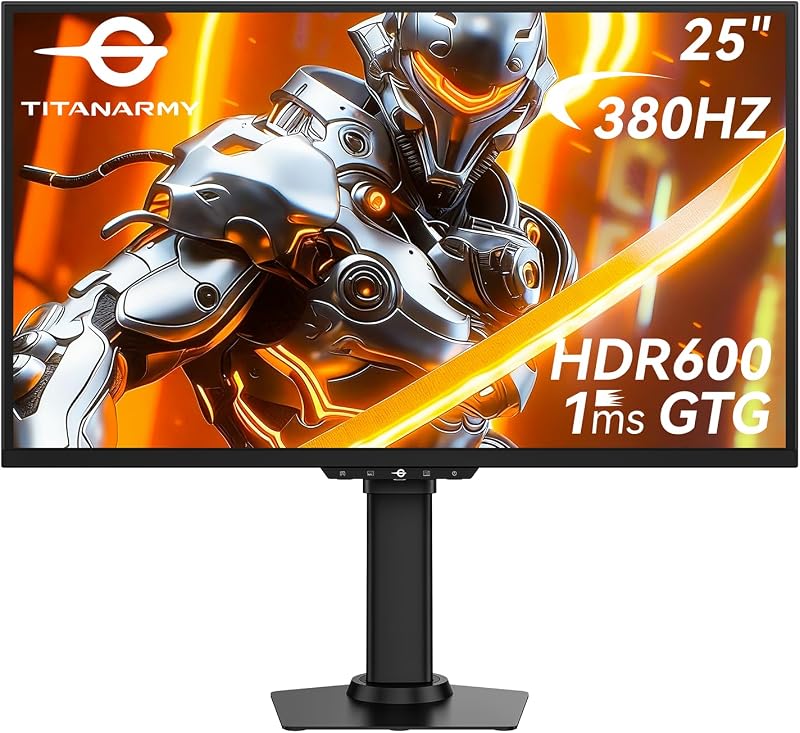
Tailored specifically for competitive esports players who prefer compact viewports, the TITAN ARMY U255T 24.5″ Gaming Monitor packs a sharp 2560×1440 QHD resolution into a 24.5-inch screen. This combination results in a high pixel density that renders crisp text and fine game details without demanding extra desk space. The panel runs at a native 360Hz refresh rate that can be overclocked directly to 380Hz, backed by a 1ms GTG response time and DyDs 2.0 motion-reduction technology. Enthusiasts evaluating top-tier esports displays such as an alienware monitor 500hz will find that this 1440p panel offers competitive speed while maintaining superior image sharpness over standard 1080p esports screens.
Despite its focus on competitive reflexes, the TITAN ARMY U255T delivers reliable creative capabilities. It arrives factory calibrated to a Delta E of under 2, covering 99% sRGB and 95% DCI-P3 color gamuts for accurate digital media production. The display reaches HDR600 performance to boost visual dynamic range and uses FreeSync Adaptive-Sync to eliminate tearing during frame drops. Its desktop OSD utility provides 13 preset scene profiles, letting you shift between dedicated gaming, cinema, and productivity calibrations with a single click.
The monitor is supported by a fully adjustable ergonomic stand that provides height adjustment, tilt, swivel, and 90-degree pivot rotation for vertical document editing or stream management. Operating at an energy-conscious 18-watt power rating, the TITAN ARMY U255T is the ideal solution for high-fps shooters and vloggers who need high pixel density in limited desk spaces, though it sacrifices the wide-angle immersion offered by larger 27-inch and 34-inch displays.
- Native 360Hz refresh rate overclockable to 380Hz with 1ms GTG response
- Dense 24.5-inch QHD resolution providing sharp clarity in competitive games
- Factory calibrated under Delta E 2 with 99% sRGB and 95% DCI-P3 color spaces
- Full ergonomic stand supporting height, tilt, swivel, and portrait pivot adjustments
03 TITAN ARMY G2785S 27″ Gaming Monitor

Best for Colorists and creators needing infinite contrast
Pros
- QD-OLED panel with 0.03ms GTG
- Delta E under 1 accuracy
- Adobe RGB and DCI-P3 modes
Cons
- Stand adjustments not specified
The TITAN ARMY G2785S 27″ Gaming Monitor enters high-end enthusiast territory by utilizing a 27-inch Quantum Dot OLED panel with QHD (2560×1440) resolution. Because QD-OLED features self-illuminating pixels without a shared backlight, the display achieves true blacks, infinite contrast, and zero backlight bleeding. Motion clarity is exceptional thanks to a near-instantaneous 0.03ms GTG response time paired with a smooth 240Hz refresh rate, eliminating the trailing and ghosting often visible on traditional liquid-crystal matrices.
For creative colorists and video producers, the TITAN ARMY G2785S functions as a professional mastering canvas. It features a factory pre-calibration delivering a Delta E of less than 1 alongside 99% DCI-P3 color gamut coverage. A standout feature for digital workflows is its multi-color mode selection, enabling creators to toggle instantly between sRGB, DCI-P3, and Adobe RGB color profiles to verify how visual content appears across different client delivery formats. The monitor supports HDR10 to amplify bright highlights while preserving pixel-level shadow details.
The display includes Titan Army’s Game+ suite with on-screen crosshairs and situational scene profiles for competitive gameplay, along with DisplayPort and HDMI inputs. The listing does not specify full stand adjustability, focusing primarily on its low 18-watt power draw and sleek black profile. The TITAN ARMY G2785S is best suited for visual creators and gaming purists who prioritize color accuracy and perfect black levels over maximum sustained whole-screen brightness.
- Advanced 27-inch QD-OLED panel featuring infinite contrast and per-pixel dimming
- Ultra-fast 0.03ms GTG response time paired with a fluid 240Hz refresh rate
- Factory calibrated to Delta E under 1 with dedicated sRGB, DCI-P3, and Adobe RGB modes
- HDR10 support and built-in Game+ feature suite for gaming and media production
04 TITAN ARMY KG277S Plus 27″ QHD

Best for Fast-paced shooters and color-critical streaming
Pros
- 275Hz Fast IPS panel
- DyDs 2.0 backlight strobing
- 100% sRGB coverage
Cons
- HDR400 baseline dynamic range
The TITAN ARMY KG277S Plus 27″ QHD is a versatile flat-screen gaming monitor built on a 27-inch Fast IPS panel running at 2560×1440 resolution. It improves upon conventional 240Hz gaming monitors by delivering an overclocked 275Hz refresh rate and a rapid 1ms GTG response time. To maintain crisp edges during fast player turns, Titan Army integrates DyDs 2.0 backlight scanning technology, which actively reduces motion blur during high-speed action in competitive titles.
Color performance is tuned for both gaming realism and daily content production, offering 100% sRGB and 96% DCI-P3 color gamut coverage with factory calibration under Delta E 2. Supported by HDR400 for elevated dynamic contrast and brightness, it delivers predictable color reproduction for video editing, photo retouching, and graphic layout. The monitor features broad GPU compatibility across modern graphics architectures using Adaptive Sync to prevent screen tearing and stuttering.
Ergonomics are thoroughly covered with an included stand that provides height, tilt, swivel, and full pivot rotation, allowing the screen to orient vertically for reading code, monitoring feeds, or editing mobile-format video. The monitor incorporates DC flicker-free dimming and hardware-level low blue light protection to reduce eye strain, while the desktop OSD software lets you tune color settings directly via mouse input. The TITAN ARMY KG277S Plus serves as an ideal all-around IPS monitor, stepping aside only for users who require the true local dimming or 4K resolution found on higher-tier models.
- Overclocked 275Hz Fast IPS panel with 1ms GTG response time and DyDs 2.0
- 100% sRGB and 96% DCI-P3 color coverage with factory calibration under Delta E 2
- Fully adjustable ergonomic stand supporting tilt, swivel, height, and pivot
- Desktop OSD utility with Game+ assistance and hardware low-blue-light eye care
05 TITAN ARMY P275MV Plus 27″ Dual
Best for HDR mastering and hybrid 4K gaming
Pros
- 1152-zone Mini LED backlight
- Dual-mode 4K 160Hz and FHD 320Hz
- 65W Type-C Power Delivery
Cons
- Heavier 8.9 kg chassis
Designed for creators and gamers who refuse to compromise between resolution and refresh speed, the TITAN ARMY P275MV Plus 27″ Dual is a 27-inch titan army mini led gaming monitor featuring 1152 independently controlled local dimming zones. Backed by VESA DisplayHDR 1000 certification, this display reaches a peak brightness of 1000 nits. The dense Mini LED matrix yields bright specular highlights and controlled dark areas, making it a capable desktop solution for grading HDR footage and enjoying cinematic gaming environments.
As a versatile titan army dual mode monitor, the P275MV Plus allows users to toggle between two operational configurations depending on their workload. You can work in crisp native 4K UHD (3840×2160) at 160Hz for video editing, high-resolution graphic design, and immersive open-world titles, or switch over to full HD (1920×1080) at 320Hz for high-velocity competitive esports. The Fast IPS panel is factory calibrated under Delta E 2 and covers 99% of wide color spaces, ensuring consistent color whether you are working in timeline applications or playing games.
Hardware connectivity is tailored for modern creative workstations, featuring HDMI 2.1, DisplayPort 1.4, and a full-function USB Type-C port that delivers 65W Power Delivery alongside video transmission to run and charge modern laptops with a single cable. The unit includes a fully ergonomic stand with height, tilt, swivel, and pivot adjustments, accompanied by desktop PC-Tool control. At 8.9 kg, it features a sturdy, substantial build engineered for hybrid power users who require exceptional HDR brightness and multi-resolution flexibility.
- 1152-zone Mini LED backlight array achieving VESA HDR1000 and 1000-nit peaks
- Dual-mode switching between native 4K at 160Hz and high-speed 1080p at 320Hz
- Full-function USB Type-C port with 65W Power Delivery alongside HDMI 2.1
- Fast IPS panel factory calibrated under Delta E 2 with full ergonomic stand
06 TITAN ARMY C34A1S 34″ UWQHD Curved
Best for Ultrawide timeline editing and immersive simulation
Pros
- 34-inch 21:9 ultrawide canvas
- Fluid 240Hz refresh rate
- Dual HDMI 2.1 inputs
Cons
- Fast-VA viewing angles vary
The TITAN ARMY C34A1S 34″ UWQHD Curved provides a spacious 21:9 ultrawide canvas built for multitasking and simulation gaming. Featuring a 34-inch Fast-VA screen with an immersive 1500R curvature and UWQHD resolution of 3440×1440, it expands horizontal workspace significantly over standard 16:9 displays. Enthusiasts exploring large curved desktop setups such as a samsung odyssey 32 inch curved will appreciate how this 34-inch ultrawide form factor expands horizontal timeline space rather than simply increasing vertical height.
Performance remains tuned for fast action, delivering a 240Hz refresh rate and 1ms GTG response time backed by Adaptive-Sync (FreeSync) to eliminate tearing. The Fast-VA panel delivers deep native black levels and high static contrast, supported by HDR400 and a typical brightness of 350 nits. Color output covers 99% of the sRGB color gamut, making it well-suited for everyday digital design, video editing timelines, and standard web media creation.
Unlike many entry-level ultrawide monitors, the TITAN ARMY C34A1S includes a versatile stand with height, tilt, swivel, and pivot adjustments, ensuring comfortable viewing across its wide curved panel. Port selection is modern and flexible, incorporating two HDMI 2.1 ports, two DisplayPort 1.4 inputs, and an audio-out jack. Controlled via the desktop PC-Tool software, this monitor is an outstanding selection for flight sim enthusiasts, racing gamers, and timeline editors, though professional colorists working in wide DCI-P3 or Adobe RGB spaces will prefer the flat Mini LED or QD-OLED alternatives.
- 34-inch 21:9 ultrawide curved Fast-VA panel with UWQHD 3440×1440 resolution
- High-speed 240Hz refresh rate paired with 1ms GTG response time
- 99% sRGB color gamut coverage with HDR400 visual enhancement
- Ergonomic stand offering height, tilt, swivel, and pivot articulation
What Sets These Models Apart
A thorough titan army gaming monitor comparison highlights how the brand differentiates its displays across panel architecture, resolution targets, and backlight execution. While the C27A1S and C34A1S leverage Fast-VA panels to provide deep native contrast and immersive 1500R curvature, the KG277S Plus and P275MV Plus rely on Fast IPS panels for wide viewing angles and uniform color reproduction. The flagship G2785S stands out through self-emissive QD-OLED technology with near-instantaneous 0.03ms pixel response and infinite contrast, while the U255T optimizes pixel density and refresh speed within a compact 24.5-inch esports footprint.
| Model | Panel Type and Curvature | Resolution and Refresh Rate | Color Gamut and Calibration | Key Stand and Port Features |
|---|---|---|---|---|
| TITAN ARMY C27A1S | 27″ Fast-VA (1500R Curved) | 2560×1440 at 240Hz (DLG 400Hz) | 99% sRGB / 95% DCI-P3 | Tilt only; Dual HDMI 2.0 and Dual DP 1.4 |
| TITAN ARMY U255T | 24.5″ Fast Panel (Flat) | 2560×1440 at 360Hz (OC 380Hz) | Delta E < 2 / 99% sRGB / 95% DCI-P3 | Full ergonomic stand; DisplayPort and HDMI |
| TITAN ARMY G2785S | 27″ QD-OLED (Flat) | 2560×1440 at 240Hz | Delta E < 1 / 99% DCI-P3 / Adobe RGB | Game+ suite; DisplayPort and HDMI |
| TITAN ARMY KG277S Plus | 27″ Fast IPS (Flat) | 2560×1440 at 275Hz | Delta E < 2 / 100% sRGB / 96% DCI-P3 | Full ergonomic stand; DyDs 2.0 strobing |
| TITAN ARMY P275MV Plus | 27″ Fast IPS Mini LED (Flat) | 3840×2160 at 160Hz (FHD 320Hz) | Delta E < 2 / 99% Wide Gamut | Full ergonomic stand; 65W USB-C and HDMI 2.1 |
| TITAN ARMY C34A1S | 34″ Fast-VA (1500R Curved) | 3440×1440 at 240Hz | 99% sRGB | Full ergonomic stand; Dual HDMI 2.1 and Dual DP 1.4 |
Buying Tips for Titan Army Gaming Monitors
When selecting a gaming monitor for a dual-purpose gaming and creative desk, your primary choice should be guided by panel architecture. Fast-VA screens like those on the C27A1S and C34A1S provide deep black levels and higher native contrast, which benefits dark-room gaming, simulation setups, and cinematic viewing. However, if your work involves graphic design, photo retouching, or multi-angle client reviews, Fast IPS panels like the KG277S Plus and P275MV Plus provide wider viewing angles without color shifting across the perimeter of the screen.
Consider resolution scaling and refresh rate targets based on your graphics hardware and preferred genres. A standard 27-inch 1440p monitor offers a practical middle ground between sharp visual detail and GPU rendering load. However, if you edit 4K video or want the ultimate flexibility between single-player fidelity and competitive multiplayer frame rates, a dual-mode monitor like the P275MV Plus enables switching between native 4K at 160Hz and 1080p at 320Hz. Similarly, competitive players wanting maximum pixel density in a tournament-sized viewport should look to the compact 24.5-inch 1440p screen on the U255T.
Finally, examine physical ergonomics and desk connectivity. Several Titan Army monitors feature fully adjustable stands that support height, tilt, swivel, and 90-degree pivot, which simplifies configuring a vertical secondary display for stream monitoring, audio tracks, or chat feeds. If you frequently connect a creative laptop to your display, opting for a model with a full-function USB Type-C port that delivers video and Power Delivery will keep your workspace clutter-free by reducing redundant power bricks and display cables.
FAQ
What is dual mode on a Titan Army gaming monitor?
Dual-mode functionality allows a monitor to toggle between two distinct native resolution and refresh rate profiles at the hardware level. On the P275MV Plus, for example, users can operate in sharp 4K UHD resolution at 160Hz for editing workflows and immersive games, or switch down to full HD 1080p at 320Hz for maximum frame fluidity in competitive titles. The C27A1S utilizes DLG technology to toggle between standard 1440p at 240Hz and a high-speed 400Hz mode.
How does Mini LED backlighting improve gaming and video editing?
Mini LED technology replaces standard edge-lit or single-zone backlights with thousands of tiny diodes grouped into independently controlled local dimming zones. On the P275MV Plus, 1152 dimming zones dynamically darken dark areas while illuminating bright sections up to 1000 nits. This provides genuine high dynamic range (HDR) reproduction, preventing backlight bleed and ensuring accurate contrast when grading HDR media or playing visually rich titles.
Can Titan Army gaming monitors be used for color-accurate creative work?
Yes, several displays across the lineup are pre-calibrated at the factory to meet rigorous color standards. The G2785S offers a factory calibration of Delta E under 1 with selectable sRGB, DCI-P3, and Adobe RGB modes, making it an excellent tool for colorists. Models such as the U255T, KG277S Plus, and P275MV Plus come with Delta E under 2 calibration and wide color gamut coverage, making them reliable options for photo editing, digital illustration, and video production.
What does the desktop PC-Tool software do?
Titan Army’s desktop PC-Tool OSD software allows users to adjust monitor settings directly within the operating system using a mouse. Instead of navigating physical monitor buttons on the back of the bezel, users can modify brightness, contrast, color spaces, and gaming overlays directly through software. The utility also enables fast preset switching tailored for office tasks, movie viewing, and gaming genres.
What are the advantages of a 21:9 ultrawide monitor for content creation?
A 21:9 ultrawide monitor like the C34A1S expands the horizontal workspace significantly compared to standard 16:9 screens. For video editors, this provides an extended timeline in editing software, reducing the need for constant horizontal scrolling or zooming. The extra horizontal width also allows creators to keep timeline panels, audio mixers, and media bins visible side by side on a single display.


