Alienware Monitors & Displays
Alienware 25 Gaming Monitor Lineup: Specs, Speed, and Model Comparison
Choosing an alienware 25 gaming monitor comes down to balancing twitch-reflex frame rates with the visual canvas needed for everyday desktop productivity. Competitive esports titles demand supreme motion clarity and compact screen dimensions so your eyes can track action without excessive head movement. At the same time, vloggers, video editors, and digital creators often handle…
As Amazon Associates, we earn from qualifying purchases. This means we may receive a small commission at no extra cost to you if you click through and make a purchase.
Choosing an alienware 25 gaming monitor comes down to balancing twitch-reflex frame rates with the visual canvas needed for everyday desktop productivity. Competitive esports titles demand supreme motion clarity and compact screen dimensions so your eyes can track action without excessive head movement. At the same time, vloggers, video editors, and digital creators often handle multi-window layouts, timeline scrubbing, and high-resolution media previewing. Deciding between an alienware 25 vs 27 monitor requires understanding whether tournament-grade speed on a smaller screen or expanded pixel density across a larger panel best complements your desk setup.
This comprehensive alienware gaming monitor comparison examines six distinct displays from Alienware, ranging from compact 24.5-inch esports powerhouses to expansive 27-inch displays. Across these models, you will find diverse display technologies including Fast IPS, IPS Nano Color, and bleeding-edge QD-OLED, paired with refresh rates extending from 180Hz all the way to 360Hz. By comparing panel responsiveness, color gamut reproduction, chassis ergonomic adjustments, and screen resolutions, this guide clarifies the specific strengths of each display so you can determine which alienware gaming monitor to buy for your creative and competitive demands.
Which Alienware Gaming Monitors Should You Buy
All 6 models on this page, side by side
| Model | Buyer rating | Ratings | Listing |
|---|---|---|---|
01 Alienware 25 Gaming Monitor AW2523HF 24.5" Buyer pick4.6+ from 500+ ratings Alienware 25 Gaming Monitor AW2523HF 24.5" Buyer pick4.6+ from 500+ ratings |
555 | Price | |
02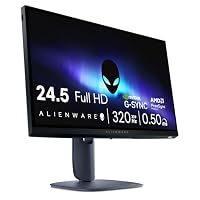 Alienware 24 Gaming Monitor AW2525HM Alienware 24 Gaming Monitor AW2525HM |
Price | ||
03 Alienware 27 Gaming Monitor AW2726DL Alienware 27 Gaming Monitor AW2726DL |
Price | ||
04 Alienware 27 Gaming Monitor AW2725DM Alienware 27 Gaming Monitor AW2725DM |
494 | Price | |
05 Alienware AW2725DF OLED Gaming Monitor Alienware AW2725DF OLED Gaming Monitor |
Price | ||
06 Alienware AW2723DF Gaming Monitor Alienware AW2723DF Gaming Monitor |
Price |
Prices and ratings are read from the Amazon product listing and change there, not here. Every rating is the average left by Amazon buyers, not a score from this site.
Why each one is on the list
- Competitive esports players seeking peak 360Hz refresh rates and a compact base should select the Alienware 25 Gaming Monitor AW2523HF 24.5″.
- Speed-focused gamers who prioritize hardware-level blue light protection and 320Hz motion clarity will prefer the Alienware 24 Gaming Monitor AW2525HM.
- Fast-paced players wanting to step up to 1440p resolution without losing high-refresh fluid motion should choose the Alienware 27 Gaming Monitor AW2726DL.
- Creators needing accurate DCI-P3 color reproduction, QHD resolution, and console versatility will be well served by the Alienware 27 Gaming Monitor AW2725DM.
- Visual artists and competitive gamers demanding true blacks, infinite contrast, and instant response should invest in the Alienware AW2725DF OLED Gaming Monitor.
- Production creators needing high peak brightness, DisplayHDR 600, and vivid IPS Nano Color will appreciate the Alienware AW2723DF Gaming Monitor.
01 Alienware 25 Gaming Monitor AW2523HF 24.5″
Best for Competitive esports players wanting maximum refresh
Pros
- 360Hz refresh rate
- 5ms GtG response
- Hexagonal compact base
- Built-in headset hanger
Cons
- 1080p resolution limits workspace
- Glossy screen finish
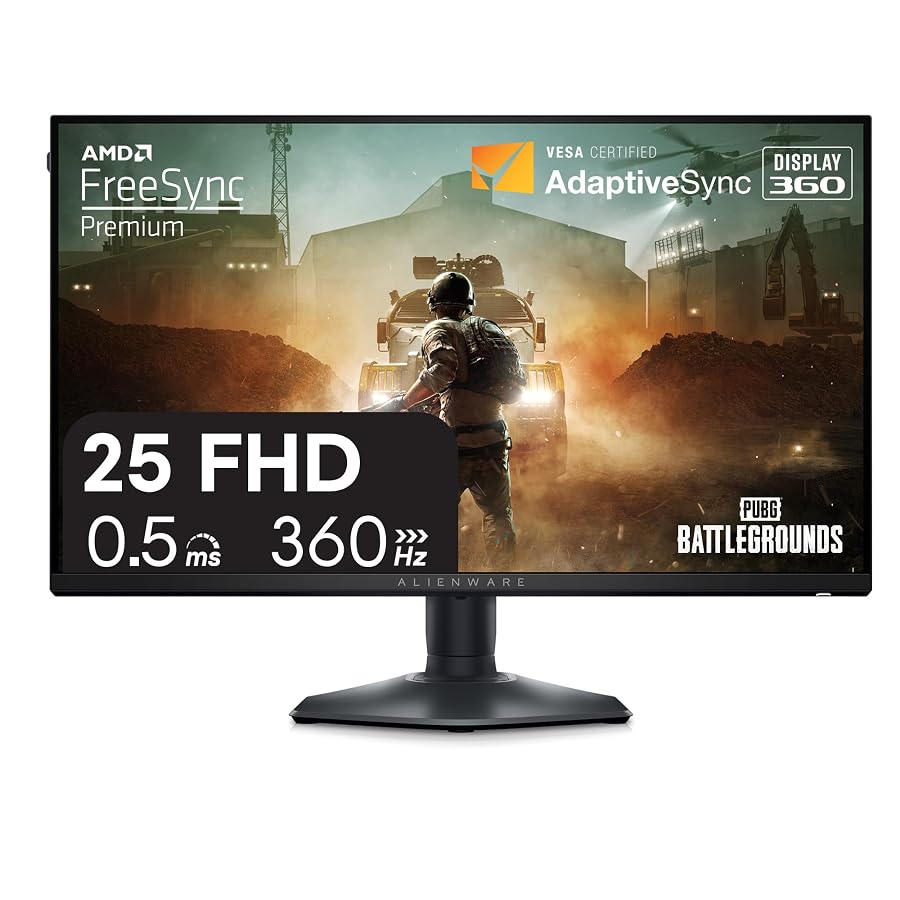
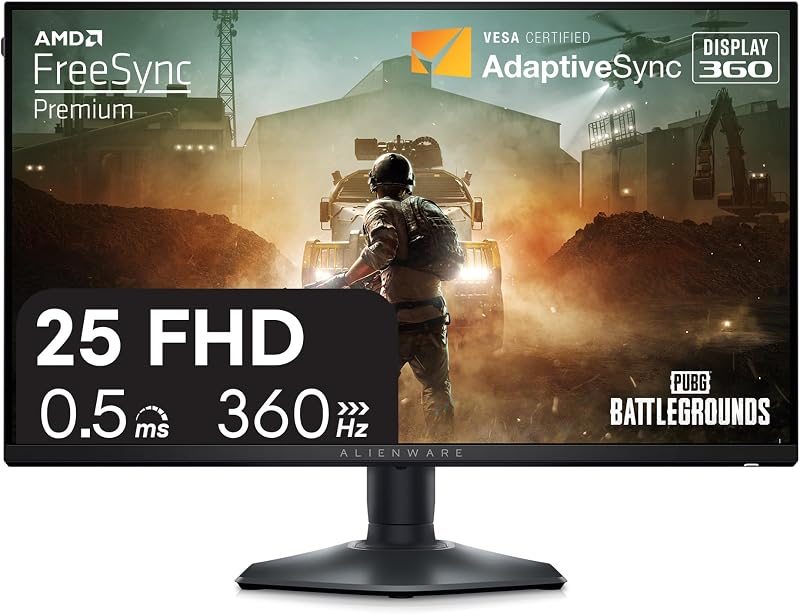
The Alienware 25 Gaming Monitor AW2523HF 24.5″ is built from the ground up for high-level competitive gaming where speed dictates the outcome of every match. The centerpiece of this display is its Fast IPS panel boasting a 360Hz variable refresh rate and a rapid 0.5ms minimum gray-to-gray response time. Delivering a 1920 by 1080 Full HD image across a 24.5-inch diagonal, it allows you to view critical interface elements without scanning across a massive physical surface. The display maintains vivid color consistency through 99% sRGB color gamut coverage, 400 nits of brightness, and support for HDR content playback across broad 178-degree viewing angles.
Alienware redesigned the physical architecture on this model using feedback from professional competitors. The revamped Legend 2.0 structure features a compact hexagonal base that occupies minimal desk space, allowing ample room for wide mouse swipes and angled keyboard placement. It also incorporates an integrated retractable headset hanger to keep your workspace tidy, along with full height, tilt, swivel, and pivot adjustments. While the 1080p resolution provides exceptional frame-rate throughput, creators who need expansive timeline space for 4K video editing may find the screen real estate tight, eventually looking toward larger 27-inch QHD options. For pure esports speed, the alienware 25 gaming monitor aw2523hf provides an uncompromising foundation.
- Ultra-fast 360Hz refresh rate with 0.5ms minimum gray-to-gray response time.
- AMD FreeSync Premium and VESA AdaptiveSync display certifications for tear-free gameplay.
- Legend 2.0 hexagonal base with integrated retractable headset hanger.
- Fast IPS panel with 99% sRGB color coverage and 400 nits brightness.
02 Alienware 24 Gaming Monitor AW2525HM

Best for Fast-paced gaming with matte glare reduction
Pros
- 320Hz refresh rate
- G-SYNC and FreeSync support
- ComfortView Plus hardware filtering
- Matte display surface
Cons
- 1080p resolution
- Standard color gamut
The Alienware 24 Gaming Monitor AW2525HM delivers blistering esports velocity combined with dedicated hardware eye comfort for extended creative and gaming sessions. While the model naming mentions 24 inches, the physical panel measures 24.5 inches across its diagonal. The Fast IPS screen delivers a 320Hz refresh rate and a 0.5ms minimum gray-to-gray response time, which keeps high-speed action sharp and free of disorienting ghosting. Synchronization support is extensive, featuring NVIDIA G-SYNC Compatible certification alongside AMD FreeSync Premium and VESA AdaptiveSync to eliminate visual tearing regardless of your graphics card.
A notable strength of this model is the inclusion of ComfortView Plus, a hardware-based low blue light solution. Unlike software filters that tint the screen yellow, ComfortView Plus reduces harmful blue emissions without distorting the panel’s 99% sRGB color coverage. The anti-glare matte finish prevents overhead light reflections from washing out the 400-nit panel. While the 1080p resolution keeps system overhead low and frame rates high, digital creators handling intricate graphic assets or large timelines will eventually prefer a 27-inch 1440p screen. Nevertheless, the alienware 24 gaming monitor aw2525hm serves as an exceptional tool for twitch-based competitive titles.
- Blazing 320Hz refresh rate with 0.5ms gray-to-gray response time.
- NVIDIA G-SYNC Compatible, AMD FreeSync Premium, and VESA AdaptiveSync support.
- ComfortView Plus hardware-based low blue light technology preserving color fidelity.
- Matte screen finish with 99% sRGB coverage and 400 nits brightness.
03 Alienware 27 Gaming Monitor AW2726DL

Best for Balanced desktop productivity and smooth gaming
Pros
- Crisp QHD resolution
- 95% DCI-P3 color coverage
- DisplayHDR 400 certification
- Dedicated console mode
Cons
- Lower 180Hz refresh rate
- 1ms response time

Best for High-speed 1440p gaming with extra screen area
Pros
- 280Hz refresh rate
- Crisp WQHD resolution
- Spacious 27-inch panel
- Matte screen finish
Cons
- 93 percent color gamut
- Listing omits contrast specification
The Alienware 27 Gaming Monitor AW2726DL represents a compelling transition point for players who want to step beyond 1080p without sacrificing competitive frame pacing. Featuring a 27-inch WQHD IPS panel, this display expands your visual canvas while increasing pixel density to 109 pixels per inch. This sharper resolution renders fine video details, text characters, and background game assets with greater precision than compact 1080p screens. With a native 280Hz refresh rate and a 1ms response time, it ensures fast camera pans remain fluid during intense gameplay.
The display sports a clean matte finish that dampens room reflections, backed by 400 nits of brightness and wide 178-degree viewing angles. Its chassis measures 24.15 inches wide and weighs 11.1 pounds, providing a stable footprint on any production desk. The panel delivers a 93% color gamut, making it suitable for casual content creation, general photo tasks, and gaming. While the listing does not specify the static contrast ratio, the IPS panel delivers reliable daily performance. Creative professionals seeking wide DCI-P3 color spaces or deep HDR contrast will likely favor the AW2725DM or AW2725DF, but the alienware aw2726dl provides a potent balance of 1440p clarity and 280Hz speed.
- Expansive 27-inch WQHD IPS display with sharp 109 pixel pitch.
- High-speed 280Hz refresh rate paired with a 1ms response time.
- Matte screen finish with 400 nits brightness.
- Generous 178-degree horizontal and vertical viewing angles.
04 Alienware 27 Gaming Monitor AW2725DM
The Alienware 27 Gaming Monitor AW2725DM focuses on delivering vibrant color fidelity and versatile everyday usability for creators and gamers alike. Built with a 27-inch QHD Fast IPS panel running at 180Hz with a 1ms gray-to-gray response time, this monitor is tuned for immersive open-world exploration and visual editing workflows. It features VESA DisplayHDR 400 certification alongside 95% DCI-P3 color coverage, providing rich chromatic depth and reliable dynamic range for video color grading and digital illustration.
Ergonomics and convenience stand out on this model, featuring a dedicated console mode for external hardware and a hardware-based low blue light solution that reduces eye strain during late-night editing sessions. The matte display offers 400 nits of brightness and a standard 1,000:1 contrast ratio, ensuring balanced visibility across varied ambient office conditions. While competitive shooter specialists might demand the higher 320Hz or 360Hz refresh rates found on the smaller 25-inch models, the alienware aw2725dm represents a well-rounded desktop centerpiece for hobbyists who split their time between timeline production and casual gaming.
- Crisp 27-inch QHD Fast IPS panel operating at 180Hz.
- Rich 95% DCI-P3 color coverage with VESA DisplayHDR 400 certification.
- Dedicated console mode and integrated hardware low blue light filtering.
- Solid 1,000:1 contrast ratio with a glare-resistant matte screen surface.
05 Alienware AW2725DF OLED Gaming Monitor
Best for Color-critical creation and ultra-responsive competitive play
Pros
- 360Hz QD-OLED display
- Near-instant 0.03ms response
- Infinite contrast ratio
- 3% DCI-P3 coverage
Cons
- Higher burn-in maintenance awareness
- Reflective ambient lighting sensitivity
The Alienware AW2725DF OLED Gaming Monitor represents an extraordinary achievement in monitor technology, uniting tournament-level speed with reference-grade image accuracy. Utilizing a Quantum-Dot OLED panel spanning 26.7 inches (with specifications listing 27 inches), this display delivers an incredible 360Hz refresh rate alongside a near-instantaneous 0.03ms gray-to-gray minimum response time. Because each pixel emits its own light, black levels drop to complete darkness, resulting in an infinite 1.5 million:1 contrast ratio and VESA DisplayHDR True Black 400 certification.
Visual fidelity is world-class, featuring 99.3% DCI-P3 color coverage and factory-calibrated Delta E<2 accuracy for demanding photo editing and color grading. The monitor supports AMD FreeSync Premium Pro and VESA AdaptiveSync for tear-free gaming, and its minimal hexagonal base preserves desk space while supporting height, tilt, swivel, and pivot adjustments. Those considering premium panel upgrades can also review our analysis of the alienware oled monitor 4k category. For hybrid video creators and competitive gamers wanting the best speed and contrast available, the alienware aw2725df stands as an elite choice.
- Stunning 26.7-inch QD-OLED panel with blazing 360Hz refresh rate.
- Near-instant 0.03ms gray-to-gray minimum response time eliminating motion blur.
- Infinite 1.5 million:1 contrast ratio with VESA DisplayHDR True Black 400.
- Exceptional 99.3% DCI-P3 color coverage with Delta E<2 factory accuracy.
06 Alienware AW2723DF Gaming Monitor
Best for Vibrant HDR creative editing and high-frame gaming
Pros
- Overclockable up to 280Hz
- VESA DisplayHDR 600
- IPS Nano Color panel
- AlienFX and Lunar Light styling
Cons
- Larger physical desk footprint
- 1000:1 standard IPS contrast
The Alienware AW2723DF Gaming Monitor combines intense brightness, rich color saturation, and rapid refresh performance inside Alienware’s signature Lunar Light aesthetic. Operating at a native 240Hz refresh rate that can be overclocked up to 280Hz over DisplayPort 1.4, this 27-inch Fast IPS monitor features a swift 1ms response time. Its standout attribute is the IPS Nano Color technology, which produces vivid tones across 95% of the DCI-P3 color space, backed by an impressive 450 nits of peak brightness and VESA DisplayHDR 600 certification.
The visual presentation is enhanced by an InfinityEdge screen with slim bezels, complemented by 360-degree thermal ventilation and customizable AlienFX lighting. The ergonomic stand provides full height, swivel, pivot, and tilt adjustability alongside built-in cable management. While it does not deliver the infinite black levels of a QD-OLED display, its robust brightness makes it exceptionally well suited for well-lit creator studios. Gamers comparing extreme display refresh speeds across different classes can also consult our guide to the alienware monitor 500hz segment. The alienware aw2723df remains a premier choice for high-brightness productivity and gaming.
- Fast IPS panel with 240Hz native refresh rate, overclockable up to 280Hz.
- IPS Nano Color technology paired with VESA DisplayHDR 600 certification.
- Bright 450 nits display with 100% color gamut specification.
- Legend 2.0 Lunar Light design with AlienFX lighting and full ergonomic stand.
What Sets These Models Apart
Comparing these six Alienware monitors reveals how panel technology, resolution, and refresh rate dictate real-world performance. While the 24.5-inch displays maximize frame rates and compact desk organization for competitive esports, the 27-inch displays provide the visual real estate and pixel density required for complex creative workflows and immersive open-world gaming.
| Model | Screen Size & Resolution | Refresh Rate & Response | Panel Type & Color Gamut |
|---|---|---|---|
| Alienware 25 AW2523HF | 24.5″ Full HD (1920 x 1080) | 360Hz, 0.5ms GtG min | Fast IPS LED, 99% sRGB |
| Alienware 24 AW2525HM | 24.5″ Full HD (1920 x 1080) | 320Hz, 0.5ms GtG min | Fast IPS, 99% sRGB |
| Alienware 27 AW2726DL | 27″ WQHD | 280Hz, 1ms | IPS LCD, 93% color gamut |
| Alienware 27 AW2725DM | 27″ QHD | 180Hz, 1ms GtG | Fast IPS, 95% DCI-P3 |
| Alienware AW2725DF OLED | 26.7″ WQHD (2560 x 1440) | 360Hz, 0.03ms GtG min | QD-OLED, 99.3% DCI-P3 |
| Alienware AW2723DF | 27″ QHD (2560 x 1440) | 240Hz (280Hz OC), 1ms GtG | Fast IPS Nano Color, 95% DCI-P3 |
The smaller 24.5-inch panels utilize 1080p resolution to maximize frame generation on competitive titles without overloading the graphics pipeline. Conversely, the 27-inch 1440p panels offer a 77% increase in screen workspace, allowing creators to place video timelines, browser tabs, and editing palettes side-by-side with crisp clarity.
Buying Tips for Alienware Gaming Monitors
When selecting between an esports-centric 25-inch monitor and an expansive 27-inch model, carefully evaluate your desk space and visual ergonomics. The 24.5-inch panels featuring Alienware’s Legend 2.0 hexagonal base are ideal for compact workstations where sweeping mouse movements require clear territory. Their smaller screen diagonal ensures your eyes remain centered without panning across large borders, which is a major advantage in fast-paced shooters. If your daily routine includes editing high-resolution video or handling complex software interfaces, stepping up to a 27-inch 1440p display provides the necessary pixel pitch and screen area to work comfortably without scaling issues.
Panel technology is another decisive factor. Fast IPS displays like the AW2523HF, AW2525HM, and AW2725DM provide reliable viewing angles, solid color coverage, and sturdy brightness for brightly lit rooms. If your studio work requires wide color accuracy and dynamic range, IPS Nano Color on the AW2723DF delivers enhanced saturation and 450-nit brightness certified for DisplayHDR 600. For the absolute pinnacle of dark-room contrast and motion clarity, the QD-OLED technology on the AW2725DF provides infinite contrast and an instantaneous 0.03ms response time that traditional LCDs cannot match.
Finally, ensure your computer hardware aligns with the refresh rate of your chosen display. Reaching 320Hz or 360Hz requires a powerful processor and graphics card capable of driving sustained high frame rates, even at 1080p. Adaptive sync technologies such as AMD FreeSync Premium and NVIDIA G-SYNC Compatibility help smooth out inevitable frame dips, while built-in low blue light hardware like ComfortView Plus protects your eyes during marathon creative sessions without corrupting accurate color grading.
FAQ
Is a 25-inch monitor better than a 27-inch monitor for competitive gaming?
A 25-inch monitor is widely considered the standard for competitive esports because the entire display area fits within human central vision. This allows players to track crosshairs, health bars, and radar displays without moving their head or shifting ocular focus. In contrast, a 27-inch monitor provides greater immersion and desktop workspace for content creation, but requires more eye movement across the screen.
What is the advantage of QD-OLED over Fast IPS?
QD-OLED technology utilizes self-illuminating organic pixels paired with quantum dots, eliminating the traditional LED backlight. This allows the panel to achieve true absolute blacks, an infinite contrast ratio, and an astonishing 0.03ms response time. Fast IPS panels remain bright, durable, and cost-effective, but cannot match the pixel response or per-pixel contrast of QD-OLED.
Does ComfortView Plus affect color accuracy during video editing?
ComfortView Plus is a hardware-based low blue light solution integrated directly into the panel backlight. Unlike software blue light filters that shift color temperature toward an aggressive yellow tone, ComfortView Plus reduces harmful blue emissions while preserving true-to-life color fidelity across the entire sRGB and DCI-P3 spectrum.
Can these Alienware monitors be mounted on third-party monitor arms?
Yes, these Alienware gaming monitors support standard VESA mounting interfaces, allowing you to detach the included desktop stand and attach the display to aftermarket desk arms or wall mounts. Always verify the weight capacity of your mounting arm against the monitor panel weight.
What graphics connection is required to achieve the maximum refresh rates?
To access the maximum native and overclocked refresh rates, such as 360Hz on the AW2523HF and AW2725DF or 280Hz on the AW2723DF, you must connect via DisplayPort 1.4. While HDMI connections are supported, they may cap maximum refresh rates depending on the specific port revision and monitor specifications.