Amazon Monitors & Displays
Amazon Basics 27-Inch Monitors Compared: Refresh Rates, Panels, and Desk Setup Fit
A dedicated amazon 27 inch monitor can transform how digital creators, video editors, and live streamers structure their physical workspace. When cutting a multi-camera sequence or managing live audio feeds, display real estate is essential. While color-grading suites often require high-end reference screens, secondary displays take on the heavy lifting of workspace utility: holding timelines,…
As Amazon Associates, we earn from qualifying purchases. This means we may receive a small commission at no extra cost to you if you click through and make a purchase.
A dedicated amazon 27 inch monitor can transform how digital creators, video editors, and live streamers structure their physical workspace. When cutting a multi-camera sequence or managing live audio feeds, display real estate is essential. While color-grading suites often require high-end reference screens, secondary displays take on the heavy lifting of workspace utility: holding timelines, previewing secondary camera angles, displaying live chat feeds, or hosting digital audio workstations. Finding the right display involves weighing refresh rates, color space coverage, and physical profiles against your daily creative demands.
In this amazon 27 inch monitor comparison, we examine three distinct displays from Amazon Basics: the 100Hz standard panel, the 120Hz productivity-focused display, and the 165Hz high-speed model. While all three share a 1920×1080 Full HD resolution, a standard 16:9 widescreen ratio, and anti-glare matte coatings, they differ significantly in their refresh performance, color reproduction specs, chassis ergonomics, and port arrays. Understanding how these variations translate to real-world desk setups will help you determine which model fits your editing or production workflow.
Which Amazon 27-inch Monitors Should You Buy
All 3 models on this page, side by side
| Model | Buyer rating | Listing |
|---|---|---|
01 Amazon Basics 27 Inch Monitor Amazon Basics 27 Inch Monitor |
Price | |
02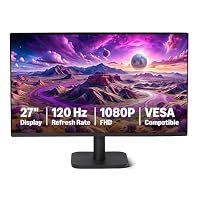 Amazon Basics 27-inch Computer Monitor Amazon Basics 27-inch Computer Monitor |
Price | |
03 Amazon Basics 27 inch Gaming Monitor Amazon Basics 27 inch Gaming Monitor |
Price |
Prices and ratings are read from the Amazon product listing and change there, not here. Every rating is the average left by Amazon buyers, not a score from this site.
Why each one is on the list
- For vloggers and podcasters needing a versatile secondary workspace with onboard speakers and integrated USB connectivity, the Amazon Basics 27 Inch Monitor provides reliable day-to-day utility.
- For graphic designers, thumbnail creators, and multi-display setups demanding accurate color and minimal borders, the Amazon Basics 27-inch Computer Monitor offers 99% sRGB coverage and a 4-sided narrow bezel design.
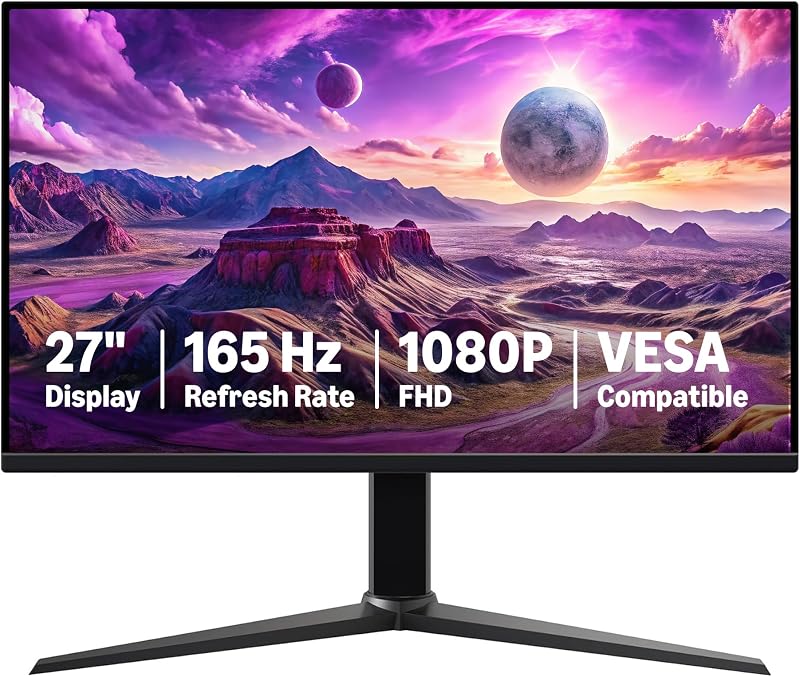
- For game capture streamers, esports creators, and editors who scrub rapidly through high-frame-rate video footage, the Amazon Basics 27 inch Gaming Monitor delivers fluid 165Hz motion and an ultra-fast 1ms response time.
01 Amazon Basics 27 Inch Monitor
Best for Streamers needing high-refresh motion and speed
Pros
- Blazing 165Hz refresh rate
- Ultra-fast 1ms response time
- Adaptive Sync tear-free playback
Cons
- Lower 1000:1 contrast ratio
- Unspecified built-in audio

Best for Everyday secondary workspace and office tasks
Pros
- Smooth 100Hz refresh rate
- Built-in speakers and USB ports
- 1500:1 contrast ratio
Cons
- Unspecified color gamut coverage
The Amazon Basics 27 Inch Monitor serves as a functional, multi-purpose screen designed for general office tasks, content consumption, and timeline management. Built around a 27-inch IPS panel running at a 100Hz refresh rate, this display represents an immediate step up from older 60Hz panels, giving video editors a smoother cursor trajectory and less visual fatigue during prolonged cut sessions. It delivers Full HD 1080p resolution across an expansive matte screen that cuts down reflections from studio lighting or open windows. A static contrast ratio of 1500:1 provides deeper black levels than typical entry-level IPS panels, giving creators adequate contrast separation when organizing footage bins or reading dark-mode interfaces in editing suites.
For desktop organization, this amazon basics 1080p ips monitor integrates built-in speakers that output clean, clear audio, making it easy to check quick audio sync or monitor dialogue tracks without wearing headphones continuously. The hardware profile includes integrated USB ports, adding convenient connectivity directly on the monitor body for desktop peripherals like audio interfaces, dongles, or card readers. Physical dimensions measure 9.05 inches deep, 24.07 inches wide, and 17.96 inches high, with a manageable overall weight of 8.4 pounds. It supports standard VESA mounting patterns, enabling users to elevate the screen on an articulating arm to free up valuable desk real estate for mixers and stream decks. Creators exploring secondary display options who have previously looked at budget choices like a monitor aoc 27 will appreciate the straightforward plug-and-play simplicity of this unit. Note that the manufacturer ships this panel with a protective film bearing a date code that must be peeled off before operation to ensure visual clarity.
Where this model yields to its siblings is in specialized color and speed requirements. With a 170-degree viewing angle and a 0.23 pixel pitch, it maintains solid consistency across the screen, but the listing does not specify wide color gamut percentages. When editing requires exact color grading for commercial delivery, or when high-speed gaming requires sub-millisecond response rates, other models in the lineup step in. However, as an auxiliary display for tracking playback, monitoring recording levels, or keeping project folders open, it delivers dependable utility.
- Smooth 100Hz refresh rate on a 27-inch Full HD 1080p IPS panel
- High 1500:1 static contrast ratio with an anti-glare matte screen finish
- Integrated built-in speakers delivering clean and clear audio performance
- Built-in USB ports and VESA mounting compatibility for versatile studio integration
02 Amazon Basics 27-inch Computer Monitor

Best for Color-conscious creators and dual-monitor desks
Pros
- 99% sRGB color gamut
- Fluid 120Hz Adaptive Sync
- 4-sided narrow bezel design
- DisplayPort and HDMI inputs
Cons
- 14ms response time
Engineered with creative tasks and multi-monitor workstations in mind, the Amazon Basics 27-inch Computer Monitor is the most visually refined model in this lineup. This display pairs a 27-inch IPS screen with a 120Hz refresh rate and Adaptive Sync technology, eliminating screen tearing and stutter during real-time timeline scrolling or video playback. What sets this model apart for visual creators is its color reproduction: the listing specifies 99% sRGB coverage across 16.7 million colors, making it an excellent candidate for previewing YouTube thumbnails, assessing color consistency on web graphics, and checking general media outputs. Backed by a 1500:1 contrast ratio, the panel delivers solid dynamic range between shadows and highlights.
Physical design is another key strength of this amazon basics 120hz monitor. It boasts a 4-sided narrow bezel design that provides an edge-to-edge viewing canvas, making it an exceptional option for dual-screen or triple-screen creative stations where bezel thickness can disrupt the visual flow between project timelines and preview windows. In setups where desk space is constrained or users want an alternative to a traditional monitor 27 spectre, this monitor’s compact footprint—measuring 7.9 inches deep, 24.2 inches wide, and 17.68 inches high, with a weight of 3.9 kilograms—integrates smoothly onto monitor arms via VESA mounting. Long editing sessions are further supported by LowBlue Light and Flicker-Free eye comfort technologies to mitigate ocular strain under low-light studio conditions.
Connectivity is comprehensively handled via HDMI 1.4, DisplayPort 1.2, and a 3.5mm audio-out port, complemented by built-in 2W x2 dual speakers. To reach the full 120Hz refresh rate, users must ensure their graphics card supports 120Hz output over an appropriate HDMI or DisplayPort cable and configure the display settings accordingly in their operating system. The panel provides a wide 178-degree viewing angle, ensuring visual accuracy even when viewed from an off-axis secondary position on your desk. While its 14ms response time is geared more toward productivity and creative workflows than competitive esports, it excels as the best amazon basics 27 monitor for graphic hobbyists, vloggers, and office productivity.
- Broad 99% sRGB color gamut with 16.7 million colors and a 1500:1 contrast ratio
- Fluid 120Hz refresh rate with Adaptive Sync for seamless motion rendering
- Modern 4-sided narrow bezel aesthetic ideal for side-by-side multi-monitor arrays
- Versatile inputs including HDMI 1.4, DisplayPort 1.2, 3.5mm audio output, and dual 2W speakers
03 Amazon Basics 27 inch Gaming Monitor
When workflow demands rapid visual feedback, fast scrubbing through high-frame-rate b-roll, or high-octane gaming sessions between editing jobs, the Amazon Basics 27 inch Gaming Monitor steps up as the performance-driven contender. Boasting an impressive 165Hz refresh rate and a rapid 1ms response time, this amazon basics 165hz monitor virtually eliminates ghosting and motion blur. For creators who produce gameplay walk-throughs, capture live reactions, or edit high-action sports footage, the immediate responsiveness allows for frame-accurate timeline scrubbing without distracting smearing.
This panel relies on a 27-inch IPS digital display with 1080p Full HD resolution, delivering sharp graphics relay and responsive control. It integrates Adaptive Sync to coordinate refresh cycles directly with your GPU, preventing horizontal frame tearing during intense rendering or gaming sequences. While high-end gaming setups might consider premium OLED options like a samsung oled 27, this Amazon Basics display focuses on providing essential high-speed IPS characteristics at standard specifications. The listing specifies a 1000:1 contrast ratio and a 170-degree viewing angle, alongside a pixel pitch of 0.36. The physical unit weighs 9.9 pounds and includes standard VESA mounting compatibility, allowing it to easily mount onto heavy-duty monitor arms or sit sturdily on standard studio desks.
To leverage the full potential of this high-speed panel, users must connect via a DisplayPort 1.4 or HDMI 2.0 compatible cable connected to a graphics card capable of driving 1080p at 165Hz. Like the 100Hz model, the manufacturer includes a protective shipping film with a date code that must be peeled away from the matte panel before initial use. While its 1000:1 contrast ratio is slightly lower than the 1500:1 ratio found on the 100Hz and 120Hz units, and it lacks the narrow 4-sided bezels of the productivity model, its 1ms response time and 165Hz fluidity make it the clear pick for users prioritizing fast motion and immediate visual feedback.
- Blazing 165Hz refresh rate paired with an ultra-low 1ms response time
- 27-inch Full HD 1080p IPS panel with Adaptive Sync for tear-free output
- DisplayPort 1.4 and HDMI 2.0 high-bandwidth connection support
- Rugged 9.9-pound build with standard VESA mounting compatibility
What Sets These Models Apart
| Model | Refresh Rate | Contrast Ratio | Viewing Angle | Primary Focus |
|---|---|---|---|---|
| Amazon Basics 27 Inch Monitor | 100Hz | 1500:1 | 170 degrees | General office, media playback, and auxiliary timeline monitoring |
| Amazon Basics 27-inch Computer Monitor | 120Hz | 1500:1 | 178 degrees | Color-accurate digital media, 99% sRGB workspace, multi-display setups |
| Amazon Basics 27 inch Gaming Monitor | 165Hz | 1000:1 | 170 degrees | High-speed gameplay capture, 1ms fast response, action video editing |
Comparing these three displays reveals how subtle specification shifts dictate workflow fit. The refresh rate progression—moving from 100Hz to 120Hz and up to 165Hz—directly impacts cursor tracking and motion fluidity. While the 100Hz model is a massive upgrade over standard 60Hz displays for daily editing comfort, the 165Hz model provides the rapid responsiveness required by creators who combine video editing with competitive gaming, aided significantly by its 1ms response time compared to the 14ms specification on the 120Hz model.
Contrast and color fidelity present another distinct division. Both the 100Hz monitor and the 120Hz computer monitor share a robust 1500:1 contrast ratio, outperforming the 1000:1 contrast ratio listed for the 165Hz gaming panel. Furthermore, the 120Hz model is the only screen in this lineup that explicitly documents a 99% sRGB color gamut and 16.7 million colors, making it the most trustworthy option when evaluating online graphic assets, YouTube thumbnails, and web content. The 120Hz display also provides the widest viewing angle at 178 degrees, compared to the 170-degree angles specified for the other two units.
Physical construction and connectivity further divide the lineup. The 120Hz model utilizes an ultra-modern 4-sided narrow bezel design that minimizes the visual seam when placing two monitors side by side on a dual arm. In contrast, the 100Hz monitor stands out for incorporating onboard USB ports alongside its speakers, and the 165Hz gaming display features the heaviest, most rugged build at 9.9 pounds, requiring DisplayPort 1.4 or HDMI 2.0 to unlock its peak visual throughput.
Buying Tips for Amazon 27-inch Monitors
Choosing between these three displays requires evaluating your daily computing workflow and workspace ergonomics. Resolution at 27 inches is an important baseline: a 1080p resolution on a 27-inch panel results in roughly 81 pixels per inch. For creators positioning a display at arm’s length as a secondary timeline monitor, video playback window, or stream dashboard, this pixel density offers large, easily readable interface elements without requiring operating system scaling. However, if your primary work revolves around pixel-dense photo retouching, you will want to keep this monitor strictly as an auxiliary preview screen rather than your main grading display.
Cable connectivity and hardware compatibility are equally critical when aiming for higher refresh rates. While older standard cables may cap refresh rates at 60Hz, achieving 100Hz, 120Hz, or 165Hz requires matching the monitor’s input ports with capable cables and graphics outputs. For the 120Hz Computer Monitor, utilizing the DisplayPort 1.2 or certified HDMI 1.4 port is essential. For the 165Hz gaming panel, you must supply a DisplayPort 1.4 or HDMI 2.0 cable connected to a graphics card that supports high-refresh Full HD rendering. Always verify that your operating system display settings are actively toggled to the panel’s maximum rated refresh rate, as operating systems often default to 60Hz upon initial connection.
Finally, consider audio and mounting requirements. If your desk already features studio reference monitors or dedicated desktop speakers, the built-in 2W audio modules found on the 120Hz model and the speakers on the 100Hz model serve primarily as handy backups for monitoring spoken dialogue or system notifications. If you plan to build a clean dual-monitor workstation, pay attention to the bezel profile. The 4-sided narrow bezel on the 120Hz model creates an almost seamless visual field when placed beside another screen, whereas the sturdier frames of the 100Hz and 165Hz models are better suited as standalone secondary displays placed vertically or on separate monitor arms.
FAQ
Which Amazon Basics monitor to buy for content creation and video editing?
For digital creators, vloggers, and graphic designers, the Amazon Basics 27-inch Computer Monitor is the strongest choice. It is the only display in the lineup that explicitly provides 99% sRGB color gamut coverage, ensuring consistent color reproduction for web video and social media graphics. Additionally, its 120Hz refresh rate provides smooth timeline navigation, while its 4-sided narrow bezels allow it to blend seamlessly alongside a primary editing monitor in a dual-screen desk arrangement.
How do I achieve the full 120Hz or 165Hz refresh rate on an Amazon Basics monitor?
To achieve the maximum refresh rates on the high-refresh models, your computer’s graphics card and drivers must support high-bandwidth output at 1080p resolution. For the 120Hz model, connect using an HDMI or DisplayPort cable certified for 120Hz throughput. For the 165Hz gaming model, connect via a DisplayPort 1.4 or HDMI 2.0 compatible cable. Once plugged in, open your operating system’s display settings and manually select the 120Hz or 165Hz refresh rate option from the advanced display properties menu.
Do these Amazon Basics 27-inch monitors include built-in speakers?
Audio capabilities vary across the lineup based on each model’s intended use case. The Amazon Basics 27 Inch Monitor includes built-in speakers for clean, clear sound output during general desktop use. The Amazon Basics 27-inch Computer Monitor features built-in 2W x2 stereo speakers along with a dedicated 3.5mm audio-out port for external audio routing. For the Amazon Basics 27 inch Gaming Monitor, the listing does not specify built-in speakers, focusing its specifications instead on high-speed visual performance, Adaptive Sync, and ultra-fast 1ms response times.
Why is there a plastic film on the screen out of the box?
Both the Amazon Basics 27 Inch Monitor and the Amazon Basics 27 inch Gaming Monitor arrive from the factory with a protective plastic film applied directly over the display panel, marked with a date code. This film is placed by the manufacturer to prevent scratches, dust accumulation, and abrasion during transit. It must be carefully peeled off before using the monitor to reveal the true anti-glare matte screen finish and avoid distorted image clarity or color reproduction.
Are Amazon Basics 27-inch monitors compatible with standard monitor arms?
Yes, all three models featured in this comparison list VESA compatibility in their product specifications. This allows you to remove the included desktop stand and mount the display onto standard articulating monitor arms, dual-monitor desk mounts, or wall brackets. Mounting these displays on an arm frees up workspace underneath the screen, making room for audio interfaces, streaming control consoles, and keyboard wrist rests.