15 Best Smart Home Hubs with Zigbee, Compared
We compared 15 smart home hubs with zigbee using only published specifications. See which hub supports the protocols you need for your setup.

As Amazon Associates, we earn from qualifying purchases. This means we may receive a small commission at no extra cost to you if you click through and make a purchase.
As an Amazon Associate we earn from qualifying purchases. Links on this page are affiliate links.
Choosing the best smart home hubs with zigbee requires looking at specific technical capabilities rather than marketing claims. We compared 15 options based strictly on published specifications to help you find the right fit. The Aqara Hub M3 Matter Controller leads this list because it combines Zigbee support with a built-in infrared transmitter and Matter bridge compatibility. This specific combination allows you to control legacy IR devices alongside modern Matter accessories from a single point. Each pick prioritizes local automation, protocol diversity, and connectivity options like PoE or Ethernet. Use this guide to decide which hub matches your existing devices and network infrastructure.
Check protocol compatibility first
Most hubs support Zigbee, but few add Z-Wave or Thread. The Hubitat Elevation and Samsung SmartThings handle both Zigbee and Z-Wave. The Aqara Hub M3 adds Thread and Matter. Choose a hub that matches your existing devices. This avoids buying separate controllers for different wireless standards in your home network.
| # | Product | Best for | Price |
|---|---|---|---|
| 1 | Aqara Hub M3 Matter Controller Best overall | Aqara ecosystem users needing Matter bridge | |
| 2 | Hubitat Elevation Local Smart Hub Also great | Local automation with multi-protocol support | |
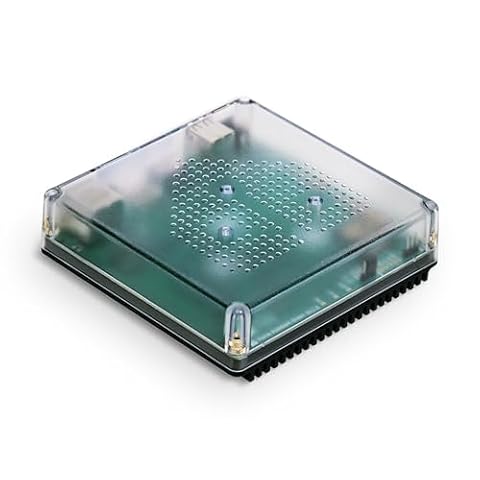
| 3 | SMLIGHT SLZB-MR1 Dual Antenna Hub Best budget | Dual-protocol Zigbee and Thread automation | |
| 4 | LinknLink HomeClaw Gateway Also great | Local Home Assistant and Matter users | |
| 5 | MOES 5-Inch Touchscreen Alexa Hub Best touchscreen | wall-mounted touchscreen control with Alexa | |
| 6 | SONOFF NSPanel Pro 120 Smart Control Panel Also great | Wall-mounted control with large display and Zigbee | |
| 7 | Homey Pro mini Black Hub Best premium | compact multi-protocol automation | |
| 8 | SMLIGHT SLZB-MR4U Dual-Protocol Gateway Also great | Home Assistant users needing dual-protocol support | |
| 9 | SMLIGHT SLZB-MR1U Dual-Protocol Gateway Also great | Dual-protocol Zigbee and Thread automation | |
| 10 | Samsung SmartThings Hub 3rd Generation Also great | mixed Zigbee and Z-Wave device setups | |
| 11 | SMLIGHT SLZB-MR3U Dual-Chip Zigbee Coordinator Also great | Home Assistant users needing high-power dual-antenna coverage | |
| 12 | Somfy TaHoma Switch Gateway Best app control | Somfy RTS and Zigbee motor owners | |
| 13 | HomeSeer Z-NET PRO Zigbee & Z-Wave Hub Also great | mixed Z-Wave and Zigbee networks | |
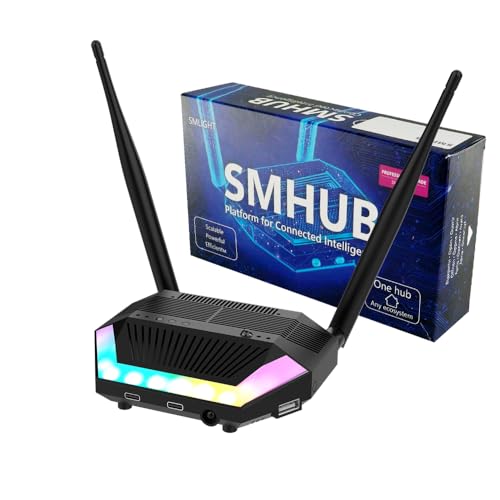
| 14 | LOAMLIN SMHUB Essential Zigbee Hub Also great | Linux-based local control with Zigbee and Thread | |
| 15 | Homey Pro Smart Home Hub Also great | users needing local control and multi-protocol support |
The best fit for you
- You need a Matter bridge with IR control – Aqara Hub M3 Matter Controller – It supports Matter, Thread, and Zigbee with built-in infrared control.
- You want local automation with multi-protocol support – Hubitat Elevation Local Smart Hub – It handles Zigbee and Z-Wave for robust local processing.
- You prefer a wall-mounted touchscreen interface – MOES 5-Inch Touchscreen Alexa Hub – It features a 5-inch touchscreen for direct Alexa and Zigbee control.
- You need strong signal range for Home Assistant – SMLIGHT SLZB-MR1 Dual Antenna Hub – It uses dual antennas and supports Zigbee for better coverage.
- You want a compact model for Matter and Thread – Homey Pro mini Black Hub – It offers Matter and Thread support in a small form factor.

Aqara Hub M3 Matter Controller
Best for: Aqara ecosystem users needing Matter bridge
- Wireless Protocol
- Zigbee, Infrared
- Wireless Protocols
- Zigbee, Thread, Matter, Bluetooth
- Ecosystem Compatibility
- Apple HomeKit, Alexa, SmartThings
- Network Connectivity
- Wi-Fi 2.4/5 GHz, PoE
- Power Supply
- PoE, USB-C
- Device Capacity
- Up to 127 Aqara Zigbee devices
The Aqara M3 is a compact smart home hub supporting Zigbee, Thread, and Matter. It handles up to 127 Aqara Zigbee devices and includes an IR blaster for legacy control. You get dual-band Wi-Fi and PoE for stable connectivity. The 8GB internal storage keeps automations local. It suits users wanting a Matter bridge with built-in infrared capabilities.
- Supports Zigbee, Thread, and Matter protocols
- Includes 360-degree IR blaster with feedback
- Offers PoE and dual-band Wi-Fi connectivity
- Features 8GB encrypted local storage
- Limited to 127 Aqara Zigbee devices
- Third-party Zigbee devices are not supported
- You want a Matter bridge for Home Assistant
- You need local automation with IR control
- You use Aqara Zigbee sensors
- You rely on third-party Zigbee devices
- You require more than 127 Zigbee connections
- You prefer a hub without IR capabilities
Verdict: The Aqara M3 Smart Home Hub fits users who need a Matter bridge with built-in IR control. It works best for those using Aqara Zigbee devices who want local automation.

Hubitat Elevation Local Smart Hub
Best for: Local automation with multi-protocol support
- Wireless Protocol
- Zigbee, Z-Wave
- Wireless Protocols
- Matter, Z-Wave, Zigbee, Bluetooth
- Ecosystem Compatibility
- Alexa, Google Home, Apple HomeKit
- Device Capacity
- 1,000+ devices
- Smart Home Compatibility
- Amazon Alexa, Apple HomeKit, Matter
- Control Method
- Voice Control, Alexa
The Hubitat C-8 Pro handles over 1,000 devices across Zigbee, Z-Wave, Matter, and Bluetooth. It processes automations locally, ensuring instant response and continued operation during internet outages. The unit includes dedicated external antennas for Z-Wave and Zigbee to extend range in larger homes. It works with Alexa, Google Home, and Apple HomeKit. This hub suits users who want privacy and reliable, subscription-free local control.
- Processes automations locally for instant response and offline reliability
- Supports Matter 1.5, Z-Wave 800 Series, Zigbee 3.0, and Bluetooth
- Includes dedicated external antennas for Z-Wave and Zigbee
- Compatible with Alexa, Google Home, and Apple HomeKit
- No recurring subscription required for full functionality
- Weighs 2.56 ounces, which is slightly heavier than some compact alternatives
- Dimensions of 3.23 x 2.95 x 0.67 inches may be bulkier for tight spaces
- Does not include built-in voice assistant hardware like some control panels
- You want local automation that works without internet
- You need support for Matter, Z-Wave, and Zigbee in one device
- You prefer controlling your home via Apple HomeKit or Alexa
- You require a built-in touchscreen display for manual control
- You want a hub that includes a built-in voice assistant
- You prefer a subscription-based cloud automation service
Verdict: The Hubitat C-8 Pro Smart Home Hub delivers robust local automation and multi-protocol support for users who value privacy and reliability. It fits best in homes where offline functionality and extensive device compatibility are priorities.

SMLIGHT SLZB-MR1 Dual Antenna Hub
Best for: Dual-protocol Zigbee and Thread automation
- Wireless Protocol
- Zigbee
- Wireless Protocols
- Zigbee 3.0, Thread
- Ecosystem Compatibility
- Home Assistant, ZHA, Zigbee2MQTT
- Network Connectivity
- Ethernet, USB, WiFi
- Power Supply
- PoE, Type-C
- Wireless Connectivity
- Wi-Fi
The SMLIGHT SLZB-MR1 is a multi-radio coordinator combining Zigbee 3.0 and Thread. It uses two separate antennas with power amplifiers for strong signal coverage. You can connect it via Ethernet, USB, or WiFi, and power it with PoE or Type-C. It works with Home Assistant, ZHA, and Zigbee2MQTT. This compact device suits users who need reliable, wired connectivity and dual-protocol support in a small form factor.
- Dual antennas with 20+dBm power amplifiers
- Supports Zigbee 3.0 and Thread protocols
- Connects via Ethernet, USB, or WiFi
- PoE or Type-C power options
- Weighs 3.17 ounces, heavier than basic adapters
- Height of 0.87 inches adds bulk
- Limited to three network connection modes
- You need dual Zigbee and Thread support
- You prefer PoE or wired Ethernet connections
- You use Home Assistant or Zigbee2MQTT
- You require a display or touch interface
- You need built-in voice assistant features
- You want a single-protocol dedicated adapter
Verdict: The SMLIGHT SLZB-MR1 Dual Antenna Hub fits users who prioritize strong signal range and versatile wired connections for Home Assistant setups.

LinknLink HomeClaw Gateway
Best for: Local Home Assistant and Matter users
- Wireless Protocol
- Zigbee, Z-Wave
- Wireless Protocols
- Matter
- Ecosystem Compatibility
- Apple Home, Alexa, Google Home
- Color
- Black
- Compatible Platform
- Home Assistant
- Wired Connectivity
- USB
The LinknLink HomeClaw Gateway combines a Zigbee and Z-Wave hub with a local Home Assistant server. It supports Matter, Apple Home, Alexa, and Google Home. The device includes an OpenClaw AI agent for automation. Its compact black chassis measures 6.57 by 3.98 by 2.05 inches. You get local processing and remote access via a peer-to-peer tunnel. This setup unifies multi-brand devices into one control center.
- Supports Zigbee, Z-Wave, and Matter protocols
- Runs Home Assistant with one-click container install
- Includes OpenClaw AI for plain-language automation
- Processes data locally for privacy
- Connects via USB wired connectivity
- Smaller physical dimensions than many full-size hubs
- Requires USB wired connectivity instead of Ethernet
- You want local Home Assistant control
- You need Zigbee and Z-Wave support
- You prefer Matter bridge functionality
- You require Ethernet connectivity
- You want a dedicated voice assistant display
Verdict: LinknLink HomeClaw Gateway suits users who want a compact, local-first hub with AI automation. It fits those prioritizing Home Assistant integration and Matter support over traditional Ethernet connectivity.

MOES 5-Inch Touchscreen Alexa Hub
Best for: wall-mounted touchscreen control with Alexa
- Wireless Protocol
- Zigbee
- Wireless Protocols
- Zigbee
- Ecosystem Compatibility
- Alexa, Smart Life
- Network Connectivity
- Wired, wireless
- Power Supply
- TYPE-C, circuit connection
- Smart Home Compatibility
- Amazon Alexa
This MOES unit combines a 5-inch touchscreen with a built-in Zigbee hub and Alexa voice assistant. It supports both wired and wireless network connections and offers Type-C or circuit power supply options. You can control Smart Life devices like switches, bulbs, and locks directly from the panel. The integrated gateway removes the need for a separate hub, making it a compact all-in-one solution for local control.
- 5-inch full touchscreen display for direct device management
- Built-in Alexa voice assistant for hands-free control
- Integrated Zigbee gateway eliminates need for separate hub
- Supports both wired and wireless network connectivity
- Smaller 5-inch screen compared to larger control panels
- Limited to Smart Life and Alexa ecosystem compatibility
- Single power input method via Type-C or circuit
- You want a single wall-mounted device for control and hub functions
- You prefer using a touchscreen interface for daily smart home tasks
- You already use Alexa and Smart Life compatible devices
- You need support for multiple wireless protocols like Z-Wave or Matter
- You require a larger display for detailed home overview
- You want to use a different voice assistant than Alexa
Verdict: MOES Smart Control Panel with 5-Inch Touchscreen fits users who want a compact, all-in-one wall device for local Zigbee control and Alexa voice interaction. It is ideal for those prioritizing a touchscreen interface over broader protocol support.

SONOFF NSPanel Pro 120 Smart Control Panel
Best for: Wall-mounted control with large display and Zigbee
- Wireless Protocol
- Zigbee
- Wireless Protocols
- Zigbee
- Color
- White
- Dimensions
- 4.8 × 3 × 1.7 inches
- Weight
- 7.84 ounces
This SONOFF NSPanel Pro combines a Zigbee hub with a 4.7-inch display. You can control lighting, adjust thermostats, and view live camera feeds from one wall-mounted panel. The device supports energy tracking for compatible devices and offers three customizable security modes with phone notifications. It also allows direct access to saved webpages. This all-in-one unit suits users who want a central control interface with integrated Zigbee connectivity.
- 4.7-inch large display for home control
- Integrated Zigbee gateway for device pairing
- Supports live camera viewing on the panel
- Tracks daily energy consumption for selected devices
- Provides three customizable home security modes
- Single Zigbee protocol limits multi-protocol compatibility
- 4.8-inch length is bulkier than standard switches
- No mention of Matter or Z-Wave support
- You want a wall-mounted panel with a large display
- You need a dedicated Zigbee hub for your devices
- You prefer viewing cameras and energy stats on one screen
- You require Z-Wave or Matter protocol support
- You need a compact device that fits standard switch boxes
- You do not want a large display on your wall
Verdict: SONOFF NSPanel Pro 4.7-inch Smart Hub is a practical choice for users who want a wall-mounted control center with a large display and integrated Zigbee connectivity. It fits homes where visual feedback and single-protocol automation are priorities.

Homey Pro mini Black Hub
Best for: compact multi-protocol automation
- Wireless Protocol
- Zigbee
- Wireless Protocols
- Zigbee, Matter, Thread
- Ecosystem Compatibility
- Apple Siri, Amazon Alexa, Google Home
- Network Connectivity
- Ethernet
- Smart Home Compatibility
- Amazon Alexa, Google Assistant, Apple HomeKit, Matter
- Color
- Black
The Homey Pro mini is a compact smart home hub supporting Zigbee, Matter, and Thread protocols. It connects via Ethernet and processes data locally for privacy. The device integrates with Apple HomeKit, Alexa, and Google Home. It measures 3.9 inches square and 1 inch high. This hub suits users who want multi-protocol support without monthly fees. It handles over 1000 brands through its app.
- Supports Zigbee, Matter, and Thread protocols
- Connects via Ethernet for stable network
- Compatible with Apple HomeKit, Alexa, and Google Home
- Processes data locally for privacy
- No subscription required for features
- Smaller physical size at 1 inch high compared to panel hubs
- Z-Wave requires a separate Homey Bridge accessory
- Limited to 3.9-inch square footprint
- You need a compact hub with Zigbee and Matter support
- You want local data processing for privacy
- You use Apple HomeKit or Google Home
- You require built-in Z-Wave without extra hardware
- You prefer a large wall-mounted control panel
- You need WiFi connectivity instead of Ethernet
Verdict: Homey Pro mini Smart Home Hub offers compact multi-protocol support for users valuing local automation. It fits well in setups prioritizing Matter and Thread over built-in Z-Wave.

SMLIGHT SLZB-MR4U Dual-Protocol Gateway
Best for: Home Assistant users needing dual-protocol support
- Wireless Protocol
- Zigbee
- Wireless Protocols
- Zigbee, Thread, Matter
- Ecosystem Compatibility
- Home Assistant
- Network Connectivity
- Ethernet, USB, Wi-Fi
- Power Supply
- PoE, Type-C
- Color
- Black
This gateway combines Zigbee and Thread support in one compact unit. It uses dual antennas with power amplifiers to boost signal range. You can connect it via Ethernet, USB, or Wi-Fi. Power options include PoE or Type-C. It works with Home Assistant and Zigbee2MQTT. This device suits users who need flexible connectivity and strong wireless performance for their smart home network.
- Supports both Zigbee and Thread protocols
- Dual antennas with 20+dBm power amplifiers
- Connect via Ethernet, USB, or Wi-Fi
- Power via PoE or Type-C
- Limited to Home Assistant ecosystem compatibility
- Experimental Matter-over-Thread support only
- You need a dual-protocol coordinator for Zigbee and Thread
- You prefer wired Ethernet or PoE connectivity
- You use Home Assistant or Zigbee2MQTT
- You require a mature, stable Matter implementation
- You need broad ecosystem compatibility beyond Home Assistant
- You want a plug-and-play solution without configuration
Verdict: SMLIGHT SLZB-MR4U Dual-Protocol Gateway fits users building a Home Assistant network who need strong signal coverage via dual antennas and flexible power options. It is ideal for those comfortable with technical setup who want to bridge both Zigbee and Thread devices.

SMLIGHT SLZB-MR1U Dual-Protocol Gateway
Best for: Dual-protocol Zigbee and Thread automation
- Wireless Protocol
- Zigbee
- Wireless Protocols
- Zigbee 3.0, Thread, Matter
- Ecosystem Compatibility
- Home Assistant, ZHA, Zigbee2MQTT
- Network Connectivity
- LAN Ethernet, USB, WiFi
- Power Supply
- PoE, USB Type-C
- Wireless Connectivity
- Wi-Fi
This SMLIGHT gateway combines Zigbee 3.0 and Thread support in a single compact unit. It uses dual CC2652P7 and EFR32MG21 chips to handle both networks simultaneously. You can connect via LAN, USB, or WiFi, and power it with PoE or USB-C. The device features high-gain antennas for strong signal coverage. It integrates directly with Home Assistant and Zigbee2MQTT for reliable local automation.
- Dual-antenna design with 20+dBm power amplifiers for extended range
- Supports both Zigbee 3.0 and Thread protocols simultaneously
- Flexible connectivity via LAN, USB, or WiFi
- PoE or USB-C power options for easy installation
- Compatible with Home Assistant and Zigbee2MQTT ecosystems
- Compact dimensions of 4.17 x 0.94 x 0.87 inches limit internal component spacing
- Relies on experimental Matter-over-Thread support rather than native full-stack Matter
- Requires specific firmware configuration to switch between connection modes
- You need a single device to manage both Zigbee and Thread networks
- You prefer PoE power for a clean installation without extra adapters
- You use Home Assistant or Zigbee2MQTT for local automation
- You require a pre-configured plug-and-play solution without firmware setup
- You need native Matter support over Zigbee rather than Thread
- You prefer a larger hub with more physical control buttons
Verdict: SMLIGHT SLZB-MR1U Dual-Protocol Gateway is ideal for users building a dual-protocol smart home with Home Assistant. Its dual-chip architecture and flexible power options make it a robust coordinator for advanced automation setups.

Samsung SmartThings Hub 3rd Generation
Best for: mixed Zigbee and Z-Wave device setups
- Wireless Protocol
- Zigbee, Z-Wave
- Wireless Protocols
- Zigbee, Z-Wave
- Ecosystem Compatibility
- Alexa, Google Home
- Smart Home Compatibility
- Amazon Alexa, Google Assistant
- Color
- White
- Compatible Platform
- SmartThings
The Samsung SmartThings Hub 3rd Generation connects Zigbee and Z-Wave devices to your home network. It supports Alexa and Google Home ecosystems for voice control. The unit measures 5 by 5 inches with a height of 1.2 inches and weighs 8 ounces. You can manage automation routines through the SmartThings app. This hub suits users who need dual-protocol support in a compact, white design.
- Supports both Zigbee and Z-Wave wireless protocols
- Compatible with Amazon Alexa and Google Home
- Compact dimensions of 5 by 5 inches
- Lightweight build at 8 ounces
- Supports only Alexa and Google Home, excluding Apple Home
- Single protocol count of two limits future expansion compared to hubs with more options
- You want to control both Zigbee and Z-Wave devices
- You use Alexa or Google Home for voice commands
- You prefer a small, white hub for discreet placement
- You require Apple HomeKit compatibility
- You need support for more than two wireless protocols
- You want a hub with a larger display or local processing
Verdict: Samsung SmartThings Hub 3rd Gen offers dual-protocol connectivity for Alexa and Google Home users. It fits homes with mixed Zigbee and Z-Wave devices that prioritize app-based control over local automation depth.

SMLIGHT SLZB-MR3U Dual-Chip Zigbee Coordinator
Best for: Home Assistant users needing high-power dual-antenna coverage
- Wireless Protocol
- Zigbee
- Wireless Protocols
- Zigbee 3.0, Thread, Matter
- Ecosystem Compatibility
- Home Assistant, ZHA, Zigbee2MQTT
- Network Connectivity
- LAN Ethernet, USB, WiFi
- Power Supply
- PoE, USB Type-C
- Wireless Connectivity
- Wi-Fi
This gateway supports Zigbee 3.0 and Thread networks using two separate chips: the CC2652P10 and EFR32MG24. It features dual antennas with 5 dBi gain and 20+ dBm power amplifiers for strong signal coverage. You can connect via LAN Ethernet, USB, or WiFi, and power it with PoE or USB-C. It works with Home Assistant, ZHA, and Zigbee2MQTT, making it a flexible option for complex smart home setups.
- Dual-chip design supports both Zigbee 3.0 and Thread protocols
- Dual antennas provide 5 dBi gain and 20+ dBm output
- Connects via LAN, USB, or WiFi with PoE or USB-C power
- Compatible with Home Assistant, ZHA, and Zigbee2MQTT
- At 6.1 inches long, it is bulkier than compact USB adapters
- Experimental Matter-over-Thread support may lack stability
- Requires external server integration for full functionality
- You need robust signal coverage with high-power antennas
- You run Home Assistant with Zigbee2MQTT or ZHA
- You require PoE power for stable installation
- You prefer a simple plug-and-play USB dongle
- You need a fully mature Matter implementation
- You want a compact device under 3 inches
Verdict: SMLIGHT SLZB-MR3U Dual-Chip Zigbee Coordinator suits users who need high-power dual-antenna coverage for Home Assistant. It fits those who want flexible wiring and power options for reliable network stability.

Somfy TaHoma Switch Gateway
Best for: Somfy RTS and Zigbee motor owners
- Wireless Protocol
- Zigbee
- Wireless Protocols
- RTS, Zigbee 3.0
- Ecosystem Compatibility
- Amazon Alexa, Google Assistant, HomeKit
- Network Connectivity
- 2.4 GHz Wi-Fi
- Device Capacity
- 40 RTS channels
- Color
- White
The Somfy TaHoma Switch is a smart home hub designed for window coverings. It supports RTS and Zigbee 3.0 protocols. You can manage up to 40 RTS channels via the TaHoma app. The device connects through 2.4 GHz Wi-Fi. It integrates with Apple HomeKit, Amazon Alexa, and Google Assistant. This hub suits users with Somfy motors who want centralized app control and scheduling.
- Supports 40 RTS channels for whole-home shading
- Compatible with Zigbee 3.0 motors for advanced control
- Integrates with Apple HomeKit, Alexa, and Google Assistant
- Allows custom scenes and daily schedules via app
- Zigbee motor pairing requires a Somfy expert professional
- Ethernet connectivity needs a separate adapter
- Limited to 40 RTS channels compared to other hubs
- You own Somfy RTS motors and want app control
- You have Zigbee Somfy motors and use an installer
- You want Apple HomeKit integration for shading
- You want to pair Zigbee motors yourself
- You need Ethernet connectivity without extra parts
- You do not use Somfy motors
Verdict: The Somfy TaHoma Switch Gateway is a specialized hub for Somfy motor owners. It fits buyers who have professional installers for Zigbee devices and want app-based shading control.

HomeSeer Z-NET PRO Zigbee & Z-Wave Hub
Best for: mixed Z-Wave and Zigbee networks
- Wireless Protocol
- Zigbee, Z-Wave
- Wireless Protocols
- Z-Wave 800 series, Zigbee 3.0
- Ecosystem Compatibility
- HomeSeer, Home Assistant, openHAB
- Network Connectivity
- Ethernet, Wi-Fi
- Dimensions
- 2.9 × 2.8 × 1 inches
The HomeSeer Z-NET PRO is a dual-protocol hub supporting Zigbee 3.0 and Z-Wave 800 series. It connects via Ethernet or Wi-Fi, allowing flexible placement for better mesh performance. The device features S2 Security and SmartStart for secure pairing. It integrates with HomeSeer, Home Assistant, and openHAB platforms. This hub suits users needing stable, long-range control for mixed smart home ecosystems without relying on USB connections.
- Supports Z-Wave 800 series and Zigbee 3.0 protocols
- Connects via Ethernet or Wi-Fi for central placement
- Includes Z-Wave S2 Security and SmartStart pairing
- Compatible with Home Assistant, openHAB, and HomeSeer
- Supports only three automation platforms
- Requires separate hub for full automation logic
- Physical dimensions are 2.8 by 2.9 by 1 inches
- You need Z-Wave 800 series range with Zigbee
- You want to place the radio centrally via Wi-Fi
- You use Home Assistant or openHAB for automation
- You only use Zigbee and do not need Z-Wave
- You require a single device for all automation logic
- You prefer a USB dongle for simple setup
Verdict: The HomeSeer Z-NET PRO Zigbee & Z-Wave Hub fits users who need reliable, long-range Z-Wave 800 series connectivity alongside Zigbee 3.0 in a network-connected form factor.
LOAMLIN SMHUB Essential Zigbee Hub
Best for: Linux-based local control with Zigbee and Thread
- Wireless Protocol
- Zigbee
- Wireless Protocols
- Zigbee, Thread, Bluetooth
- Ecosystem Compatibility
- Google Home, Apple Home, Home Assistant
- Smart Home Compatibility
- Google Assistant, Apple HomeKit
- Wireless Connectivity
- Wi-Fi
- Compatible Platform
- Zigbee2MQTT
The LOAMLIN SMHUB Essential is a professional-grade hub running a Linux-based system. It supports Zigbee, Thread, and Bluetooth protocols. The device hosts apps like Zigbee2MQTT and Matterbridge locally. This allows direct integration with Google Home and Apple Home. It includes an IR receiver and transmitter. The hub is designed for stability and local control without relying on external servers.
- Supports Zigbee, Thread, and Bluetooth protocols
- Runs Linux-based system for local app hosting
- Includes IR receiver and transmitter
- Compatible with Google Home and Apple Home
- Requires separate purchase for Z-Wave expansion module
- Requires separate purchase for 4G/LTE expansion module
- You want to run open-source apps locally on a Linux system
- You need direct integration with Google Home or Apple Home via Matterbridge
- You require built-in IR control for legacy devices
- You need Z-Wave support without buying an additional expansion module
- You prefer a plug-and-play device without Linux configuration
- You require built-in 4G/LTE connectivity without extra hardware
Verdict: The LOAMLIN SMHUB Essential Zigbee Hub suits users who want a Linux-based hub for local app hosting and direct Google or Apple Home integration. It is ideal for those willing to purchase expansion modules for Z-Wave or 4G/LTE.

Homey Pro Smart Home Hub
Best for: users needing local control and multi-protocol support
- Wireless Protocol
- Zigbee, Z-Wave, Infrared
- Wireless Protocols
- Zigbee, Z-Wave Plus, BLE, Matter, Thread
- Ecosystem Compatibility
- Siri, Alexa, Google Home
- Smart Home Compatibility
- Amazon Alexa, Google Assistant, Apple HomeKit, Matter
- Wireless Connectivity
- Wi-Fi
- Dimensions
- 5.04 × 5.04 × 1.57 inches
Homey Pro unifies your smart home using Zigbee, Z-Wave Plus, Matter, Thread, BLE, Wi-Fi, and Infrared. It processes data locally on-premise, minimizing cloud dependency. The hub supports over 50,000 devices from more than 1,000 brands. You can manage energy usage and create automations via the app or web interface. Its compact 5.04-inch square design fits discreetly in your home.
- Supports seven wireless protocols including Zigbee, Z-Wave Plus, and Matter
- Processes all data locally on-premise for privacy and reliability
- Compatible with Siri, Alexa, and Google Home ecosystems
- Supports over 50,000 devices from more than 1,000 brands
- Larger 5.04-inch square footprint compared to compact adapters
- Requires Wi-Fi for connectivity rather than direct Ethernet
- You want a local-first hub with minimal cloud dependency
- You need support for multiple protocols like Z-Wave and Matter
- You manage a large ecosystem of diverse smart devices
- You prefer a small USB adapter over a standalone hub
- You require direct Ethernet connectivity for your hub
- You only need basic Zigbee support without other protocols
Verdict: Homey Pro Smart Home Hub offers extensive protocol support and local processing for complex setups. It suits users managing diverse devices who prioritize local control over compact form factors.
Specifications side by side
| Spec | Aqara Hub M3 Matter Controller | Hubitat Elevation Local Smart Hub | SMLIGHT SLZB-MR1 Dual Antenna Hub | LinknLink HomeClaw Gateway | MOES 5-Inch Touchscreen Alexa Hub | SONOFF NSPanel Pro 120 Smart Control Panel | Homey Pro mini Black Hub | SMLIGHT SLZB-MR4U Dual-Protocol Gateway | SMLIGHT SLZB-MR1U Dual-Protocol Gateway | Samsung SmartThings Hub 3rd Generation | SMLIGHT SLZB-MR3U Dual-Chip Zigbee Coordinator | Somfy TaHoma Switch Gateway | HomeSeer Z-NET PRO Zigbee & Z-Wave Hub | LOAMLIN SMHUB Essential Zigbee Hub | Homey Pro Smart Home Hub |
|---|---|---|---|---|---|---|---|---|---|---|---|---|---|---|---|
| Wireless Protocols | Zigbee, Thread, Matter, Bluetooth | Matter, Z-Wave, Zigbee, Bluetooth | Zigbee 3.0, Thread | Matter | Zigbee | Zigbee | Zigbee, Matter, Thread | Zigbee, Thread, Matter | Zigbee 3.0, Thread, Matter | Zigbee, Z-Wave | Zigbee 3.0, Thread, Matter | RTS, Zigbee 3.0 | Z-Wave 800 series, Zigbee 3.0 | Zigbee, Thread, Bluetooth | Zigbee, Z-Wave Plus, BLE, Matter, Thread |
| Ecosystem Compatibility | Apple HomeKit, Alexa, SmartThings | Alexa, Google Home, Apple HomeKit | Home Assistant, ZHA, Zigbee2MQTT | Apple Home, Alexa, Google Home | Alexa, Smart Life | – | Apple Siri, Amazon Alexa, Google Home | Home Assistant | Home Assistant, ZHA, Zigbee2MQTT | Alexa, Google Home | Home Assistant, ZHA, Zigbee2MQTT | Amazon Alexa, Google Assistant, HomeKit | HomeSeer, Home Assistant, openHAB | Google Home, Apple Home, Home Assistant | Siri, Alexa, Google Home |
| Network Connectivity | Wi-Fi 2.4/5 GHz, PoE | – | Ethernet, USB, WiFi | – | Wired, wireless | – | Ethernet | Ethernet, USB, Wi-Fi | LAN Ethernet, USB, WiFi | – | LAN Ethernet, USB, WiFi | 2.4 GHz Wi-Fi | Ethernet, Wi-Fi | – | – |
| Power Supply | PoE, USB-C | – | PoE, Type-C | – | TYPE-C, circuit connection | – | – | PoE, Type-C | PoE, USB Type-C | – | PoE, USB Type-C | – | – | – | – |
| Device Capacity | Up to 127 Aqara Zigbee devices | 1,000+ devices | – | – | – | – | – | – | – | – | – | 40 RTS channels | – | – | – |
| Internal Storage | 8GB | – | – | – | – | – | – | – | – | – | – | – | – | – | – |
| Smart Home Compatibility | Amazon Alexa, Apple HomeKit, Matter | Amazon Alexa, Apple HomeKit, Matter | – | Matter | Amazon Alexa | – | Amazon Alexa, Google Assistant, Apple HomeKit, Matter | – | – | Amazon Alexa, Google Assistant | – | – | – | Google Assistant, Apple HomeKit | Amazon Alexa, Google Assistant, Apple HomeKit, Matter |
| Wireless Connectivity | Wi-Fi | – | Wi-Fi | – | – | – | – | Wi-Fi | Wi-Fi | – | Wi-Fi | Wi-Fi | Wi-Fi | Wi-Fi | Wi-Fi |
| Color | Black | – | Black | Black | Black | White | Black | Black | SLZB-MR1U:2SOCs CC2652P7 & EFR32MG | White | SLZB-MR3U:2SOCs CC2652P10 & EFR32MG24 | White | White / Blue | SMHUB | Black/Grey |
| Connectivity | Bluetooth, Thread | Bluetooth | – | – | – | – | Thread | Wireless | Wireless | – | Wireless | – | – | Bluetooth, Thread | Thread |
| Keypad Type | – | – | – | – | Touchscreen | – | – | – | – | – | – | – | – | – | – |
| Wireless Protocol | Zigbee, Infrared | Zigbee, Z-Wave | Zigbee | Zigbee, Z-Wave | Zigbee | Zigbee | Zigbee | Zigbee | Zigbee | Zigbee, Z-Wave | Zigbee | Zigbee | Zigbee, Z-Wave | Zigbee | Zigbee, Z-Wave, Infrared |
| Compatible Platform | Home Assistant, SmartThings | – | Home Assistant, Zigbee2MQTT | Home Assistant | – | – | – | Home Assistant, Zigbee2MQTT | Home Assistant, Zigbee2MQTT | SmartThings | Home Assistant, Zigbee2MQTT | – | Home Assistant | Zigbee2MQTT | – |
| Control Method | Alexa | Voice Control, Alexa | – | – | Voice Control, Alexa | – | Alexa | – | – | Alexa | – | App Control, Voice Control | – | – | Alexa |
| Wired Connectivity | PoE | – | PoE, Ethernet, USB | USB | – | – | Ethernet | PoE, Ethernet, USB | PoE, Ethernet, USB | – | PoE, Ethernet, USB | – | Ethernet | – | – |
| Compatibility | Apple Home | Google Home, Apple Home | – | – | – | – | Google Home | – | – | Google Home | – | – | – | Google Home, Apple Home | Google Home |
| Dimensions | 4.13 × 1.42 × 4.13 inches | 2.95 × 3.23 × 0.67 inches | – | 6.57 × 3.98 × 2.05 inches | 1 × 1 × 1 inches | 4.8 × 3 × 1.7 inches | 3.9 × 3.9 × 1 inches | 6.1 × 0.94 × 0.98 inches | 4.17 × 0.94 × 0.87 inches | 5 × 5 × 1.2 inches | 6.1 × 0.94 × 0.98 inches | 7.52 × 4.49 × 3.58 inches | 2.9 × 2.8 × 1 inches | – | 5.04 × 5.04 × 1.57 inches |
| Weight | 6 ounces | 2.56 ounces | 3.17 ounces | – | – | 7.84 ounces | – | 2.88 ounces | – | 8 ounces | 2.88 ounces | – | – | – | – |
| Size | Small | C-8 Pro | SLZB-MR1:2SOCs CC2652P7 & EFR32MG | – | Wall Display Control Panel | – | – | – | – | 1 Count (Pack of 1) | 6.1 x 0.94 x 0.98 inches | – | – | SMHUB Essential – SOC:CC2652P + EFR32MG21 | – |
| Model | HM-G01E | C8 Pro | – | HomeClaw | CCP-US-MS | NSPanel120PW | HOMEY-PRO-MINI-US-01 | SLZB-MR4 | SLZB-MR4U: CC2674P10 + EFR32MG26 | GP-U999SJVLGDA | SLZB-MR4 | 1871037 | Z-NET PRO | – | HOMEY-PRO-US-03 |
If you need a dedicated coordinator, compare the best zigbee smart home controllers by hardware specifications.
Key Specs for Choosing Your Hub
Check Matter and Thread support
Matter and Thread provide a modern foundation for device interoperability. The Aqara Hub M3 includes both protocols alongside Zigbee. This combination allows you to connect newer devices that rely on Thread while maintaining control over legacy Zigbee sensors. If you plan to expand your system with future-proof devices, prioritize hubs that list these specific connectivity standards in their attributes. This ensures seamless communication across different manufacturers without relying on cloud intermediaries.
Verify local automation capability
Local processing keeps your automations running even when your internet connection fails. The Hubitat Elevation Hub is designed specifically for this reliability. It processes Zigbee and Z-Wave commands directly on the device. This matters for critical systems like security or climate control. You should look for hubs that emphasize local execution in their descriptions. This feature reduces latency and increases the overall stability of your smart home network during outages.
Assess wired connectivity options
Wired connections offer greater stability than wireless-only setups. The SMLIGHT SLZB-MR1 supports Power over Ethernet, which simplifies installation by providing both power and data through a single cable. The Homey Pro mini uses a standard Ethernet port for network access. If you place your hub in a basement or utility closet, these wired options prevent signal interference. Check the wired connectivity field to see if your preferred hub supports the cabling infrastructure in your home.
Review touchscreen interface needs
A physical interface can simplify daily interactions. The MOES 5-Inch Touchscreen Alexa Hub places control directly on the wall. It features a dedicated touchscreen for managing Zigbee devices without needing a phone. The SONOFF NSPanel Pro offers a 4.7-inch display for visual feedback. If you prefer tactile control or want a central dashboard in your kitchen, these models provide a dedicated screen. Evaluate whether you need a visual interface or if app control suffices for your routine.
Match platform compatibility
Your existing ecosystem dictates which hub will integrate smoothly. The Homey Pro mini supports Amazon Alexa, Google Assistant, and Apple HomeKit. The Samsung SmartThings Hub focuses on Alexa and Google Home. If you use Home Assistant, the SMLIGHT SLZB-MR4U is optimized for that platform. Check the compatible platform attributes before purchasing. Ensuring your hub speaks the same language as your current assistants prevents configuration headaches and ensures consistent voice control across all devices.
Frequently asked questions
Can a smart home hub with Zigbee control Z-Wave devices?
Only hubs that explicitly list Z-Wave in their wireless protocols can manage those devices. The Hubitat Elevation C-8 Pro and Samsung SmartThings Hub 3rd Gen support both Zigbee and Z-Wave. The Aqara Hub M3 does not include Z-Wave, so it cannot connect to Z-Wave sensors or switches. You must verify the protocol list before buying.
Do I need an Ethernet connection for a Zigbee hub?
Many modern hubs offer flexible wiring options to ensure stable connectivity. The SMLIGHT SLZB-MR1U and Homey Pro mini both support Ethernet or PoE for a wired link. Other models like the Hubitat C-8 Pro rely on Wi-Fi or Bluetooth for network access. You can choose based on your home network setup.
Which Zigbee hub works best with Home Assistant?
Several hubs are designed specifically for Home Assistant integration. The SMLIGHT SLZB-MR1U and LinknLink HomeClaw Gateway are compatible with Home Assistant and Zigbee2MQTT. The LOAMLIN SMHUB Essential also supports direct integration. These options provide local processing and robust automation capabilities for advanced users.
Can I use a Zigbee hub without a smartphone app?
Some hubs allow local control through third-party platforms rather than proprietary apps. The Hubitat Elevation C-8 Pro and Homey Pro mini support local automation without requiring cloud-dependent apps. The Aqara Hub M3 also enables local processing for Aqara devices. You can manage your home directly through compatible interfaces.
Does Zigbee support Matter and Thread protocols?
Yes, newer hubs combine Zigbee with Matter and Thread for broader compatibility. The Aqara Hub M3 includes Zigbee, Matter, and Thread connectivity. The Homey Pro mini also supports Thread alongside Zigbee. These protocols help your devices communicate more reliably across different ecosystems.
Are there wall-mounted Zigbee hubs with touchscreens?
You can install hubs with built-in displays for direct control. The MOES 5-Inch Touchscreen Alexa Hub features a dedicated touchscreen interface. The SONOFF NSPanel Pro offers a 4.7-inch display for wall mounting. These devices let you manage Zigbee devices visually without relying solely on voice commands or phones.