Western Digital Computers & Networking
Western Digital 2TB NVMe SSD Lineup: Speed and Endurance Compared
Selecting the right western digital nvme 2tb drive comes down to balancing raw sequential transfer rates, bus interface generations, and sustained write endurance against your specific workload. Content creators rendering complex timelines, vloggers offloading high-bitrate video footage, and power users configuring local server storage all place radically different demands on flash memory. A drive that…

As Amazon Associates, we earn from qualifying purchases. This means we may receive a small commission at no extra cost to you if you click through and make a purchase.
Selecting the right western digital nvme 2tb drive comes down to balancing raw sequential transfer rates, bus interface generations, and sustained write endurance against your specific workload. Content creators rendering complex timelines, vloggers offloading high-bitrate video footage, and power users configuring local server storage all place radically different demands on flash memory. A drive that excels as a power-efficient secondary storage option inside a travel laptop might quickly thermal throttle or run through its endurance lifecycle if deployed as a high-intensity network cache. Matching the appropriate solid-state architecture to your hardware configuration ensures snappy application responsiveness, prevents dropped frames during playback, and protects media assets over years of daily production.
This western digital nvme ssd comparison analyzes exactly four distinct 2TB internal storage solutions from the manufacturer: the Western Digital 2TB WD Blue SN5000, the Western Digital 2TB WD Green SN350, the Western Digital 2TB WD Blue SN580, and the Western Digital 2TB WD Red SN700. While all four units share the compact M.2 2280 form factor, they differ substantially across crucial metrics such as PCIe generation, maximum read throughput, onboard controller technologies, and intended deployment environments. Understanding how these drives differ allows you to choose the best western digital 2tb ssd without overspending on features your host system cannot leverage or compromising on endurance where heavy file transfers are concerned.
Which Western Digital NVMe SSDs Should You Buy
All 4 models on this page, side by side
| Model | Buyer rating | Listing |
|---|---|---|
01 Western Digital 2TB WD Blue SN5000 Western Digital 2TB WD Blue SN5000 |
Price | |
02 Western Digital 2TB WD Green SN350 Western Digital 2TB WD Green SN350 |
Price | |
03 Western Digital 2TB WD Blue SN580 Western Digital 2TB WD Blue SN580 |
Price | |
04 Western Digital 2TB WD Red SN700 Western Digital 2TB WD Red SN700 |
Price |
Prices and ratings are read from the Amazon product listing and change there, not here. Every rating is the average left by Amazon buyers, not a score from this site.
Why each one is on the list
- Western Digital 2TB WD Blue SN5000: Best for mainstream video editors, digital artists, and multitaskers seeking modern PCIe Gen 4 performance with peak read speeds reaching 5,150 MB/s.
- Western Digital 2TB WD Green SN350: Best for general computing tasks, light productivity, and simple computer upgrades requiring a reliable PCIe Gen 3 replacement for mechanical drives or legacy SATA storage.
- Western Digital 2TB WD Blue SN580: Best for mobile content creators and laptop users looking for balanced PCIe Gen 4 read speeds up to 4,150 MB/s paired with high write endurance and power-conscious efficiency.
- Western Digital 2TB WD Red SN700: Best for NAS enthusiasts, small business teams, and multi-user environments that demand 24/7 always-on reliability, virtualization support, and high-frequency caching.
01 Western Digital 2TB WD Blue SN5000
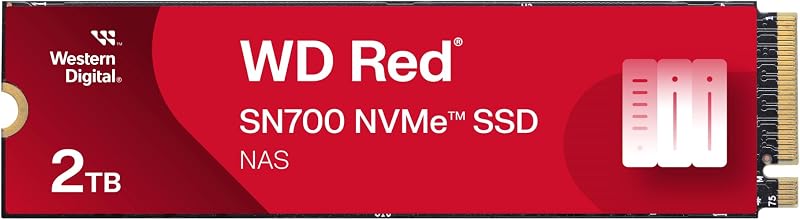
Best for NAS caching and 24/7 collaborative environments
Pros
- Engineered for 24/7 NAS environments
- Up to 3,400 MB/s data transfer
- Optimized for multi-user virtualization
Cons
- PCIe Gen 3 interface

Best for Laptop video editors needing power efficiency
Pros
- Up to 4,150 MB/s read rate
- Robust 900TBW endurance rating
- 5-year limited manufacturer warranty
Cons
- Slower sequential reads than SN5000
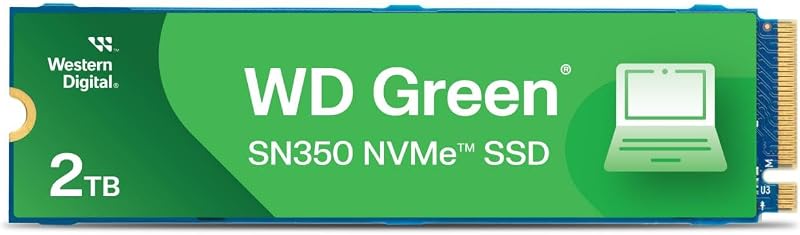
Best for Everyday computing and budget drive upgrades
Pros
- Up to 3,200 MB/s transfer speed
- Slim M.2 2280 form factor
- Shock-resistant solid state build
Cons
- PCIe Gen 3 architecture
- Shorter 3-year limited warranty
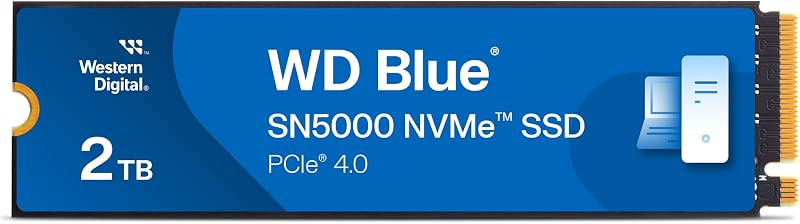
Best for High-speed creative multitasking and AI workflows
Pros
- Up to 5,150 MB/s read speed
- PCIe Gen 4 with nCache 4.0
- Free Acronis migration software download
Cons
- Lacks integrated hardware heatsink
The Western Digital 2TB WD Blue SN5000 serves as a high-efficiency PCIe Gen 4 storage solution engineered specifically to accelerate content creation and multitasking across modern personal computers. Offering read speeds reaching up to 5,150 MB/s alongside media transfer speeds up to 4,850 MB/s, this drive substantially shortens file export times and improves timeline responsiveness when handling multi-stream media assets. Designed to fuel modern creative suites and AI-assisted workflows, it minimizes bottlenecks when switching between digital illustration software, video editing suites, and resource-heavy background processes.
At the center of its performance profile is Western Digital nCache 4.0 technology, an architecture designed to maintain responsive handling during sustained file transfers. Content creators moving raw camera clips from camera media or offloading high-capacity working folders to a western digital ssd external device will find that the drive maintains smooth throughput during substantial data shifts. Western Digital also bundles a free download of Acronis True Image for Western Digital, enabling straightforward system cloning, operating system migration, and complete backup routines without third-party utility software.
This model is ideal for creative professionals, visual effects hobbyists, and PC builders assembling a modern creative workstation on a PCIe Gen 4 motherboard. When deciding which western digital nvme 2tb to buy for demanding daily production, the SN5000 stands above the older SN580 and entry-tier SN350 in pure sequential throughput. However, creators running continuous multi-user storage arrays will want to pass on this model in favor of enterprise or network-specialized hardware built specifically for around-the-clock write cycles.
- Delivers PCIe Gen 4 read performance up to 5,150 MB/s for fluid file transfers and multitasking
- Incorporates proprietary Western Digital nCache 4.0 technology to streamline application responsiveness
- Features a standard M.2 2280 form factor compatible with desktop motherboards and modern laptops
- Includes downloadable Acronis True Image for Western Digital software for streamlined drive migration
02 Western Digital 2TB WD Green SN350
The Western Digital 2TB WD Green SN350 is designed as an accessible entry point into modern solid-state performance, targeting everyday personal computing, academic tasks, and general office productivity. Operating across a PCIe Gen 3 interface, the drive provides read speeds up to 3,200 MB/s and media transfer speeds up to 3,000 MB/s. These figures represent a massive speed uplift over older SATA solid-state units and traditional mechanical drives, delivering noticeably quicker system startup, rapid application initialization, and snappy web browsing.
Because solid-state drives contain no internal moving parts, the SN350 provides inherent shock resistance against accidental bumps, vibrations, and minor drops, making it a reliable storage component inside portable laptop enclosures. Western Digital provides drive management support via the downloadable Western Digital SSD Dashboard, a specialized utility that allows users to monitor operating temperature, remaining drive health, and firmware versions in real time. The hardware package is backed by a manufacturer 3-year limited warranty for peace of mind across daily computing duties.
This drive is best suited for students, home office workers, and everyday users seeking to revitalize an older computer that features an open M.2 NVMe slot. While the 2TB capacity provides ample space for personal photo libraries, office documents, and light multimedia projects, the drive relies on PCIe Gen 3 speeds and QLC flash technology. As a result, users handling heavy wd 2tb nvme video editing projects or sustained 4K rendering will find superior endurance and faster write caching by stepping up to the WD Blue or WD Red product families.
- Achieves fast daily computing throughput with PCIe Gen 3 read speeds up to 3,200 MB/s
- Offers physical shock resistance with a solid-state architecture devoid of moving components
- Supported by the Western Digital SSD Dashboard utility to monitor real-time health and usage
- Built in a slim M.2 2280 profile suited for quick installation in desktop and mobile systems
03 Western Digital 2TB WD Blue SN580
The Western Digital 2TB WD Blue SN580 balances modern PCIe Gen 4 x4 transfer speeds with aggressive power efficiency, making it an exceptional internal storage component for mobile workstations and creator laptops. Delivering read speeds up to 4,150 MB/s and matching media transfer rates of 4,150 MB/s, this drive delivers the rapid responsiveness necessary for complex workflows, including photo editing, music production, and 4K footage editing. Its low-power operational profile is carefully calibrated to preserve host laptop battery life, enabling mobile creators to continue editing away from power outlets.
Endurance remains a distinct strength for this model, carrying an impressive endurance rating of up to 900TBW on the 2TB model alongside a manufacturer 5-year limited warranty. Western Digital integrates its nCache 4.0 technology to ensure fast copying of large media assets and heavy project folders without stalling system input. Like its newer sibling, the SN580 includes access to Acronis migration software, allowing users to clone existing operating systems and data drives seamlessly without needing clean system reinstalls.
This model is the ideal match for traveling vloggers, photographers, and indie video creators who require a proven balance of long-term endurance, reliable read throughput, and battery-friendly operation. In a wd m.2 2280 2tb comparison, the SN580 easily outpaces the SN350 across every creative metric while providing higher rated endurance figures than general-purpose budget drives. It only yields ground to the newer WD Blue SN5000 when absolute peak read speeds are required for cutting-edge AI software or heavy multi-layer video timelines.
- Reaches sequential read speeds up to 4,150 MB/s on a modern PCIe Gen 4 x4 bus
- Provides heavy-duty reliability with a 900TBW endurance rating on the 2TB model
- Engineered with low-power operational technology to extend notebook battery runtimes
- Supported by Western Digital nCache 4.0 and a 5-year limited manufacturer warranty
04 Western Digital 2TB WD Red SN700
The Western Digital 2TB WD Red SN700 occupies a specialized position in the lineup, engineered from the controller level up for 24/7 operational environments and network-attached storage architectures. Operating across a robust PCIe Gen 3 interface, this high-endurance caching drive delivers read speeds up to 3,400 MB/s and media speeds up to 2,900 MB/s. Instead of targeting short bursts of personal productivity, the SN700 focuses on exceptional input/output responsiveness and consistent I/O performance under continuous, multi-user read and write demands.
In collaborative creative environments, video editing teams often access centralized project libraries simultaneously across shared servers. The SN700 is engineered to tame these demanding workloads, excelling at random multi-client access, database management, virtual machine hosting, and high-frequency caching. When deployed alongside high-capacity array configurations like a western digital 20 tb external hard drive or within a dedicated multi-bay enclosure, this NVMe drive acts as a responsive intermediary tier that accelerates frequently requested assets and reduces access latency.
This drive is strictly recommended for network administrators, media production studios, and home lab enthusiasts configuring NAS caching or dedicated virtualized pools. Users comparing a broader wd external nas setup will appreciate how the SN700 handles intense, always-on random workloads without succumbing to thermal or sustained write degradation. However, for a single-user desktop gaming PC or a standard productivity laptop, a client-focused drive like the SN5000 or SN580 provides higher peak sequential read throughput at a better targeted feature set.
- Engineered specifically for NAS devices, multi-user access, and 24/7 always-on reliability
- Achieves up to 3,400 MB/s read speeds to drastically cut network storage access latencies
- Optimized for intensive business tasks including virtualization and collaborative video editing
- Maintains steady I/O performance under severe, sustained random read and write traffic
What Sets These Models Apart
| Model | Bus Interface | Max Read Speed | Form Factor | Target Application |
|---|---|---|---|---|
| Western Digital 2TB WD Blue SN5000 | PCIe Gen 4.0 x4 | Up to 5,150 MB/s | M.2 2280 | Creative workstations, AI tasks, heavy multitasking |
| Western Digital 2TB WD Green SN350 | PCIe Gen 3.0 | Up to 3,200 MB/s | M.2 2280 | Daily PC computing, basic office tasks, SATA replacement |
| Western Digital 2TB WD Blue SN580 | PCIe Gen 4.0 x4 | Up to 4,150 MB/s | M.2 2280 | Mobile video editing, laptop battery efficiency, 900TBW workloads |
| Western Digital 2TB WD Red SN700 | PCIe Gen 3.0 | Up to 3,400 MB/s | M.2 2280 | 24/7 NAS caching, virtualization, collaborative multi-user editing |
Buying Tips for Western Digital NVMe SSDs
Before purchasing an M.2 NVMe solid-state drive, verify your host system’s hardware compatibility regarding PCIe bus generations and physical space. While PCIe Gen 4 drives like the WD Blue SN5000 and WD Blue SN580 are backward compatible with PCIe Gen 3 slots, running a Gen 4 drive on an older bus limits its maximum sequential data throughput to Gen 3 bandwidth ceilings. Similarly, ensure that your motherboard or laptop motherboard supports standard M.2 2280 dimensions, as this standard refers to an expansion card measuring 22 millimeters wide by 80 millimeters long, which is the exact form factor utilized by all four models reviewed here.
Thermal management is another essential factor to weigh when configuring a solid-state drive for demanding content creation. While daily computing drives like the WD Green SN350 operate with low thermal dissipation under standard document editing, high-speed PCIe Gen 4 transfers generate noticeable heat during extended video exports or large-scale file ingestion. Utilizing your motherboard’s integrated metal heatsink or an aftermarket passive thermal spreader ensures that your Western Digital drive sustains peak transfer rates without encountering thermal throttling during long rendering queues.
Finally, evaluate your software tools and long-term maintenance requirements before selecting a model. Drives in the WD Blue tier include downloadable Acronis True Image for Western Digital software, which dramatically simplifies the transition process when swapping your main system drive. Furthermore, installing the manufacturer Western Digital SSD Dashboard allows you to keep an eye on drive temperature, conduct SMART diagnostics, and execute periodic firmware updates, ensuring that your storage investment maintains data integrity over its entire operational lifespan.
FAQ
Can I install a PCIe Gen 4 WD Blue SSD into an older PCIe Gen 3 slot?
Yes, PCIe interfaces are backward and forward compatible. You can physically install a PCIe Gen 4 drive such as the Western Digital 2TB WD Blue SN5000 or WD Blue SN580 into a PCIe Gen 3 M.2 slot. The drive will operate normally and maintain its snappy random response times, though its maximum sequential read and write speeds will be capped at the bandwidth limit of the Gen 3 bus interface.
What is the primary difference between WD Blue and WD Green NVMe drives?
The primary differences center on interface speeds, endurance ratings, and warranty coverage. The WD Blue family utilizes newer PCIe Gen 4 technology, advanced nCache 4.0 architecture, and longer warranty periods suited for creative workflows and heavy multitasking. In contrast, the WD Green SN350 uses a PCIe Gen 3 bus, QLC flash, and a 3-year warranty focused on basic daily computing, light browsing, and budget storage upgrades.
Why is the WD Red SN700 recommended for NAS instead of desktop computing?
The Western Digital 2TB WD Red SN700 is engineered specifically to withstand continuous 24/7 operational environments, multi-user random access, virtualization, and frequent caching operations typical of network storage devices. While it can physically function in a desktop PC, its firmware and endurance characteristics are optimized for heavy server I/O rather than short sequential desktop bursts.
Does Western Digital provide cloning software with these 2TB drives?
Yes, the Western Digital 2TB WD Blue SN5000 and Western Digital 2TB WD Blue SN580 include access to a downloadable version of Acronis True Image for Western Digital. This utility enables users to clone partitions, back up full operating system drives, and migrate personal data from an older storage drive to the new 2TB SSD without needing paid third-party cloning tools.
How does nCache 4.0 technology assist video editing workflows?
Western Digital nCache 4.0 technology uses an intelligent multi-tier caching algorithm to accelerate file copying and manage sustained write streams. When importing large 4K video clips, moving extensive sample libraries, or rendering composite effects, nCache prevents system slowdowns by ensuring that large assets write rapidly to cache before settling into permanent storage cells.