Kodak Computers & Networking
Kodak Mobile Printer Guide: Choosing the Right Model for Your Workflow
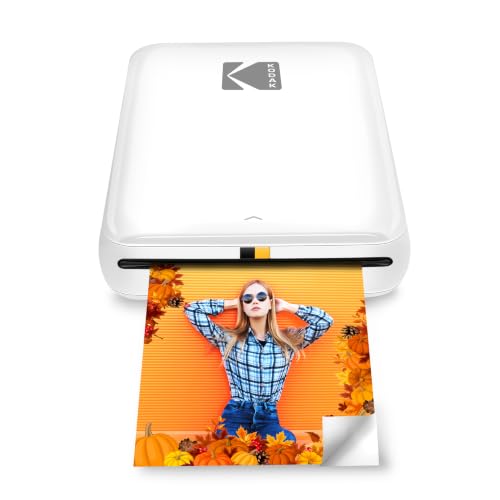
Selecting a kodak mobile printer requires evaluating your creative workflow against two fundamentally different imaging technologies: zero-ink thermal paper and four-pass dye-sublimation. Mobile creators, journalers, and scrapbookers frequently look for compact devices that can turn smartphone snapshots into tangible keepsakes without the friction of bulky office machinery. While zero-ink hardware prioritizes pocket-sized mobility and instant…
As Amazon Associates, we earn from qualifying purchases. This means we may receive a small commission at no extra cost to you if you click through and make a purchase.
Selecting a kodak mobile printer requires evaluating your creative workflow against two fundamentally different imaging technologies: zero-ink thermal paper and four-pass dye-sublimation. Mobile creators, journalers, and scrapbookers frequently look for compact devices that can turn smartphone snapshots into tangible keepsakes without the friction of bulky office machinery. While zero-ink hardware prioritizes pocket-sized mobility and instant adhesive backings, multi-pass thermal transfer systems focus on tonal range, continuous gradients, and long-term archival protection. Understanding how each imaging method handles color, media loading, and physical durability is essential when determining which kodak mobile printer to buy for your travel kit or home desk.
This kodak mobile printer comparison covers five specific hardware options from Kodak, exploring how their mechanical capabilities match distinct visual tasks. The lineup includes ultra-slim handheld models engineered for spontaneous sticker production alongside stationary home docks tailored for full-bleed postcard prints. By contrasting form factors, battery performance, connection protocols, and media supplies, this analysis establishes clear operational boundaries between zero-ink and dye-sublimation hardware so you can invest in the exact printer your projects require.
Which Kodak Mobile Printer Should You Buy
All 5 models on this page, side by side


Prices are read from the Amazon product listing and change there, not here. Scores are out of 10, based on listed specifications and buyer feedback.
Why each one is on the list
- For visual journalers and crafters who want a pocketable sticker printer with Bluetooth and NFC pairing: KODAK Step Instant Smartphone Photo Printer
- For home archivists and desktop creators seeking full-size 4×6 prints with direct phone docking: KODAK Dock Plus 4×6 Photo Printer
- For photographers wanting durable credit-card prints with high-fidelity dye-sublimation color: KODAK Mini 2 Retro 2×3 Portable
- For travelers and everyday content makers wanting a sleek black zero-ink starter package: KODAK Step Wireless Mobile Photo Mini
- For scrapbookers seeking a complete white-finish zero-ink gift setup with included accessories: KODAK Step Printer Wireless Mobile Photo
01 KODAK Step Instant Smartphone Photo Printer
Best for Journalers wanting instant peel-and-stick pocket photo prints
Pros
- Zero-ink sticky-back paper
- Bluetooth and NFC pairing
- Ultra-lightweight pocket design
Cons
- Lower dynamic range than 4PASS
- Micro USB charging port
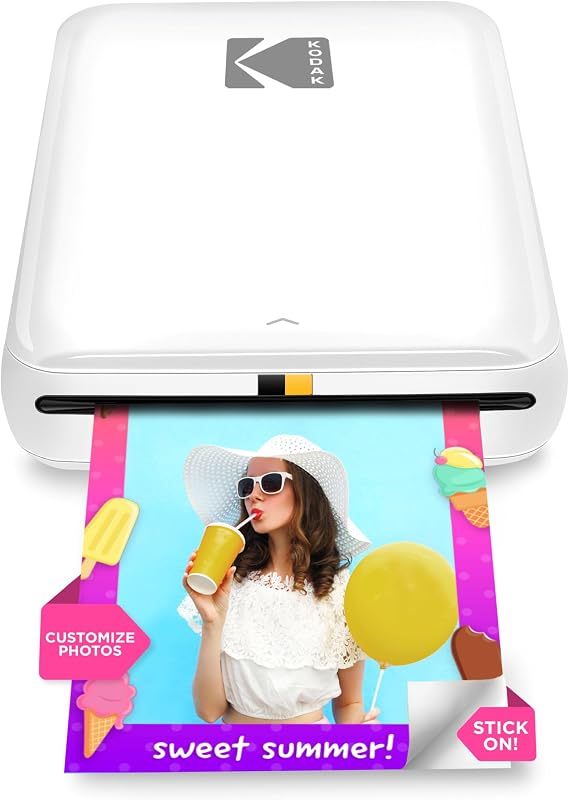
The KODAK Step Instant Smartphone Photo Printer is a dedicated handheld unit engineered to transform digital phone captures into physical adhesive prints without the need for liquid ink cartridges. Built around zero-ink printing technology, this compact device uses specialized 2×3-inch paper embedded with heat-activated dye crystals. Its chassis is remarkably lightweight at just 0.07 kg and measures well under a pound, making it effortless to slip into a backpack pocket, purse, or crafting tote. The unit integrates a rechargeable lithium-ion battery capable of delivering up to 25 photo prints on a full charge cycle, while recharging takes place over a standard micro USB connection.
Workflow efficiency is the primary appeal of this model for journalers, scrapbooking enthusiasts, and casual creators. It connects to iOS and Android smartphones via Bluetooth or tap-to-pair NFC, establishing a fast wireless link for printing images directly from your camera roll or social media feeds. The companion KODAK app provides a full editing suite where you can apply creative filters, arrange multi-photo collages, add text captions, and position decorative borders before sending the job to print. Because the 2×3-inch output features an adhesive peel-and-stick backing, finished images can be applied immediately to notebooks, travel journals, lockers, or tech accessories without separate adhesives.
This printer produces prints in approximately 60 seconds at a rated speed of 1 page per minute. The resulting physical prints are resistant to moisture, smudges, rips, and tears, making them resilient for everyday handling. However, the Step gives way to Kodak 4PASS dye-sublimation models when you require museum-grade tonal depth, larger display dimensions, or continuous-tone photographic gradations, as thermal Zink prints trade absolute fine-art color nuance for rapid peel-and-stick portability.
- Zero-ink thermal printing eliminates ink cartridges, toners, and ribbons
- Prints durable 2×3-inch sticky-back photos that resist water and tears
- Dual Bluetooth and NFC wireless connectivity for iOS and Android devices
- Integrated lithium-ion battery supports up to 25 prints per full charge
02 KODAK Dock Plus 4×6 Photo Printer
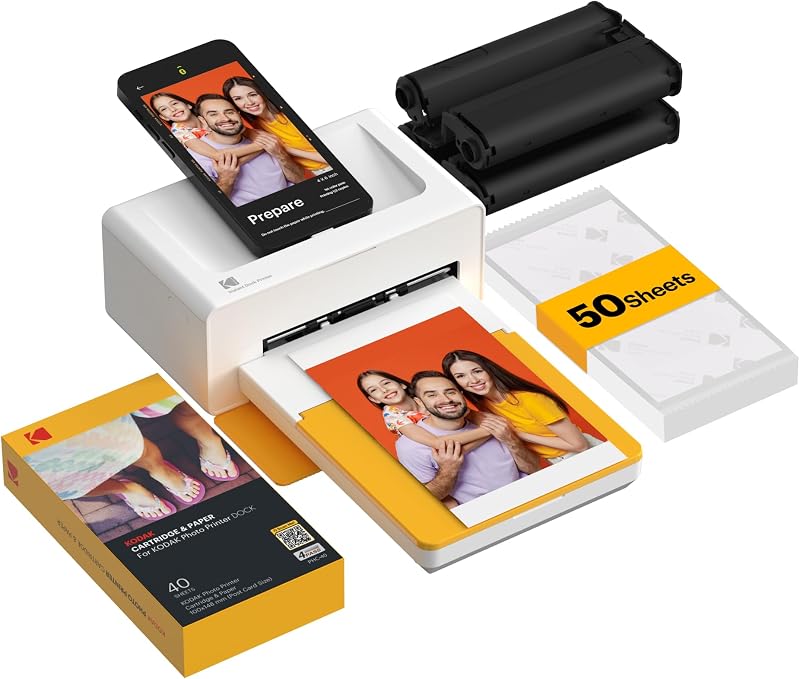
Best for Home decorators needing full 4×6 desktop prints
Pros
- Archival 4PASS dye sublimation
- Charges phone while printing
- Continuous AC power supply
Cons
- Requires wall outlet power
- Too bulky for travel kits
The KODAK Dock Plus 4×6 Photo Printer shifts the creative focus from pocket mobility to high-fidelity desktop output. Unlike battery-operated field printers, the Dock Plus is designed as a stationary home printing workstation measuring 4.5 inches deep, 8.5 inches wide, and 2 inches tall. It connects directly to an AC power outlet, ensuring uninterrupted operation without battery depletion during large print jobs. A signature physical feature is its top-mounted docking station, which allows users to mount their compatible smartphone directly onto the printer body to charge the device while simultaneously transmitting image data, alongside standard wireless Bluetooth pairing.
Image production relies on genuine 4PASS dye-sublimation technology rather than thermal paper. During the printing cycle, the printer feeds the 4×6-inch glossy photo paper through four separate mechanical passes, depositing individual layers of yellow, magenta, and cyan dye ribbons before sealing the surface with a clear protective lamination coat. This 55-second process results in smooth, continuous color gradations without graininess, while the final lamination layer protects the finished photograph against moisture, fingerprints, and UV fading. Creators exploring a broader kodak plus printer comparison will appreciate that this unit produces traditional postcard-sized prints suited for standard picture frames and family photo albums.
The Dock Plus supports borderless and bordered print layouts through the KODAK Photo Printer app, giving users creative control over margins, cropping, and color balancing. It suits desktop creators, family archivists, and decorators who want dependable 4×6-inch photographic keepsakes at home. However, it yields entirely to the Step and Mini lines whenever off-grid travel, pocket transport, or field scrapbooking is on the agenda, as its chassis requires a desk footprint and continuous wall power.
- Genuine 4PASS dye-sublimation process with three color passes and protective lamination
- Produces standard 4×6-inch borderless prints in approximately 55 seconds
- Integrated smartphone dock charges your phone while transmitting print jobs
- Permanent AC desktop power eliminates battery runtime limits
03 KODAK Mini 2 Retro 2×3 Portable
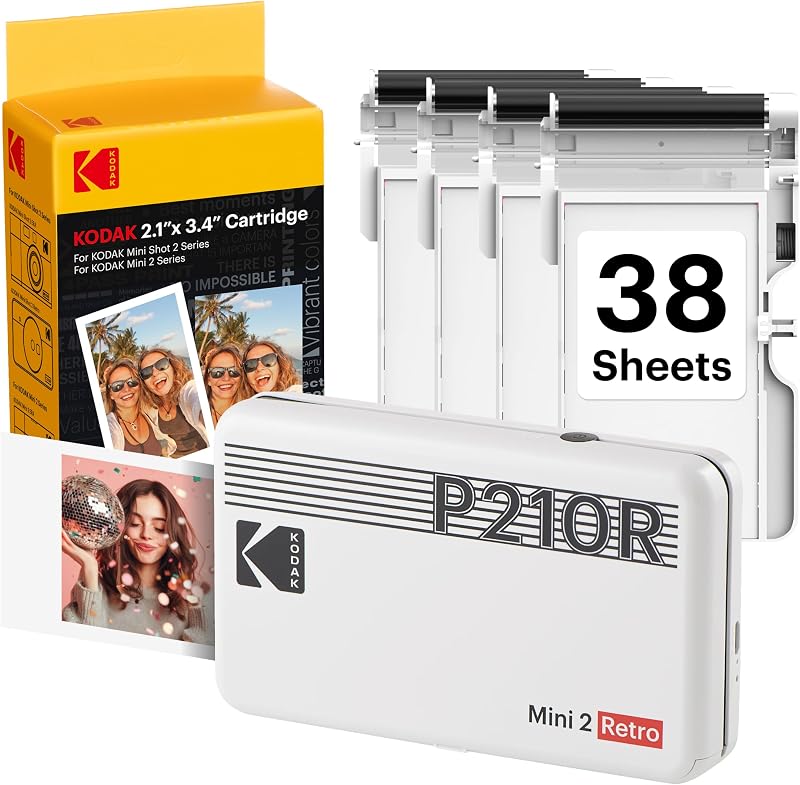
Best for Photographers seeking portable archival credit-card prints
Pros
- Laminated waterproof 4PASS prints
- Modern USB Type-C charging
- Includes cartridges and paper
Cons
- No adhesive sticker backing
- Slower four-pass print process
The KODAK Mini 2 Retro 2×3 Portable brings the optical advantages of dye-sublimation printing into an ultra-portable handheld footprint. Weighing 255 grams and measuring 3 inches deep, 5 inches wide, and 1 inch tall, this compact machine easily fits inside a travel pouch or jacket pocket. It operates on an internal rechargeable battery replenished via a modern USB Type-C interface, allowing creators to produce lab-quality prints away from wall outlets. The device utilizes integrated all-in-one cartridges that house both the color ribbon and paper sheets, packaged in bundles that include starter cartridges and paper to get printing right away.
While creators who shoot with kodak digital instant cameras with screen often seek instant physical prints, this dedicated printer separates image capture from the printing mechanism, allowing you to curate and refine images on your phone before committing dye to media. The Mini 2 Retro outputs credit-card-sized 2×3-inch photographs using Kodak genuine 4PASS dye-sublimation technology. Each sheet moves back and forth through the mechanism four times to receive yellow, magenta, and cyan layers, followed by a transparent topcoat that renders the finished print waterproof, fingerprint-resistant, and protected from fading over time.
For journalers who prioritize color accuracy, smooth tonal transitions, and long-term print stability over adhesive backings, this model stands out as the best kodak mobile printer for journaling with non-adhesive paper. The KODAK Photo Printer app allows you to crop images, adjust saturation, and add borders before printing. The Mini 2 Retro yields to the Step series if you demand peel-and-stick backing for instant paper adhesion, and gives way to the Dock Plus if your creative projects require 4×6 display framing.
- Pocket-sized 4PASS dye-sublimation system delivering credit-card 2×3-inch photos
- Four-pass printing with protective lamination coat resisting water and fingerprints
- Rechargeable battery operation with modern USB Type-C charging port
- All-in-one cartridge system combining ribbon and glossy photo paper
04 KODAK Step Wireless Mobile Photo Mini

Best for Travelers wanting a sleek black sticker printer
Pros
- Lightweight 0.07 kg chassis
- Instant peel-and-stick backing
- Moisture and tear resistant
Cons
- Limited to 2×3 print size
- Warm color temperature shifts
The KODAK Step Wireless Mobile Photo Mini, configured in the black Go Bundle edition, offers visual creators a dedicated zero-ink portable printer engineered for fast field deployment. Like its white counterpart, this palm-sized device weighs an exceptionally light 0.07 kg and operates via a built-in lithium-ion rechargeable battery that delivers up to 25 photo prints per charge. By utilizing Zink Zero Ink technology, the printer eliminates liquid inks, ribbons, and toner cartridges, relying entirely on 2×3-inch thermal paper infused with heat-sensitive color crystals.
Field functionality is straightforward: users pair their iOS or Android device using standard Bluetooth or one-tap NFC pairing. From the KODAK app, images can be rotated, cropped, or styled with decorative stickers, custom text, and filter presets before printing. Print jobs complete in less than 60 seconds at a maximum rated speed of 1 page per minute. The resulting photos feature an integrated peel-off adhesive backing, enabling creators to immediately mount their shots into daily planners, event guestbooks, or collage boards without handling messy adhesive glues.
The protective top layer applied during thermal exposure ensures that prints resist water droplets, smudging, and tearing during everyday handling. This model serves mobile vloggers, students, and event crafters who want an inconspicuous, all-black mobile printer ready for quick pocket use. It yields to the Mini 2 Retro when continuous-tone color fidelity and archival dye-sublimation are vital, and steps aside for the Dock Plus when postcard-sized prints are required for desktop displays.
- Compact black chassis weighing just 0.07 kg for maximum travel portability
- Zink zero-ink printing technology creates 2×3-inch peel-and-stick photo stickers
- Bluetooth and NFC wireless connectivity with KODAK app editing tools
- Rechargeable lithium-ion battery yields 25 prints per full charge
05 KODAK Step Printer Wireless Mobile Photo
Best for Crafters wanting an all-inclusive adhesive gift bundle
Pros
- Complete bundle with accessories
- Zink zero-ink technology
- Under 60-second print time
Cons
- Heavier listed bundle weight
- Non-archival thermal paper
The KODAK Step Printer Wireless Mobile Photo in its white Gift Bundle setup provides crafters, hobbyists, and gift-seekers with an all-inclusive zero-ink mobile printing kit. The unit measures 2.9 inches deep, 4.7 inches wide, and 0.9 inches tall, with an item weight of 16 ounces. It utilizes standard Zink 2×3-inch sticky-back glossy paper, allowing users to print full-color photographs without the bulk of separate ribbon mechanisms or liquid ink reservoirs. The built-in rechargeable lithium-ion battery supports up to 25 prints per charge cycle, freeing users from cords during creative meetups or travel.
Pairing is handled smoothly through Bluetooth or NFC connections to compatible iOS and Android smartphones and tablets. The free KODAK app offers extensive customization, enabling you to build multi-image collages, apply color-correcting filters, and overlay humorous stickers or personalized text prior to print output. Jobs feed and finalize in under 60 seconds, outputting prints that are dry immediately, moisture-resistant, and tear-resistant. The peel-and-stick backing makes each print instantly usable on laptop covers, notebooks, locker interiors, and scrapbook spreads.
As a gift bundle that includes the printer and accompanying accessories, this package is designed for creators who want a ready-to-run setup straight out of the box. It fulfills the needs of scrapbooking hobbyists who prioritize quick adhesive output over archival multi-pass laminates. When higher color density, subtle portrait skin tones, and non-adhesive framed prints are necessary, this printer defers to Kodak 4PASS dye-sublimation hardware like the Mini 2 Retro or Dock Plus.
- Complete white gift bundle including the Step printer and matching accessories
- 2×3-inch sticky-back Zink paper eliminates messy inks, toners, and ribbons
- Bluetooth and NFC pairing compatible with iOS and Android smartphones
- Under 60-second print speeds with prints resistant to moisture and smudges
What Sets These Models Apart
Choosing between these Kodak mobile printers requires weighing physical print dimensions, imaging chemistry, and power systems. While zero-ink models excel at peel-and-stick immediacy for journals and crafts, 4PASS dye-sublimation systems offer superior dynamic range and lamination for framing. The following comparison highlights the operational specifications defining each model in the lineup.
| Model | Print Technology | Print Size | Power Source | Primary Wireless |
|---|---|---|---|---|
| KODAK Step Instant Smartphone Photo Printer | Zink Zero-Ink | 2×3 inches (Sticky-Back) | Rechargeable Battery (25 prints) | Bluetooth, NFC |
| KODAK Dock Plus 4×6 Photo Printer | 4PASS Dye Sublimation | 4×6 inches (Borderless) | AC Power Outlet (Stationary) | Bluetooth, Smartphone Dock |
| KODAK Mini 2 Retro 2×3 Portable | 4PASS Dye Sublimation | 2×3 inches (Credit Card) | Rechargeable Battery (USB-C) | Bluetooth |
| KODAK Step Wireless Mobile Photo Mini | Zink Zero-Ink | 2×3 inches (Sticky-Back) | Rechargeable Battery (25 prints) | Bluetooth, NFC |
| KODAK Step Printer Wireless Mobile Photo | Zink Zero-Ink | 2×3 inches (Sticky-Back) | Rechargeable Battery (25 prints) | Bluetooth, NFC |
Buying Tips for Kodak Mobile Printers
When conducting a kodak zink vs 4pass evaluation, the most critical decision is determining whether your workflow requires adhesive utility or optical color fidelity. Kodak Zink paper contains embedded dye crystals that activate upon targeted exposure to thermal pulses from the print head. This mechanism allows the printer chassis to remain remarkably slim because no separate ribbon assembly or ink cartridge is housed inside. The defining advantage of Zink is its peel-off adhesive backing, which lets you paste snapshots directly into scrapbooks, travel journals, and planners without carrying glue pens. However, Zink chemistry produces punchy, graphic colors that can occasionally show warm color shifts and lower dynamic range in shadow areas.
In contrast, 4PASS dye-sublimation technology utilizes a specialized thermal ribbon containing yellow, magenta, and cyan dye panels. The printer pulls the paper across the print head four consecutive times, depositing each primary dye layer sequentially before applying a clear, protective topcoat. This process yields true continuous-tone photographs with richer saturation, delicate skin tones, and subtle shadow detail that rival traditional commercial photo lab output. Furthermore, the final lamination layer seals the print against moisture, UV rays, and fingerprint oils, ensuring long-term resistance to fading. The trade-off is mechanical size: 4PASS cartridges are bulkier, prints take four passes to finish, and the paper lacks an adhesive peel-and-stick backing.
Power architecture and intended physical working environment represent the other major buying considerations. If your printing takes place primarily on location, at cafes, or while traveling, battery-powered portable units like the Step and Mini 2 Retro provide the untethered freedom needed for mobile documentation. Both battery-operated platforms output roughly 25 prints per charge, which suits daily journal entries or small event gatherings. However, if your printing consists of high-volume photo archiving, family albums, or framed 4×6 wall displays, an AC-powered desktop machine like the Dock Plus avoids the interruptions of battery recharging while simultaneously charging your phone during the printing process.
FAQ
How does Kodak Zink technology compare to 4PASS dye sublimation?
Kodak Zink technology uses heat to activate dye crystals embedded directly within the paper, requiring no ribbons or ink tanks. It produces 2×3-inch prints with peel-and-stick adhesive backs that are water-resistant and smudge-proof. Kodak 4PASS dye sublimation uses an all-in-one ribbon cartridge to deposit yellow, magenta, and cyan dye layers onto photo paper, finishing with a clear protective laminate. 4PASS provides superior color accuracy, smoother tonal gradations, and archival fade resistance, but does not feature an adhesive backing.
Can I use Kodak Zink paper in a 4PASS printer?
No, the two media types are completely incompatible. Kodak Zink printers rely entirely on thermal paper with embedded color crystals, whereas 4PASS printers require specialized glossy photo paper and a matching dye ribbon cartridge that feeds the sheet through four mechanical passes. Using Zink paper in a 4PASS printer or attempting to load a 4PASS cartridge into a Zink unit will cause mechanical jams and equipment damage.
How many prints can portable Kodak printers produce on a single battery charge?
According to the product specifications, portable Kodak Step printers feature an integrated rechargeable lithium-ion battery capable of producing up to 25 prints on a full charge. Battery life depends on operating conditions and device temperature, but users can expect approximately one full 20-sheet or 25-sheet pack per complete charge cycle before needing to recharge via USB.
Do Kodak mobile photo prints require drying time after printing?
No drying time is required for either print technology. Kodak Zink prints emerge completely dry and ready for immediate touch because the color crystals are sealed beneath the paper surface. Kodak 4PASS prints undergo an automatic fourth pass that laminates the photographic surface with a protective clear coat, making them instantly dry, smudge-proof, and fingerprint-resistant the moment they exit the feed slot.
Which Kodak mobile printer is best for scrapbooking and bullet journaling?
For crafters who want to stick photos directly onto notebook pages, planners, and vision boards without tape or glue, the KODAK Step series is ideal due to its peel-and-stick 2×3-inch paper. However, if your journal entries demand the highest color fidelity, subtle portrait tones, and long-term archival protection against fading, the KODAK Mini 2 Retro offers the best image quality in a portable footprint, provided you use tape runners or photo corners to secure the prints.


