Kodak Cameras & Drones
Kodak Plus & Mobile Photo Printers Compared for Everyday Creators
Choosing the right kodak plus printer comes down to whether you prioritize studio-grade standard prints or spontaneous on-the-go snapshots. Visual creators, scrapbookers, and social media storytellers often hit a wall when relying strictly on digital galleries. Physical prints offer a tangible quality that screen-bound media simply cannot duplicate, whether you are staging a physical mood…
As Amazon Associates, we earn from qualifying purchases. This means we may receive a small commission at no extra cost to you if you click through and make a purchase.
Choosing the right kodak plus printer comes down to whether you prioritize studio-grade standard prints or spontaneous on-the-go snapshots. Visual creators, scrapbookers, and social media storytellers often hit a wall when relying strictly on digital galleries. Physical prints offer a tangible quality that screen-bound media simply cannot duplicate, whether you are staging a physical mood board, assembling a client lookbook, or compiling an archival journal. Kodak approaches personal photo production with two distinct technologies: multi-layer 4PASS dye sublimation and ink-free Zink zero-ink printing. Deciding between a dedicated tabletop docking station and a pocket-sized mobile unit determines how naturally a device integrates into your daily production workflow.
This comprehensive kodak photo printer comparison covers exactly 3 models from Kodak, each tailored to distinct creative habits and output expectations. We examine the full-sized KODAK Dock Plus 4×6 Photo Printer, the ultra-slim KODAK Step Instant Smartphone Photo Printer, and the retro-styled KODAK Mini 2 Retro 2×3 Portable. While all three interface directly with iOS and Android devices via dedicated mobile software, they differ substantially across physical form factors, print media chemistry, connectivity standards, and operating environments. Understanding these functional differences ensures you invest in the exact hardware suited to your physical documentation workflow.
Which Kodak Photo Printers Should You Buy
All 3 models on this page, side by side
| Model | Our score | Listing |
|---|---|---|
01 KODAK Dock Plus 4×6 Photo Printer KODAK Dock Plus 4×6 Photo Printer |
Price | |
02 KODAK Step Instant Smartphone Photo Printer KODAK Step Instant Smartphone Photo Printer |
Price | |
03 KODAK Mini 2 Retro 2×3 Portable KODAK Mini 2 Retro 2×3 Portable |
Price |
Prices are read from the Amazon product listing and change there, not here. Scores are out of 10, based on listed specifications and buyer feedback.
Why each one is on the list
- KODAK Dock Plus 4×6 Photo Printer: Choose this desktop model if your priority is creating classic, borderless 4×6 prints for photo frames, portfolio albums, and home displays while keeping your smartphone charged during production sessions.
- KODAK Step Instant Smartphone Photo Printer: Choose this palm-sized zero-ink printer if you produce bullet journals, craft layouts, or stickers, thanks to its instant-drying 2×3 sticky-back sheets and lightweight battery-powered chassis.
- KODAK Mini 2 Retro 2×3 Portable: Choose this unit if you require a portable photo printer for creators that delivers the color depth, archival lamination, and moisture resistance of 4PASS dye sublimation in an on-the-go wallet-sized print format.
01 KODAK Dock Plus 4×6 Photo Printer
Best for Home creators framing standard 4×6 prints
Pros
- True 4×6 borderless prints
- Phone dock charges while printing
- Laminated water and fade resistant
Cons
- Requires wall outlet power
- Stationary desktop footprint
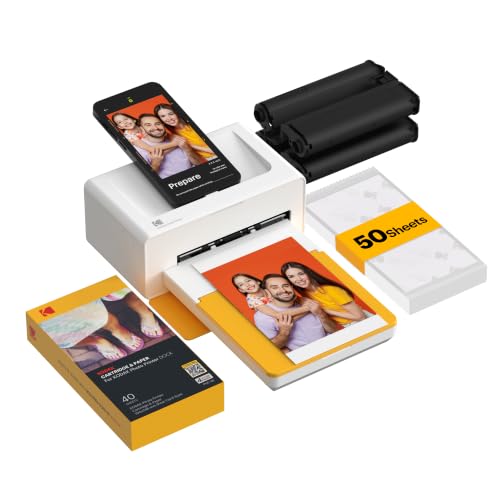
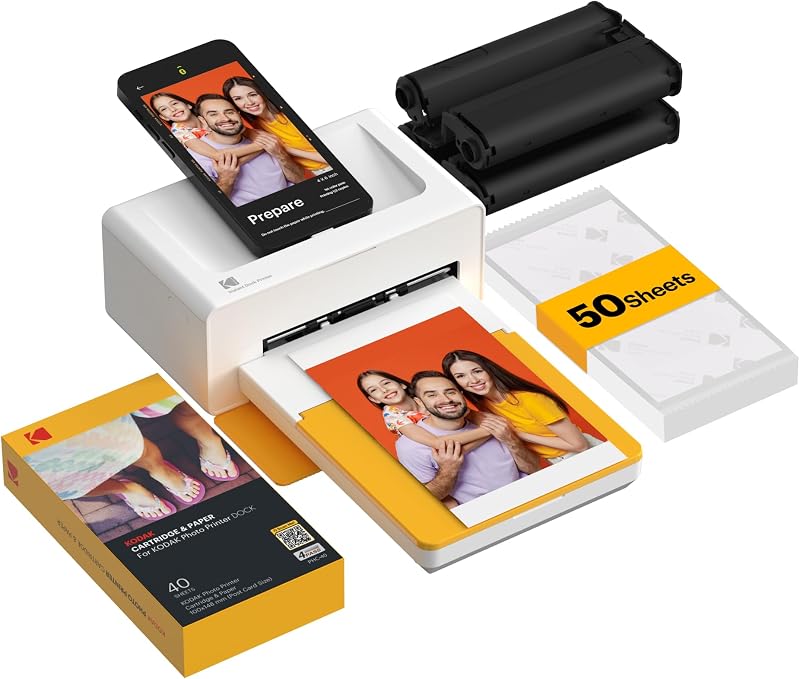
The KODAK Dock Plus 4×6 Photo Printer serves as a dedicated desktop workstation designed for high-fidelity photo generation directly from mobile devices. Unlike portable battery-operated units, this model is built for consistent stationary operation, drawing reliable power from an AC wall outlet. The physical top deck features an integrated docking station that secures your phone in place, establishing a stable physical connection while actively charging the device battery as print jobs run. For creators producing batches of visual assets after a shoot, this constant charging and stable platform remove the anxiety of battery drain during prolonged sessions. Wireless Bluetooth connectivity is also built-in, allowing seamless operation from compatible iOS and Android tablets or phones without requiring physical docking.
Print output from the dock relies on genuine 4PASS dye sublimation printing, cycling each glossy photo paper sheet through individual passes of yellow, magenta, and cyan before applying a final transparent protective lamination layer. This entire four-stage mechanical sequence takes approximately 55 seconds per picture, yielding a smooth continuous-tone 4×6 image. The resulting protective overlay makes each print resistant to fingerprints, moisture, and fading over time, ensuring that visual documentation remains preserved in archival albums or framed wall collections. While typical office equipment like computer printers for home use hp uses liquid ink spray techniques across broad multi-purpose documents, the Dock Plus specializes purely in color-managed photographic reproduction with edge-to-edge borderless options.
Operation centers around the companion KODAK Photo Printer app, which provides framing, cropping, and creative layout tools before executing a print command. Measuring 4.5 inches deep, 8.5 inches wide, and 2 inches tall, the unit maintains a compact desk footprint while accommodating standard full-frame photographic paper. The mechanical paper path feeds individual sheets cleanly, outputting one print per run with predictable precision. For photographers and content creators who want true photographic prints ready for physical gifting or wall frames without leaving their creative space, this stationary dock provides consistent studio output.
- Employs 4PASS dye sublimation across yellow, magenta, cyan, and clear protective laminate passes
- Integrated physical smartphone docking cradle with simultaneous charging capability
- Outputs full-format borderless 4×6 inch glossy color photographs in roughly 55 seconds
- Dual connectivity via physical smartphone docking pin or wireless Bluetooth pairing
02 KODAK Step Instant Smartphone Photo Printer
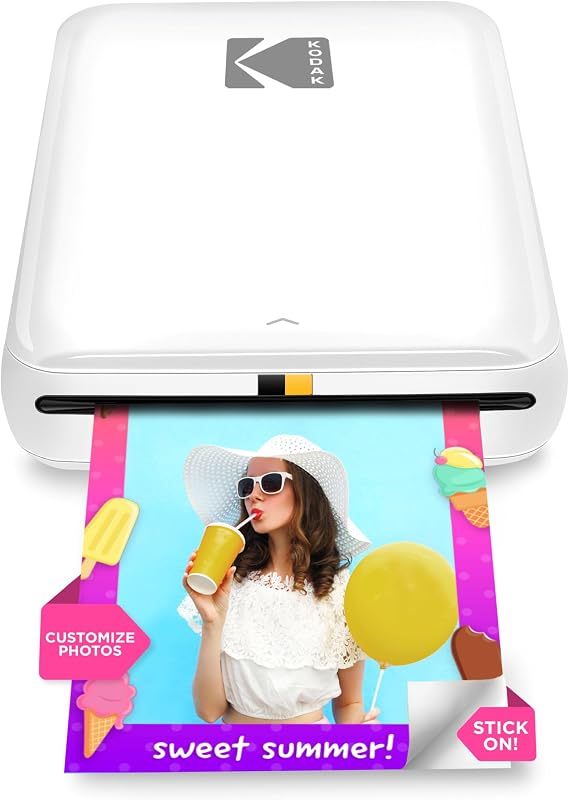
Best for Journalers needing instant adhesive pocket prints
Pros
- Zero-ink peel-and-stick sheets
- Ultra-lightweight 0.07 kg build
- Fast Bluetooth and NFC pairing
Cons
- Uses older micro USB port
- Limited to 25 prints per charge
The KODAK Step Instant Smartphone Photo Printer is engineered for creators who demand complete physical mobility and immediate tactile utility. Built around an ultra-compact chassis weighing just 0.07 kg, this palm-sized device slides effortlessly into everyday carry bags, camera pouches, or coat pockets. It completely foregoes traditional liquid inks and multi-pass ribbon cassettes in favor of zero-ink Zink technology. The printer uses specialized 2×3 inch paper embedded with heat-activated dye crystals that activate upon thermal exposure. Because there are no ribbon cartridges to load, the mechanical footprint remains exceptionally slim, streamlining the entire loading process to dropping a pack of paper directly into the internal bay.
Every sheet produced by the Step features an adhesive peel-and-stick backing, transforming mobile snapshots into instant decals, journal entries, and project tags. The Zink print media delivers durable, smudge-resistant, moisture-proof, and tear-resistant finishes the instant it emerges from the exit slot. Influencers, event vloggers, and scrapbooking hobbyists can peel the backing immediately to paste production stills, mood boards, or personal memories directly onto notebooks and studio backdrops. The device pairs via Bluetooth or tap-to-connect NFC, giving creators instant access to mobile camera rolls across iOS and Android ecosystems without hunting through complicated pairing menus.
Power is delivered via an integrated rechargeable lithium-ion battery capable of executing up to 25 photo prints on a single full charge, recharged through an included micro USB cable. The companion KODAK App features an extensive editing suite, enabling users to construct multi-frame collages, apply visual filters, add borders, and layer customized stickers or typography over images before sending them to print. While photographers working with hybrid capture devices like kodak digital instant cameras with screen often balance in-camera optics with rapid printing, the Step printer lets you capture high-resolution imagery on your flagship phone camera and output physical adhesive prints anywhere inspiration strikes.
- Utilizes zero-ink Zink thermal printing with 2×3 inch adhesive-backed paper sheets
- Ultra-lightweight 0.07 kg pocket-sized construction designed for everyday travel
- Wireless workflow integration through high-speed Bluetooth and one-tap NFC pairing
- Internal rechargeable lithium-ion battery delivering approximately 25 prints per charge
03 KODAK Mini 2 Retro 2×3 Portable
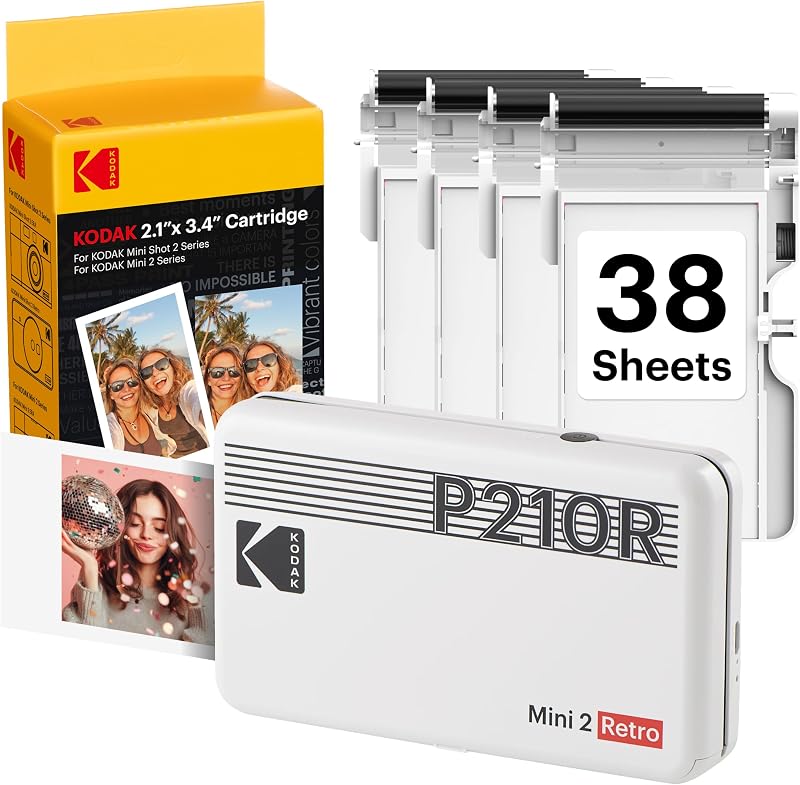
Best for Travelers wanting pocketable archival quality
Pros
- 4PASS continuous-tone color
- Modern USB Type-C charging
- Protective anti-fingerprint laminate
Cons
- Requires ribbon cartridge packs
- Takes 55 seconds per print
The KODAK Mini 2 Retro 2×3 Portable bridges the gap between high-end dye-sublimation print quality and truly mobile form factors. Measuring 3 inches deep, 5 inches wide, and only 1 inch thick, with an overall weight of 255 grams, this unit fits easily in a jacket pocket or travel gear kit. Unlike inkless thermal printers that rely on heat-reactive paper, the Mini 2 Retro incorporates genuine 4PASS dye sublimation inside an ultra-portable body. It delivers credit-card-sized 2×3 inch prints with rich color saturation, deep tonal gradations, and clean highlight rendering that visual creators often look for when capturing lifestyle and travel moments.
During the printing process, the paper travels in and out of the front slot across four distinct mechanical passes, laying down yellow, magenta, and cyan dye before sealing the surface with a durable transparent laminate. In approximately 55 seconds, the Mini 2 Retro outputs a finished glossy print that is dry to the touch, waterproof, fingerprint-resistant, and protected against light degradation. This archival quality makes the credit-card format ideal for everyday keepsakes, wallet photos, mini planners, and client hand-outs that need to endure frequent physical handling without scuffing or smudging.
Equipped with modern USB Type-C charging, the Mini 2 Retro recharges efficiently from portable power banks or laptop ports during field shoots. It pairs wirelessly via Bluetooth with both iOS and Android phones using the KODAK Photo Printer app, allowing creators to crop images, adjust borders, and preview color balances prior to production. As evaluated in our wider kodak mobile printer analysis, having an all-in-one paper and ribbon cartridge system ensures mechanical reliability on location, as every fresh cartridge provides a pristine ribbon and perfectly matched paper sheets without separate mechanical alignment steps.
- Four-pass dye sublimation printing generating 2×3 inch credit-card sized archival photos
- Built-in protective lamination layer offering water resistance and anti-fingerprint shielding
- Modern USB Type-C interface for flexible mobile recharging and field power replenishment
- Compact vintage-inspired aesthetic measuring 3 by 5 by 1 inches and weighing 255 grams
What Sets These Models Apart
Choosing the appropriate hardware requires weighing output fidelity against physical portability and physical media characteristics. The primary technical dividing line across this lineup is between Kodak 4PASS dye sublimation and Zink zero-ink technology. Dye sublimation relies on thermal transfer ribbons to vaporize continuous-tone dyes directly into specialized photographic paper, finishing with a clear protective overcoat. Zink technology, by contrast, embeds cyan, yellow, and magenta dye crystals directly inside the paper itself, activating colors via precise heat pulses from the print head. This eliminates external ribbon cartridges entirely, allowing printers like the Step to achieve unmatched lightness and thinness.
| Product Model | Print Technology | Output Dimensions | Primary Power Source | Print Media Utility |
|---|---|---|---|---|
| KODAK Dock Plus 4×6 Photo Printer | 4PASS Dye Sublimation | 4×6 Inches | AC Power Outlet | Archival Glossy Photo Paper |
| KODAK Step Instant Smartphone Photo Printer | Zink Zero-Ink | 2×3 Inches | Rechargeable Lithium-Ion | Adhesive Sticky-Back Paper |
| KODAK Mini 2 Retro 2×3 Portable | 4PASS Dye Sublimation | 2×3 Inches | Rechargeable Battery (Type-C) | Archival Glossy Laminated Paper |
Beyond print chemistry, physical workspace requirements separate stationary home docks from mobile pocket printers. The Dock Plus is engineered as a fixture for desks and editing suites, providing a stable charging perch and producing standard photographic sizes ready for commercial framing. Conversely, both the Step and Mini 2 Retro cater to creators working on location. Between the two pocket alternatives, the Step excels in rapid physical journaling thanks to its adhesive backing, while the Mini 2 Retro is built for creators who refuse to compromise on color depth and archival longevity while working out of a backpack.
Buying Tips for Kodak Photo Printers
When determining which kodak photo printer to buy, your intended display format should be your first consideration. If your objective is printing portfolio prints, wedding albums, or tabletop frames, the standard 4×6 inch format of the KODAK Dock Plus is practically mandatory. Wallet-sized 2×3 inch prints, while charming and convenient, cannot replicate the visual impact or fine detail necessary for standard photo frames or gallery wall collages. Conversely, if your creative work lives inside planners, traveler notebooks, or collage scrapbooks, a 4×6 sheet requires extensive trimming, making 2×3 pocket prints vastly more efficient.
Consumable management and reloading mechanisms also influence long-term creator workflow. Models utilizing Kodak 4PASS technology, such as the Dock Plus and Mini 2 Retro, use integrated cartridge units containing both the ribbon film and paper supply. This design ensures that you never run out of ink before paper, but replacement cartridges require slightly more storage space in your bag. In contrast, Zink printers like the Step require only paper packs, eliminating mechanical cartridge waste and allowing you to carry dozens of blank sheets in a flat pocket without extra bulk.
Finally, account for charging infrastructure and operating session lengths. Stationary docks powered by AC adapters eliminate all battery runtime concerns, allowing continuous printing throughout extended production sessions. If you choose a portable photo printer for creators, assess how the device charges. Modern USB Type-C connectivity, found on the Mini 2 Retro, allows you to share charging cables with modern smartphones, cameras, and tablets. If you frequently travel light, prioritizing standard charging standards minimizes the clutter of redundant cables in your production bag.
FAQ
How does Kodak 4PASS dye sublimation differ from Zink zero-ink technology?
Kodak 4PASS dye sublimation uses a thermal transfer ribbon to apply yellow, magenta, and cyan dye layers sequentially onto photo paper before sealing it with a transparent protective laminate. This multi-pass process yields smooth tonal transitions, rich color saturation, and water-resistant finishes. Zink zero-ink technology embeds dye crystals directly inside the photo paper, activating color layers through localized heat pulses from the thermal print head. Zink eliminates external ribbon cartridges for extreme portability, while 4PASS provides superior continuous-tone photographic gradation.
Can the Kodak Dock Plus operate without being connected to a wall outlet?
No, the KODAK Dock Plus 4×6 Photo Printer is engineered as a home printing station and requires a direct connection to a standard AC power outlet. It does not feature an internal rechargeable lithium-ion battery. This fixed power design provides stable electrical output for larger 4×6 mechanical passes while simultaneously supplying charging power to a docked smartphone.
What mobile operating systems work with the Kodak photo printer app?
The official KODAK Photo Printer application is fully compatible with both iOS and Android operating systems. Users can download the application onto supported smartphones and tablets to crop images, adjust exposure, create multi-photo collages, apply filters, and trigger wireless printing over Bluetooth.
Are prints from Kodak instant mobile printers waterproof and smudge-proof?
Yes, prints from all three featured Kodak printers resist water and smudges, though they achieve this through different technical means. Kodak 4PASS printers, including the Dock Plus and Mini 2 Retro, apply a physical fourth lamination layer that repels water droplets, guards against fingerprint oils, and protects colors from fading. Zink photo paper used by the Step printer features an inherently water-resistant, tear-resistant, and smudge-proof surface finish embedded in the paper itself.
Which Kodak instant mobile printer is better for travel and bullet journaling?
The KODAK Step Instant Smartphone Photo Printer is generally preferable for journaling and scrapbooking due to its peel-and-stick adhesive backing and minimal 0.07 kg carry weight. However, if your travel prints are destined for wallet inserts or photo albums where continuous-tone color rendering and archival lamination are paramount, the KODAK Mini 2 Retro 2×3 Portable is the stronger choice.


