Amazon Basics Computers & Networking
Amazon Basics USB-C to HDMI Cables: Which Fits Your Rig?
Connecting a modern video editing workstation or portable creator rig to a client monitor, television, or studio projector requires an interface that converts native digital video streams without dropped signals. The amazonbasics usb c to hdmi lineup addresses this requirement by delivering straightforward display conversion from host devices equipped with DisplayPort Alternate Mode over USB-C…
As Amazon Associates, we earn from qualifying purchases. This means we may receive a small commission at no extra cost to you if you click through and make a purchase.
Connecting a modern video editing workstation or portable creator rig to a client monitor, television, or studio projector requires an interface that converts native digital video streams without dropped signals. The amazonbasics usb c to hdmi lineup addresses this requirement by delivering straightforward display conversion from host devices equipped with DisplayPort Alternate Mode over USB-C or Thunderbolt 3 and Thunderbolt 4 ports. For creators who regularly output high-resolution timelines, preview color grades, or mirror laptop displays during remote presentations, choosing the right video cable boils down to matching the physical length of the cord and the maximum supported refresh rate to the visual demands of your editing environment.
This article examines three specific options from the catalog to help you execute a practical amazon basics usb c to hdmi comparison. Across these three units, the primary technical differences center on maximum refresh rate capabilities between 30Hz and 60Hz at Ultra HD resolutions, overall cable span ranging from a compact three feet to a standard six feet, internal conductor architecture utilizing tinned copper versus aluminum, and exterior connector shell materials. Evaluating these hardware specifications ensures you select an adapter cord that maintains a clean signal pipeline without adding unnecessary clutter to your studio desk or camera gear bag.
Which Amazon Basics USB-C to HDMI Cables Should You Buy
All 3 models on this page, side by side
| Model | Buyer rating | Listing |
|---|---|---|
01 Amazon Basics USB-C to HDMI Cable Amazon Basics USB-C to HDMI Cable |
Price | |
02 Amazon Basics Premium Aluminum Uni-Directional USB-C Amazon Basics Premium Aluminum Uni-Directional USB-C |
Price | |
03 Amazon Basics Uni-Directional USB-C Amazon Basics Uni-Directional USB-C |
Price |
Prices and ratings are read from the Amazon product listing and change there, not here. Every rating is the average left by Amazon buyers, not a score from this site.
Why each one is on the list

Best for Secondary display referencing and presentation decks
Pros
- Reliable 6-foot reach
- Tinned copper conductors
- Plug and play installation
Cons
- Limited to 30Hz refresh rate
- For video editors and timeline scrubbers who require fluid onscreen movement at 4K resolution, choose the Amazon Basics Premium Aluminum Uni-Directional USB-C for its dependable 60Hz signal and reinforced build.
- For office workstations, conference rooms, and secondary script reference screens where standard motion is adequate, select the Amazon Basics USB-C to HDMI Cable with its 6-foot reach and 30Hz video ceiling.
- For minimalist travel kits, camera cage setups, and tight field desks needing zero excess slack, deploy the 3-foot Amazon Basics Uni-Directional USB-C.
01 Amazon Basics USB-C to HDMI Cable
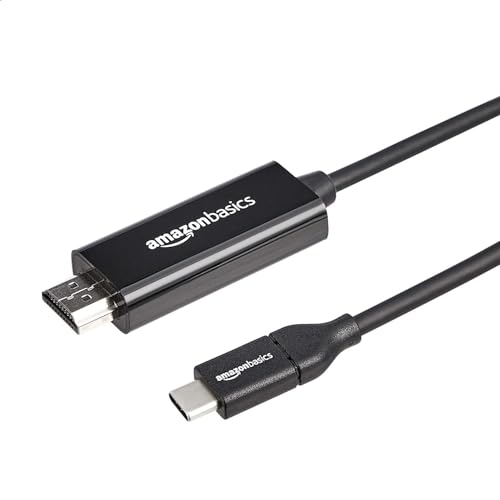
The Amazon Basics USB-C to HDMI Cable is engineered as a standard 6-foot display solution designed for day-to-day peripheral expansion across creative desks and home workstations. Configured as a direct cord connecting a USB-C source to an HDMI display, this model eliminates intermediate dongles by integrating conversion hardware directly into the cable assembly. The six-foot length measures 72 inches, providing sufficient reach to route behind display risers, trace through monitor arm channels, or bridge the gap between a laptop stand and an external client screen. If your workstation requires multi-port docking instead of a single display pipeline, pairing your layout with an amazon basics usb hdmi hub can expand peripheral connectivity, but this dedicated cord serves users who want a direct connection without extra bulk.
In terms of video throughput, this amazon basics usb c to hdmi cable 6ft variant supports 4K Ultra HD video transmission capped at a 30Hz refresh rate. In practical creator workflows, a 30Hz refresh rate produces thirty discrete screen updates per second, which functions reliably for displaying static assets, previewing script documents, checking layout compositions, or running presentation slides on studio projectors. However, video editors scrubbing dense 4K timelines or creators tracking rapid cursor motions across high-frame-rate projects will notice that 30Hz displays visual judder compared to higher refresh standards. The physical construction features tinned copper conductors surrounded by durable shielding and a flexible black jacket, with an overall weight of 0.06 kg and a rated operating current of 1 A.
Operationally, this cord is fully plug and play, functioning immediately upon connection without demanding proprietary driver downloads or software utilities. It relies on the host device supporting DisplayPort Alternate Mode over its USB Type-C port or a native Thunderbolt 3 or Thunderbolt 4 connection. Users must note that this cable is strictly uni-directional, transmitting video signals exclusively from the USB-C source device to an HDMI-equipped monitor, television, or projector. The listing specifies limited warranty coverage, making it a functional option for static workstation configurations where 30Hz video output meets your secondary display requirements.
- Direct 6-foot reach measuring 72 inches with durable shielding and tinned copper conductors
- Supports 4K Ultra HD video output with a reliable 30Hz refresh rate
- Plug and play operation requiring no third-party drivers or software installations
- Compatible with Thunderbolt 3 and Thunderbolt 4 ports supporting DisplayPort Alt Mode
02 Amazon Basics Premium Aluminum Uni-Directional USB-C
Best for Video timeline scrubbing and fluid editing
Pros
- Smooth 4K video at 60Hz
- Premium aluminum connector housing
- Durable tinned copper wiring
Cons
- Uni-directional transmission only
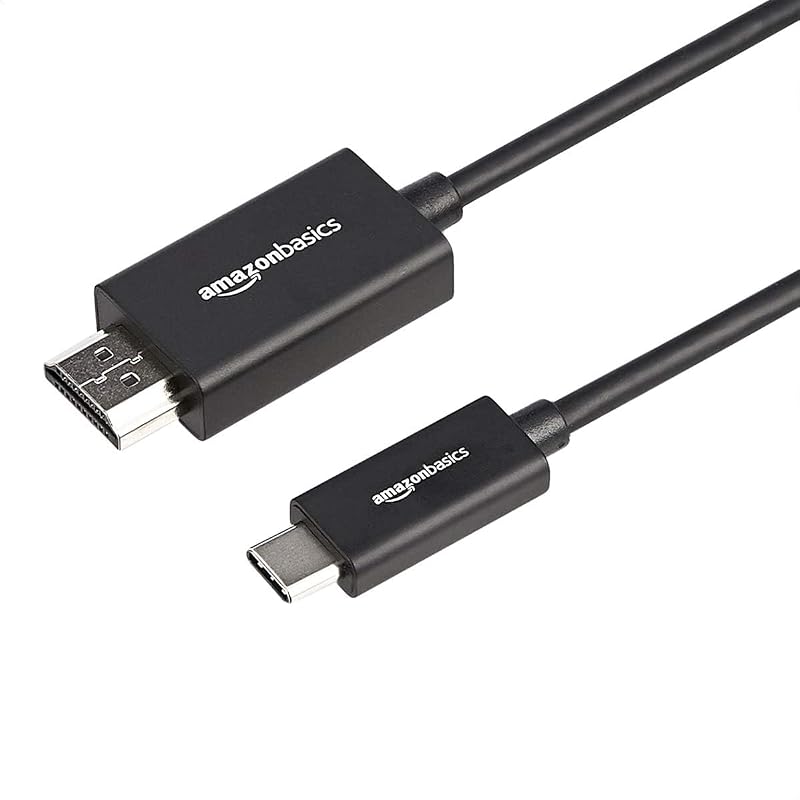
Creators demanding high visual fidelity and fluid frame delivery should look directly at the Amazon Basics Premium Aluminum Uni-Directional USB-C. Identified by model number UTCUH04-(CH) and manufacturer part number UTCUH04-6FT(CH), this cable represents the high-performance tier of the manufacturer display adapter lineup. Unlike lower-tier cables restricted to halved refresh rates, this amazon basics 4k 60hz usb c to hdmi unit delivers sixty complete frame updates every second at 4K resolution. This 60Hz capacity makes an immediate operational impact when cutting 60fps b-roll, tracking precision color grading masks, or navigating complex nonlinear timelines in DaVinci Resolve or Adobe Premiere Pro. Creators moving away from traditional first-party adapters like an apple hdmi to usb c cable will find that this dedicated 6-foot run delivers an identical 60Hz motion experience directly to an external display.
The physical design incorporates a premium aluminum connector housing that provides enhanced structural rigidity around sensitive interface chipsets compared to standard molded plastic shells. Internally, the cable employs tinned copper conductors encased within durable shielding and a flexible outer jacket, maintaining clean signal integrity across the full six-foot length. The electrical design features a current rating of 1.5 A, providing robust power delivery headroom for the internal signal conversion hardware. The cable is backed by a 1-year limited warranty from Amazon Basics, assuring reliability for demanding editing suites that see frequent peripheral hot-plugging.
Compatibility requirements mirror the standard uni-directional architecture of the category. The cable functions exclusively with the USB-C port acting as the digital source and the HDMI port acting as the display sink. The host machine—whether a creator laptop, video production tablet, or mobile phone—must have video functionality enabled through DisplayPort Alternate Mode or utilize an active Thunderbolt 3 or Thunderbolt 4 interface. For digital artists, vloggers, and production professionals, this 60Hz capability ensures the external monitor renders fast cursor movements, playback scrubbing, and window dragging with zero temporal stutter.
- Full 4K Ultra HD video delivery running at a fluid 60Hz refresh rate
- Premium aluminum connector housing engineered for structural durability and heat dissipation
- Six-foot cable span built with flexible shielding and tinned copper internal conductors
- Engineered with a 1.5 A current rating and backed by a 1-year limited warranty
03 Amazon Basics Uni-Directional USB-C
Best for Compact travel bags and mobile rigs
Pros
- Tangle-free 3-foot footprint
- Lightweight aluminum conductors
- Thunderbolt 3 compatible
Cons
- Capped at 30Hz refresh
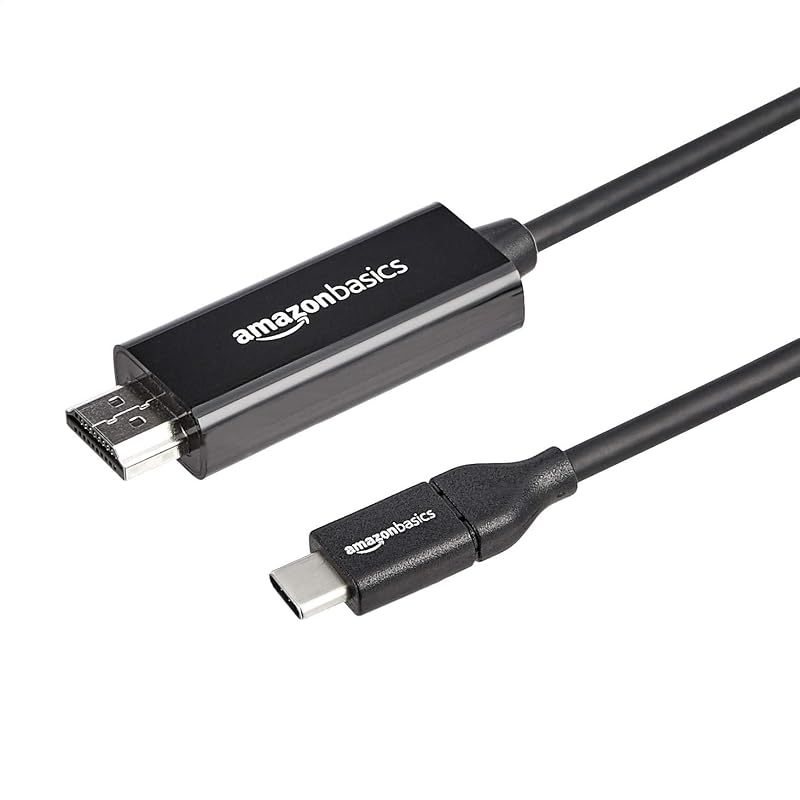
When packing a mobile camera kit or building a compact tethered field monitoring station, excess cable length creates unnecessary bulk and snag hazards. The Amazon Basics Uni-Directional USB-C provides an ultra-compact three-foot solution measuring exactly 36 by 0.83 by 0.43 inches. This reduced length is tailored for creators who place a laptop directly adjacent to a desktop monitor or need to connect a video-capable tablet to a field monitor mounted on an editing cart. While some mobile shooters rely on an apple dongle usb c linked to a separate HDMI cord, this single three-foot cable replaces two separate pieces of hardware with one streamlined assembly.
Engineered for standard visual workflows, this amazon basics usb c to hdmi 30hz cord supports 4K resolution video output capped at thirty frames per second. That refresh profile is well-suited for static field reference, such as verifying focus, framing static interviews, displaying presentation graphics, or running external teleprompter feeds. The internal wiring utilizes flexible shielding combined with aluminum conductors rather than the tinned copper used in its longer siblings. Aluminum conductors provide a lightweight architecture, though they differ structurally from copper builds. The exterior is finished in matte black, blending into clean production environments and desk layouts.
As with the other options in this lineup, setup is strictly plug and play with zero software setup required on compatible systems. The host device requires a functional USB Type-C port supporting DisplayPort Alternate Mode or a Thunderbolt 3 or 4 connection. It operates exclusively in a uni-directional orientation from the USB-C host to the HDMI screen. For travelers, mobile students, and creators who prioritize a clean, tangle-free desk footprint over maximum refresh rates, this three-foot model delivers functional 4K connectivity in a highly portable format.
- Short 3-foot footprint measuring 36 inches to eliminate workstation cable clutter
- Transmits 4K Ultra HD video signal at a reliable 30Hz refresh rate
- Lightweight internal design built with aluminum conductors and durable shielding
- Plug and play compatibility with USB-C DisplayPort Alt Mode and Thunderbolt 3 devices
What Sets These Models Apart
Selecting the proper display cable requires evaluating technical trade-offs across refresh rates, physical dimensions, and internal conductor materials. The table below highlights the key differences across the three Amazon Basics models to help you identify which cable matches your hardware ecosystem.
| Model | Max Resolution & Refresh Rate | Cable Length | Conductor Material | Current Rating & Housing |
|---|---|---|---|---|
| Amazon Basics USB-C to HDMI Cable | 4K at 30Hz | 6 Feet (72 inches) | Tinned Copper | 1 A / Molded Black |
| Amazon Basics Premium Aluminum Uni-Directional USB-C | 4K at 60Hz | 6 Feet (72 inches) | Tinned Copper | 1.5 A / Premium Aluminum |
| Amazon Basics Uni-Directional USB-C | 4K at 30Hz | 3 Feet (36 inches) | Aluminum | Listing does not specify / Molded Black |
Buying Tips for Amazon Basics USB-C to HDMI Cables
When determining which amazon basics usb c to hdmi cable to buy, your first checkpoint must be verifying hardware compatibility on the host device. Not every USB Type-C port carries video output signals. USB-C is a physical connector standard that can support various underlying data protocols; to output video to an HDMI monitor, your laptop, tablet, or phone port must specifically support DisplayPort Alternate Mode (Alt Mode) or feature Thunderbolt 3 or Thunderbolt 4 integration. If your host device only supports standard USB 2.0 or USB 3.0 data transfer without Alt Mode capability, no uni-directional passive conversion cable will generate a display image. Always review your host machine specifications before purchasing.
The second major consideration is the practical impact of refresh rates on your daily workflow ergonomics. A 30Hz refresh rate updates the monitor image thirty times per second, which is adequate for watching 24fps or 30fps film content, viewing presentation decks, or referencing static web pages and documentation. However, in video editing suites, audio production DAWs, and fast-paced graphic design environments, a 30Hz refresh rate creates visible mouse cursor trailing and choppy UI animations that can cause eye fatigue during extended editing sessions. Opting for a 60Hz model delivers fluid sixty-frame-per-second visual rendering, ensuring that your monitor interface matches the responsiveness of modern creator workstations.
Finally, consider the physical cable length and routing environment of your rig. A 6-foot cable offers the flexibility required to route neatly through articulated monitor arms, under desk grommets, and around studio backdrops, preventing mechanical tension on your laptop ports. Conversely, if your creative workflow takes place on coffee shop tables, airplane trays, or compact audio carts, an excess of coiled six-foot cable creates unnecessary weight and clutter. In tight quarters, a 3-foot cord maintains a tidy, secure workstation footprint that travels effortlessly in any camera backpack pouch.
FAQ
Does an Amazon Basics USB-C to HDMI cable work with every phone and tablet?
No. Video output over USB-C requires the source phone or tablet to support DisplayPort Alternate Mode (Alt Mode) through its hardware port. Many entry-level phones and media tablets use USB-C strictly for charging and standard file transfer, lacking the internal display routing lines needed to transmit video. Before connecting your device, consult the manufacturer specifications to ensure that external display output or Alt Mode functionality is explicitly supported.
What is the difference between 30Hz and 60Hz when outputting 4K video?
The refresh rate indicates how many times per second the display panel updates the rendered frame. At 4K 30Hz, the screen refreshes thirty times per second, which can produce noticeable visual lag, stuttering cursor movement, and jittery window dragging. At 4K 60Hz, the display updates sixty times per second, resulting in smooth motion rendering, fluid UI navigation, and seamless playback when editing high-frame-rate video timelines.
Can you use these cables in reverse to connect an HDMI laptop to a USB-C monitor?
No, these cables are strictly uni-directional. They are engineered with the input and source designated exclusively at the USB Type-C connector, and the output and display designated at the HDMI connector. You cannot plug the HDMI connector into a desktop graphics card or laptop HDMI port and output video to a USB-C monitor.
Do these cables require third-party driver installations?
No, all three Amazon Basics cables operate on a plug-and-play basis right out of the box. They do not require proprietary software installations, display drivers, or external firmware utilities. Once connected to a compatible host port that supports DisplayPort Alternate Mode, your operating system will automatically recognize the external monitor.
How does Thunderbolt 3 compatibility affect video transmission?
Thunderbolt 3 and Thunderbolt 4 ports natively incorporate DisplayPort signaling lines alongside high-speed data protocols. Because these Amazon Basics cables are Thunderbolt 3 compatible, you can plug them directly into any Thunderbolt 3 or Thunderbolt 4 USB-C port on modern MacBooks, Windows creative laptops, or production workstations and achieve immediate, reliable video conversion to an HDMI display.


