Intel Computers & Networking
Intel Core i7 Breakdown: Choosing the Right Workhorse CPU for Creators
Shopping for a used i7 processor is one of the most effective ways for digital creators, video editors, and live streamers to maximize processing power without overspending on current platform rebuilds. When searching the secondary market for a reliable desktop brain, Intel Core i7 silicon consistently hits the sweet spot between high-clock single-threaded responsiveness and…
As Amazon Associates, we earn from qualifying purchases. This means we may receive a small commission at no extra cost to you if you click through and make a purchase.
Shopping for a used i7 processor is one of the most effective ways for digital creators, video editors, and live streamers to maximize processing power without overspending on current platform rebuilds. When searching the secondary market for a reliable desktop brain, Intel Core i7 silicon consistently hits the sweet spot between high-clock single-threaded responsiveness and multi-threaded rendering capability. For video creators who rely on Adobe Premiere Pro, DaVinci Resolve, or multi-track audio suites, choosing a pre-owned processor on modern socket architectures allows you to upgrade your system while reusing memory, storage, and cooling components.
This guide evaluates 5 distinct Intel Core i7 desktop models across two processor generations: the 12th Gen Alder Lake and 14th Gen Raptor Lake Refresh lineups. While all five processors share compatibility across 600 and 700 series motherboards, they diverge significantly in core configuration, thread counts, integrated graphics capabilities, and power design. Understanding how these variants handle hardware-accelerated video decoding versus raw compute loads will help you secure the best used intel processor for your creative workstation.
Which Intel i7 Processors Should You Buy
All 5 models on this page, side by side


Prices and ratings are read from the Amazon product listing and change there, not here. Every rating is the average left by Amazon buyers, not a score from this site.
Why each one is on the list
- Dedicated GPU Video Editors on a Budget: Choose the Intel Core i7-12700KF Desktop Processor 12 for reliable 12-core rendering performance when your editing rig already features a powerful discrete graphics card.
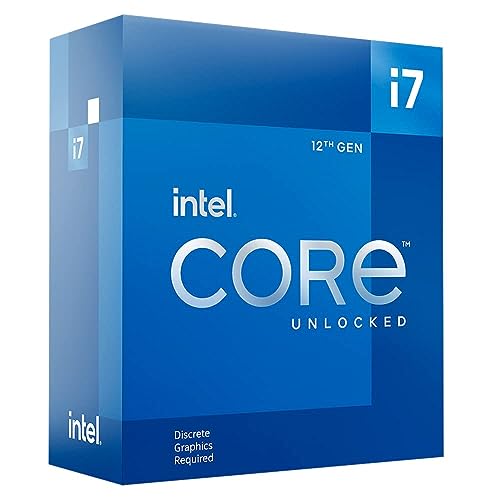
- Timeline Scrubbing and Multi-Stream Video Producers: Choose the Intel Core i7-12700K Gaming Desktop Processor to leverage integrated Intel UHD Graphics for hardware media encoding alongside hybrid core processing.
- Heavy Visual Effects and 4K Multi-Cam Creators: Choose the Intel Core i7-14700K New Gaming Desktop for maximum multi-core muscle, featuring 20 cores, 28 threads, and integrated Quick Sync acceleration.
- Pure 3D Rendering and Animation Workstations: Choose the Intel Core i7-14700KF New Gaming Desktop to channel high clock speeds and 20 compute cores directly into production pipelines with dedicated graphics setups.
- Compact Studio Builds and Quiet Creative Spaces: Choose the Intel Core i7-14700 Desktop Processor 20 for efficient 20-core productivity that includes an in-box thermal solution and manageable base power requirements.
01 Intel Core i7-12700KF Desktop Processor 12

Best for Multi-stream video editors needing Quick Sync
Pros
- Integrated Intel UHD Graphics
- 12-core hybrid architecture
- Up to 5.0 GHz boost speed
- Windows 11 and Mac OS support
Cons
- Cooling fan not included
- Higher power draw under load

Best for Budget video editors with discrete GPUs
Pros
- 12 cores and 20 threads
- 25 MB L3 cache memory
- Up to 5.0 GHz clock speed
- Improved performance per watt
Cons
- No integrated graphics processor
- Thermal cooler not included
The Intel Core i7-12700KF Desktop Processor 12 represents an accessible entry point for video editors and digital artists seeking a used lga 1700 cpu. Built on the Intel 7 architecture, this processor features 12 physical cores arranged in an 8 Performance-core and 4 Efficient-core layout, managing 20 concurrent threads. With a base operating frequency of 3.6 GHz and turbo frequencies reaching up to 5.0 GHz, the intel core i7-12700kf delivers snappy user interface interactions and reliable performance across complex timeline edits.
For creator workflows, the processor includes 11 MB of L2 cache and 25 MB of L3 cache, which speeds up asset retrieval during dense compilation tasks and audio processing. Because this is an unlocked KF-series model, it operates with a 125-watt base power profile and drops the integrated graphics engine entirely. Creative professionals opting for this model must pair it with a dedicated graphics card to drive displays. If your setup focuses strictly on offline rendering or GPU-accelerated plugins that do not rely on Intel integrated media blocks, this chip keeps secondary hardware costs low. Creators considering broader platform options may also compare how an intel core i5 13th gen processor stacks up against older i7 silicon in everyday render tasks.
- Hybrid architecture featuring 12 cores (8 Performance cores plus 4 Efficient cores) and 20 threads
- Generous cache allotment with 11 MB L2 cache and 25 MB L3 cache
- LGA 1700 socket design allowing clean installation on compatible motherboards without soldering
- Base frequency of 3.6 GHz with turbo speeds up to 5.0 GHz at a 125-watt rating
02 Intel Core i7-12700K Gaming Desktop Processor
The Intel Core i7-12700K Gaming Desktop Processor is arguably one of the most versatile options on the secondary component market for content producers. Structurally similar to its KF sibling with an 8P+4E core layout and 20 concurrent threads, the intel core i7-12700k differentiates itself with an integrated Intel UHD Graphics controller. For video editors working extensively in Adobe Premiere Pro or DaVinci Resolve Studio, this built-in GPU engine enables Intel Quick Sync Video, which assists in smooth live scrubbing of H.264 and HEVC camera files without stutter.
Operating at a base clock of 3.6 GHz with boost potential up to 5.0 GHz, the chip manages demanding render queues with 25 MB of L3 cache to keep data pipelines fed. The listing notes platform compatibility spanning Windows 11 and Mac OS Big Sur 11 environments, providing flexibility across specialized workstation operating systems. The listing also specifies that no cooling fan is included in the box, requiring creators to provide a capable air cooler or liquid loop to handle its 125-watt thermal output. When previewing 4K color grades on a high-end display like an asus oled gaming monitor, the integrated graphics controller can also drive utility displays, leaving your primary discrete GPU dedicated to compute-heavy visual effects.
- Integrated Intel UHD Graphics controller to support visual output and hardware media playback
- 20 concurrent processing threads across an efficient hybrid multi-core framework
- 25 MB of L3 cache memory for streamlined instruction delivery and asset processing
- Unlocked clock multiplier with a 125-watt base rating on the LGA 1700 platform
03 Intel Core i7-14700K New Gaming Desktop
Best for Quiet creator setups and vloggers
Pros
- Includes Intel Laminar RM1 cooler
- 20 cores and 28 threads
- Integrated Intel UHD Graphics 770
- Lower base power rating
Cons
- Lower peak clock than K series
- Locked base clock multiplier

Best for Heavy 4K multi-cam video producers
Pros
- 20 cores and 28 threads
- Up to 5.6 GHz clock speeds
- Integrated Intel UHD Graphics 770
- DDR4 and DDR5 memory support
Cons
- Demanding thermal cooling requirements
- No stock cooler included
When searching for peak production efficiency within the LGA 1700 family, the Intel Core i7-14700K New Gaming Desktop stands out as a dramatic architectural leap. Unlike the previous generation, this processor expands the core count to 20 cores (comprising 8 Performance cores and 12 Efficient cores) and expands thread handling to 28 concurrent threads. The intel core i7-14700k reaches maximum single-core frequencies of up to 5.6 GHz using Turbo Boost Max Technology 3.0, driving blisteringly fast export times and effortless high-framerate playback across 4K and 6K video timelines.
In addition to raw compute throughput, this processor features integrated Intel UHD Graphics 770, ensuring full compatibility with hardware-accelerated video codecs. Memory support spans both DDR4 and DDR5 standards across Intel 600-series (via potential BIOS update) and 700-series motherboards, allowing creators to keep their existing memory modules when upgrading. The listing notes 33 MB of secondary cache to handle vast sets of texture data, timeline markers, and background audio rendering. While the listing specification table mentions an LGA 771 entry, its description and feature set confirm support across standard 600 and 700 series motherboard ecosystems at a 125-watt processor base power profile.
- Expanded 20-core framework (8 Performance cores and 12 Efficient cores) with 28 threads
- Clock speeds up to 5.6 GHz driven by Turbo Boost Max Technology 3.0
- Integrated Intel UHD Graphics 770 for hardware timeline playback and display driving
- Dual memory standard flexibility supporting both DDR4 and DDR5 system RAM
04 Intel Core i7-14700KF New Gaming Desktop

Best for Dedicated 3D rendering and animation workstations
Pros
- 20 cores for heavy multi-threading
- Turbo speeds up to 5.6 GHz
- Generous 33 MB cache size
- PCIe 5.0 and 4.0 support
Cons
- Requires discrete graphics card
- No bundled thermal solution
The Intel Core i7-14700KF New Gaming Desktop packs the identical compute muscle of the 14700K into a package tailored specifically for machines equipped with discrete workstation graphics. Offering 20 total cores divided into 8 Performance cores and 12 Efficient cores, this processor reaches clock speeds up to 5.6 GHz. The listing specifications note 16 concurrent threads in its data table while highlighting 28 threads across its core breakdown, delivering immense multi-threaded processing power for 3D modeling, Blender rendering, and heavy audio composition sessions.
Operating at a 125-watt base power rating on the LGA 1700 socket, the intel core i7-14700kf requires a discrete graphics card since it lacks built-in display hardware. For creators who already own an enterprise or high-tier creative GPU, omitting the onboard GPU core simplifies driver overhead. Backed by 33 MB of cache memory, this processor breezes through complex background batch processing while leaving foreground applications snappy. It functions reliably across Intel 600-series motherboards with a BIOS update or native 700-series motherboards, providing a straightforward upgrade path for current workstation owners.
- 20 physical cores (8 P-cores plus 12 E-cores) for high-load multi-threaded creative rendering
- Turbo Boost Max Technology 3.0 achieving frequencies up to 5.6 GHz
- 33 MB cache memory installed size to smooth heavy file access and large projects
- Full PCIe 5.0 and PCIe 4.0 support alongside DDR4 and DDR5 memory compatibility
05 Intel Core i7-14700 Desktop Processor 20
Creative hobbyists and vloggers operating in smaller studio spaces often need workstation-grade core counts without excessive thermal management demands, which is where the Intel Core i7-14700 Desktop Processor 20 excels. This processor delivers the full 20-core architecture (8 Performance cores and 12 Efficient cores) and 28 concurrent threads found on the unlocked K-series variants, but pairs it with an efficient 65-watt processor base power profile noted in the listing description, alongside its 125-watt maximum capability listed in the specifications.
Reaching clock speeds up to 5.4 GHz via Turbo Boost Max Technology 3.0, the intel core i7-14700 provides rapid responsiveness without requiring complex cooling hardware. Uniquely among the models reviewed here, this processor listing includes the Intel Laminar RM1 thermal solution right in the box, eliminating the need to source an aftermarket cooler immediately. With integrated Intel UHD Graphics 770 on board, video vloggers get complete access to hardware video encoding engines while benefiting from 33 MB of onboard cache to handle video rendering, audio multitracking, and productivity workloads efficiently.
- 20 physical cores and 28 threads operating up to 5.4 GHz frequency
- Includes the Intel Laminar RM1 cooler in the package for immediate setup
- Integrated Intel UHD Graphics 770 to support video decoding and dual display outputs
- Flexible platform support compatible with Intel 600 and 700 series chipset motherboards
What Sets These Models Apart
Executing an accurate intel i7 processor comparison requires looking beyond clock frequencies to evaluate integrated graphics support, total thread allocation, and included accessories. Creators working with compressed camera codecs benefit heavily from processors equipped with integrated UHD Graphics, whereas dedicated 3D animators can lean into KF-series variants. The table below details the essential specification differences to assist in selecting the best used intel processor for your workflow.
| Processor Model | Core / Thread Layout | Maximum Clock Speed | Integrated Graphics | Thermal Solution |
|---|---|---|---|---|
| Intel Core i7-12700KF Desktop Processor 12 | 12 Cores / 20 Threads | 5.0 GHz | None (Discrete Required) | Listing specifies Air cooling (Not Included) |
| Intel Core i7-12700K Gaming Desktop Processor | 12 Cores / 20 Threads | 5.0 GHz | Intel UHD Graphics | No cooling fan included |
| Intel Core i7-14700K New Gaming Desktop | 20 Cores / 28 Threads | 5.6 GHz | Intel UHD Graphics 770 | Not included |
| Intel Core i7-14700KF New Gaming Desktop | 20 Cores / 28 Threads | 5.6 GHz | None (Discrete Required) | Not included |
| Intel Core i7-14700 Desktop Processor 20 | 20 Cores / 28 Threads | 5.4 GHz | Intel UHD Graphics 770 | Intel Laminar RM1 Cooler Included |
Buying Tips for Intel i7 Processors
When purchasing a used i7 processor, motherboard compatibility and BIOS version are your top priorities. All five processors reviewed here utilize the LGA 1700 interface and operate on Intel 600-series and 700-series motherboards. However, if you are installing a 14th Gen processor such as the 14700K or 14700 into an older 600-series board, you must verify that the motherboard has been updated with a compatible BIOS version. Many creator-oriented motherboards offer USB BIOS flashback features that allow you to update firmware without an older CPU installed, preventing potential boot failures.
Another crucial consideration for creative workloads is deciding which intel i7 to buy based on your graphics acceleration pipeline. Processors bearing the ‘F’ designation lack integrated graphics engines entirely. While this is acceptable for systems featuring powerful dedicated graphics hardware, video editors who rely on smooth scrubbing of 10-bit 4:2:2 video files will greatly benefit from the integrated UHD Graphics 770 engine found on standard K and non-K models. The hardware media encoders inside non-F chips offload processing from your main graphics card, resulting in lower export times and a significantly more responsive timeline during complex edits.
Finally, inspect physical hardware conditions when receiving pre-owned components. Because LGA 1700 desktop processors place the sensitive contact pins on the motherboard socket rather than the processor itself, check the gold contact pads on the underside of the processor for any thermal paste residue, deep scratches, or burnt traces. Ensure that your workstation chassis has adequate ventilation, as 125-watt base power processors can generate substantial heat during prolonged video rendering or complex multi-track audio exports.
FAQ
Do used 14th Gen Intel processors work on older 600-series motherboards?
Yes. The 14th Gen processors, including the i7-14700K, i7-14700KF, and i7-14700, are fully compatible with Intel 600-series chipset motherboards. However, the listing documentation notes that a BIOS update may be required for the motherboard to recognize and boot the newer processor architecture properly.
What is the functional difference between K and KF processor variants?
The primary difference lies in the integrated graphics hardware. A ‘K’ model like the i7-12700K features an integrated Intel UHD Graphics controller, whereas a ‘KF’ model like the i7-12700KF lacks integrated graphics and requires a standalone discrete graphics card to display video output.
Does the Intel Core i7-14700 include a thermal cooler in the box?
Yes. The Intel Core i7-14700 Desktop Processor listing explicitly confirms that the Intel Laminar RM1 thermal solution is included in the packaging, unlike the unlocked K and KF models which require an aftermarket cooling solution.
Can I use DDR4 memory with these Intel Core i7 processors?
Yes. Both the 12th Gen and 14th Gen processors featured in this guide support both DDR4 and DDR5 memory standards. Motherboard manufacturers offer distinct boards designed for either DDR4 or DDR5 RAM, allowing creators to choose the memory standard that fits their workstation budget.
Why is integrated graphics important for content creation if I already have a graphics card?
Integrated Intel UHD Graphics provide hardware-based media decoding via Intel Quick Sync Video. Many professional video editing applications utilize Quick Sync to decode compressed video formats simultaneously alongside your primary graphics card, speeding up timeline scrubbing and lowering render times.


